Row list
A column of list rows that is one stop for Tab and owns the selection and the keyboard, so the rows only have to draw themselves.
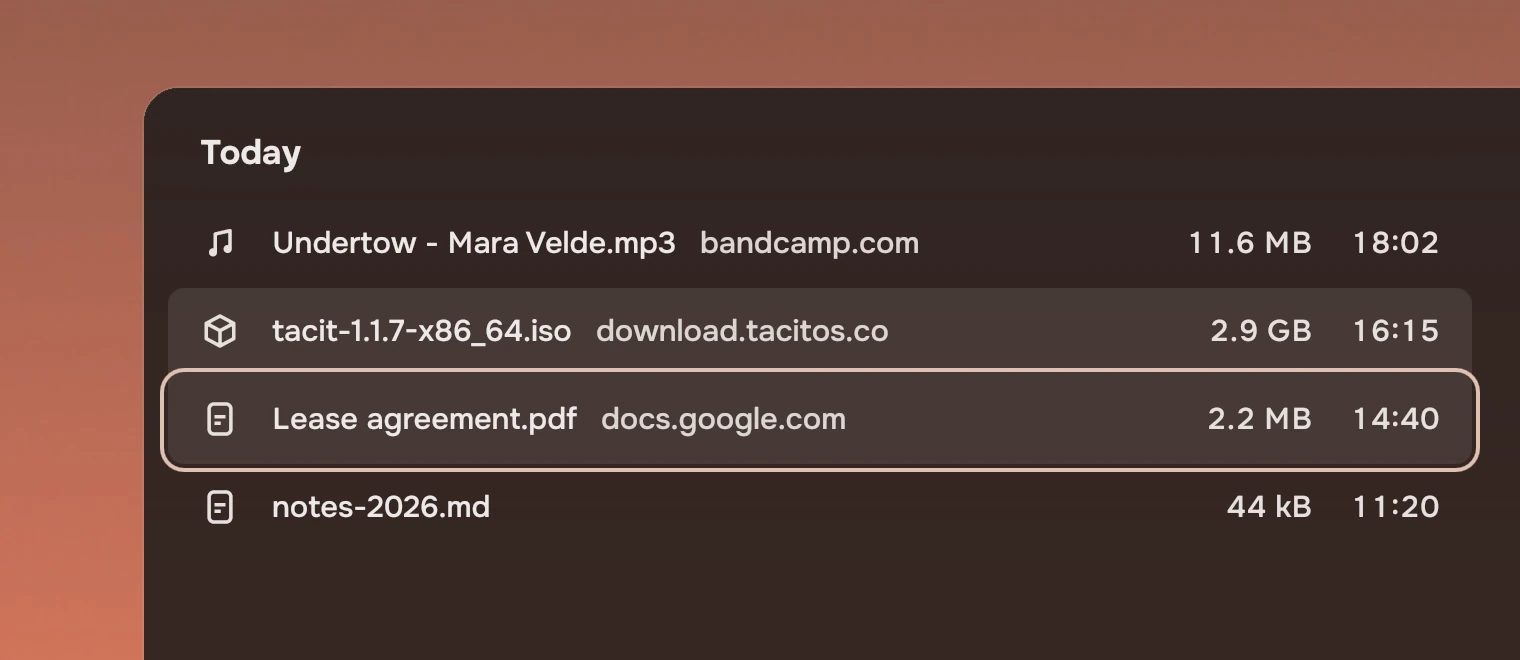
Use it for any list people scan by name and pick from: files, songs, downloads. Fill it with list rows. For pictures, use a picture grid. For a few choices that change a setting, use a menu.
Anatomy
A row list draws almost nothing itself. It keeps the selection, the place of the keyboard and the scrolling, and tells each row what to show.
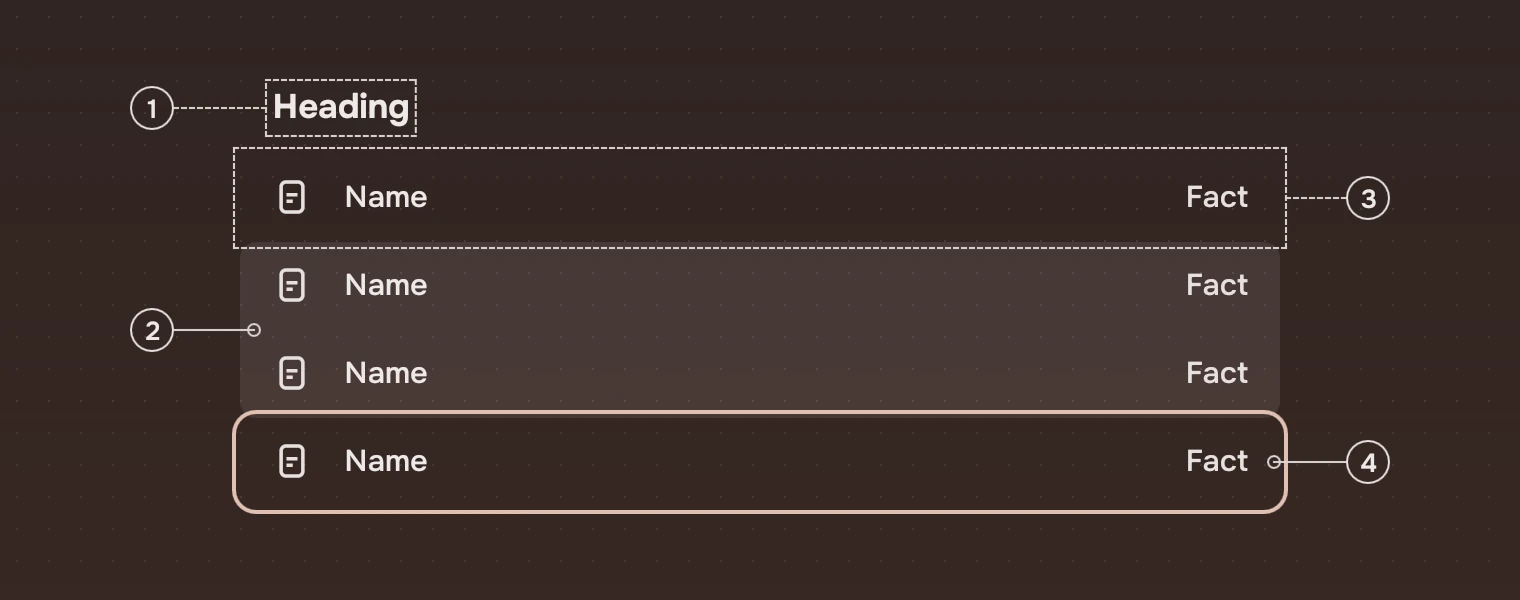
- HeadingA section heading, from the list's
sectionproperty when rows fall into groups (a day, a folder). - SelectionRows that are selected next to each other are one wash, round only at its two ends.
- RowEach row is the app's delegate, a list row, bound to the list.
- Keyboard placeThe ring shows which row the keys act on.
States
The list has a selection and a place for the keyboard. They are separate: Ctrl with the arrow keys moves the place without changing the selection.
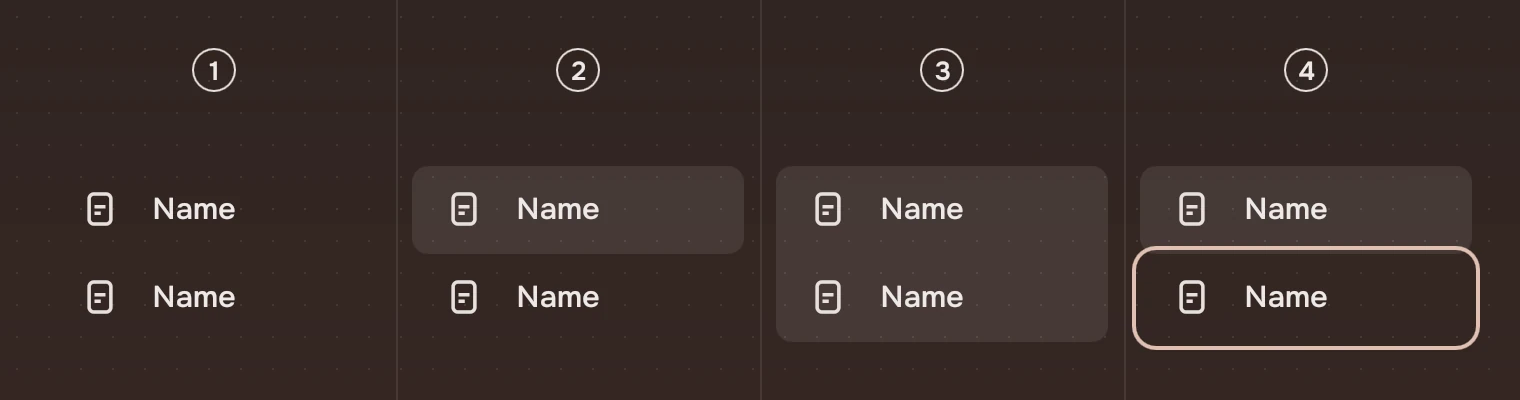
- Nothing selectedNo wash anywhere. The first arrow key selects a row.
- One selectedThe row's selected wash.
- A run selectedOne wash across the run (Shift with the arrows, Shift-click, Ctrl+A).
- Keyboard elsewhereThe selection stays where it was, and the ring stands on the row the keys will act on next.
Sizes
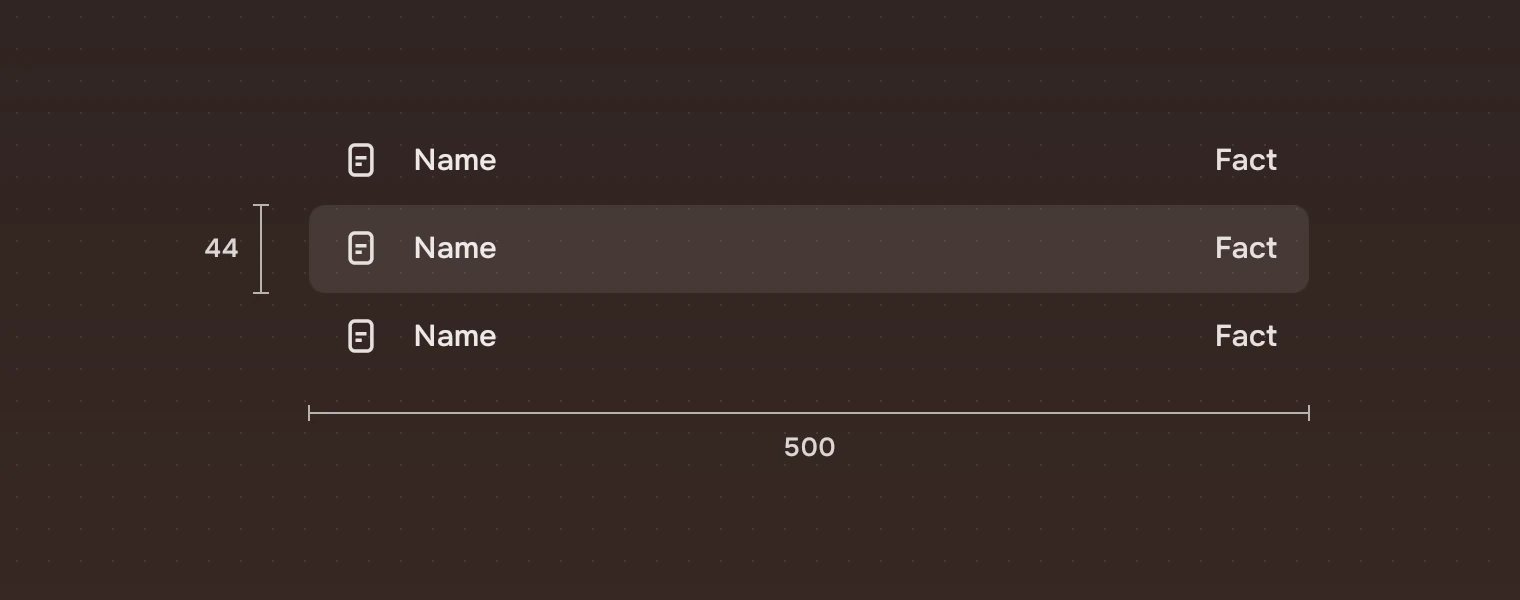
| Part | Value |
|---|---|
| Row height | 44 |
| Width | The width the page gives it; names with one number should not run past 720 |
| Room for the ring | 4 pixels around the rows (a 2-pixel ring, 2 pixels out), kept inside the list's clip |
| Default size | 480 by 400 |
| Page Up, Page Down | The rows that fit, less one |
| Typing | Starts again after 0.8 seconds of no key |
Keys and pointer
The list is one stop for Tab. Inside it the keyboard moves between rows.
| Do this | To |
|---|---|
| ↑ ↓ | Move to the row above or below and select it |
| Shift with ↑ ↓ | Select from where you started to here |
| Ctrl with ↑ ↓ | Move the ring without selecting |
| Ctrl Space | Add or remove the row under the ring |
| Home End Page Up Page Down | Go to the first, the last, or a screen up or down |
| Ctrl A | Select every row |
| F2 | Rename the row with the ring (editRequested); the app sets that row's editing |
| Enter | Open (activated) |
| Space | Take a look without opening (peeked), for example in a docked panel |
| Menu | The row's menu (contextRequested) |
| Type a name | Go to the first row whose name starts with what you typed |
| Click, Ctrl-click, Shift-click | Select one, add or remove one, select a run |
| Double-click | Open |
| Right-click | The row's menu |
The scroll wheel and the touchpad move the list as everywhere in Tacit: the touchpad follows the fingers and glides on after a flick.
Accessibility
- The list has the role of a list, named by
label; set it to what the list holds ("Downloads"). Each row is a list item named by its name and the name beside it, and says whether it is selected. - The list is one Tab stop, so a long list never costs a screen reader or keyboard user a press per row.
- Everything the pointer does in a list has a key: select, extend, toggle, open, look, menu and jump to a name.
- Selection is shown by the wash and the keyboard place by the ring, never by colour of the words alone.
Writing
The list shows what the app gives it, so the work is in the names. Use the file's or song's own name. The section headings say what the run is: "Today", "This week", the folder or artist. Type-to-jump matches the start of the name, so keep names starting with the word people know them by.
Do and don't
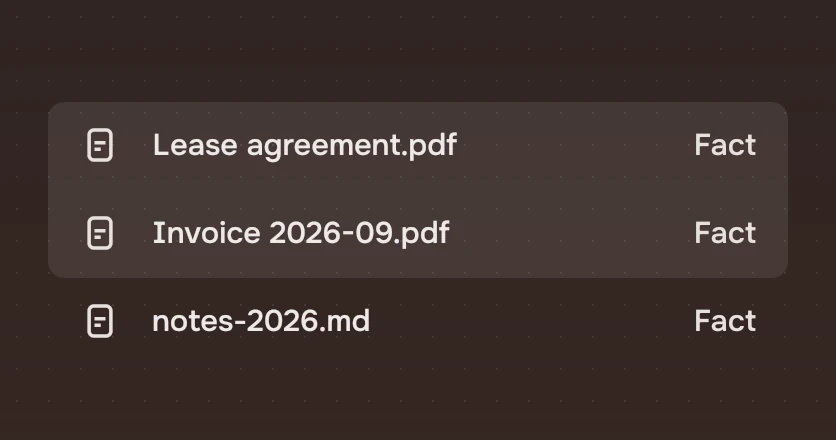
joinAbove and joinBelow.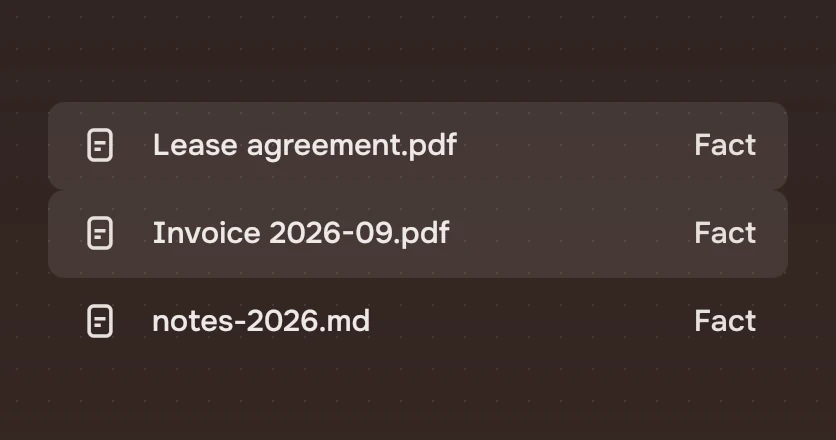
joinAbove and joinBelow. Stacked round washes touch and notch each other.Code
A row list needs a model and a delegate. The delegate binds to the list, and the list does the rest.
import Tacit.Kit

SectionHeading { text: "Today" }
RowList {
    id: list
    width: 640; height: 400
    model: files                           // items have a `name`, for type-to-jump
    delegate: ListRow {
        required property var modelData
        required property int index
        width: list.rowWidth
        focusable: false                   // the list is the one tab stop
        glyph: modelData.kind
        name: modelData.name
        facts: [modelData.size, modelData.when]
        selected: list.isSelected(index)
        joinAbove: list.isSelected(index - 1)
        joinBelow: list.isSelected(index + 1)
        ring: list.ringAt(index)
        onClicked: m => list.clickAt(index, m)
        onActivated: list.activated(index)
    }
    onActivated: i => open(files[i])       // Enter, double-click
    onPeeked: i => panel.show(files[i])    // Space
}
| Property or signal | What it does |
|---|---|
model, delegate, section | What the list shows, how each row looks, and how rows are grouped under headings |
cursor, selection, selectionCount | The row with the ring, the selected rows (an object by index), and how many |
selected(), setSelection(indexes) | The selected indexes as an array; set them |
isSelected(i), ringAt(i), clickAt(i, modifiers) | What a delegate binds to |
moveTo(i, how) | Move the ring to row i. how is "select" (the default), "extend" or "cursor" (move without selecting) |
label | What a screen reader calls the list ("List" until the app says) |
rowWidth | The width a delegate takes |
nameAt(i) | The name type-to-jump reads (the model's name by default) |
activated(index), peeked(index), contextRequested(index, at) | Open, look, and ask for the row's menu |
editRequested(index) | F2 on the row with the ring. The list does not rename: set that row's editing (see list row) |
Experimental, in Tacit.Kit 0.1. Changed 25 October 2026: first version.
Text and figures: CC BY 4.0. Tacit.Kit: LGPL-3.0 code, OFL fonts. The Tacit name.