Materials
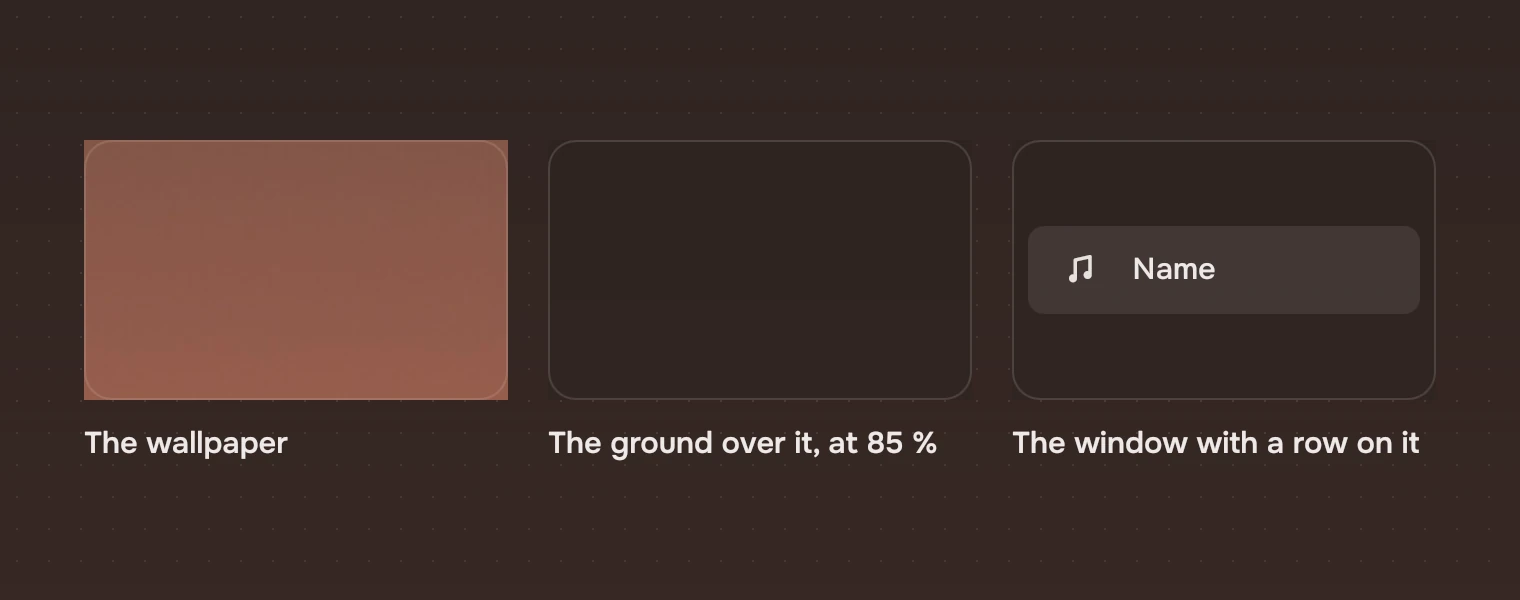
A window is one layer of glass: the wallpaper, blurred, under a dark ground you can see through a little. Everything else is that layer lifted by a wash, or one solid surface for a menu.
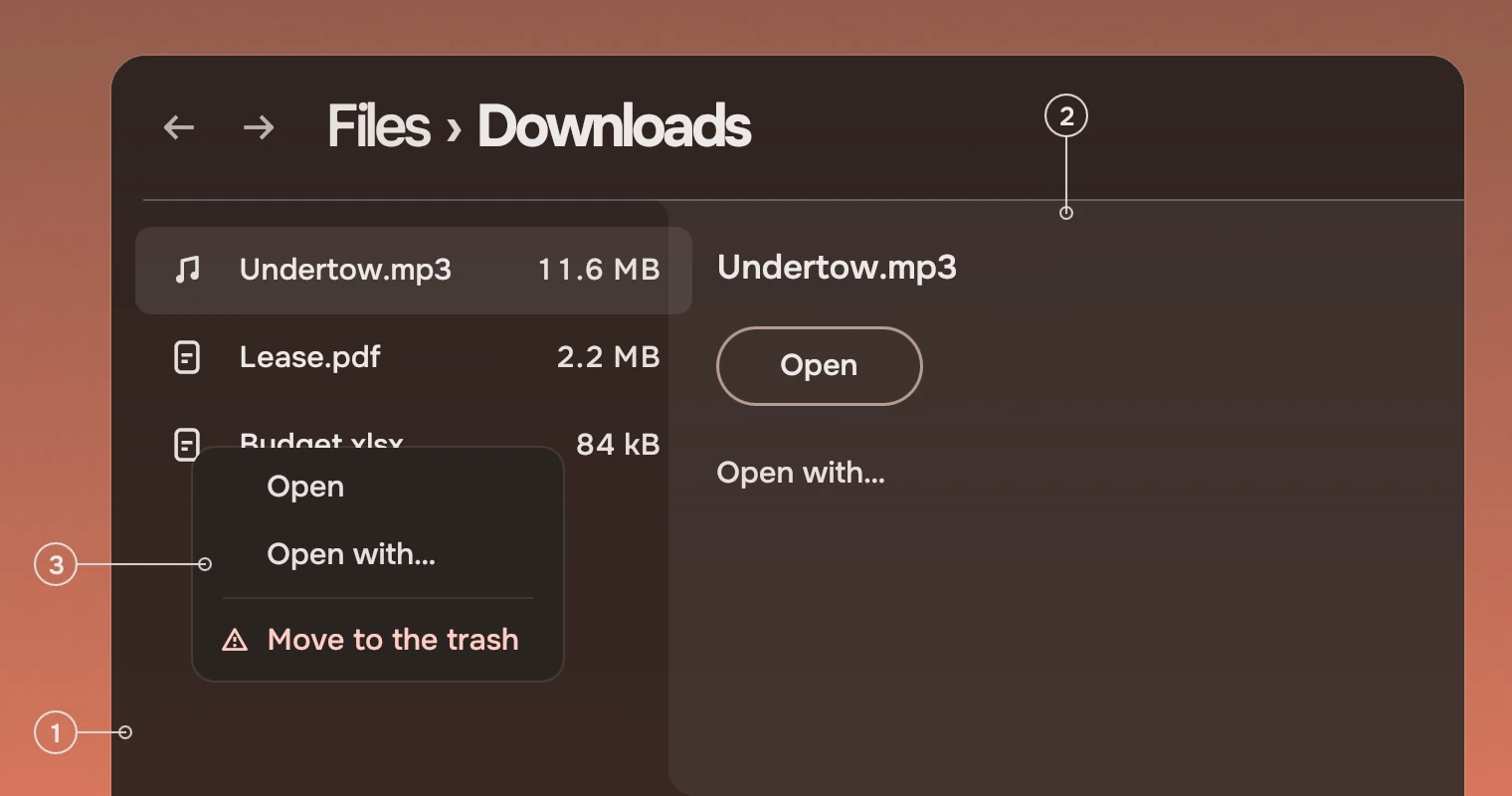
- GroundThe window's glass: the blurred wallpaper under the window ground at 85 %.
- LiftedThe docked panel: the same page with a 6 % wash of the main ink over it.
- OverlayA menu: solid, so text under it does not show through.
The window ground
Every app window is drawn as the shell's ground, windowGround, at 1 - windowSeeThrough, which is 85 % by default. The compositor blurs the wallpaper behind the window, so what shows through is a soft field of the wallpaper's own colour. A user may set the see-through, or turn transparency off, which makes the ground solid; the tokens carry it. The WindowGround part draws the ground this way, with the window's 18-pixel corners, so put it first in the window and follow the setting without reading it.
The lifted panel
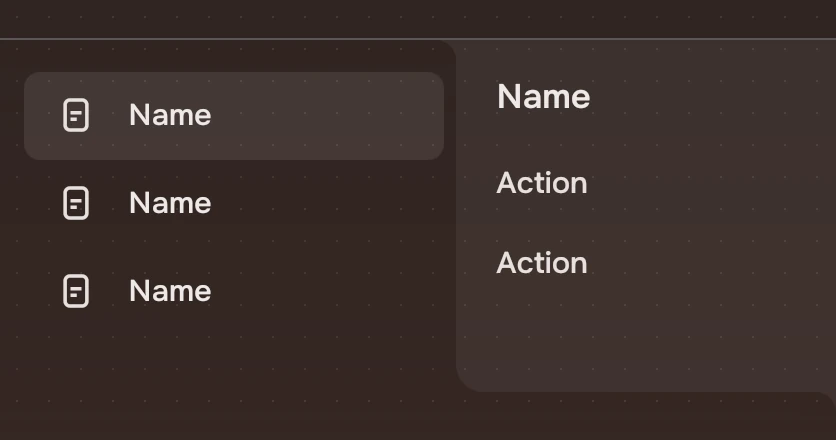
The docked panel is not a new colour. It is the page under it with a wash of the main ink at 6 % (wash.action), so it keeps the wallpaper's hue and glow. It is see-through, so at half width it covers the list and the page clips the list at its edge.
The overlay
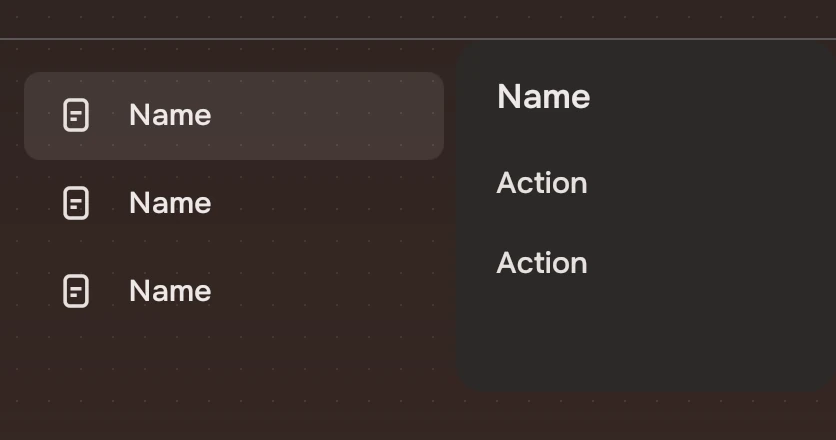
A menu is solid, on overlay. The material is the window ground a fifth of the way to the accent's container, with a faint edge in the main ink at 10 %. Text under it must not show through. It is the one solid thing in a window.
Why no grey patches
A solid container laid on a see-through page reads as a flat grey patch: it hides the wallpaper and has none of the page's hue. The same is true of a group inside content and of an open album with a box behind it. Lift with a wash, or leave the surface out and set the content in.
| Material | Colour | Where |
|---|---|---|
| Window ground | windowGround at 85 % | Every app window |
| Lifted | Main ink at 6 % over the page | The docked panel, a field in a panel |
| Container | container at 85 % | A search field in use |
| Overlay | overlay, solid | Menus |
Experimental, in Tacit.Kit 0.1.
Text and figures: CC BY 4.0. Tacit.Kit: LGPL-3.0 code, OFL fonts. The Tacit name.