List row
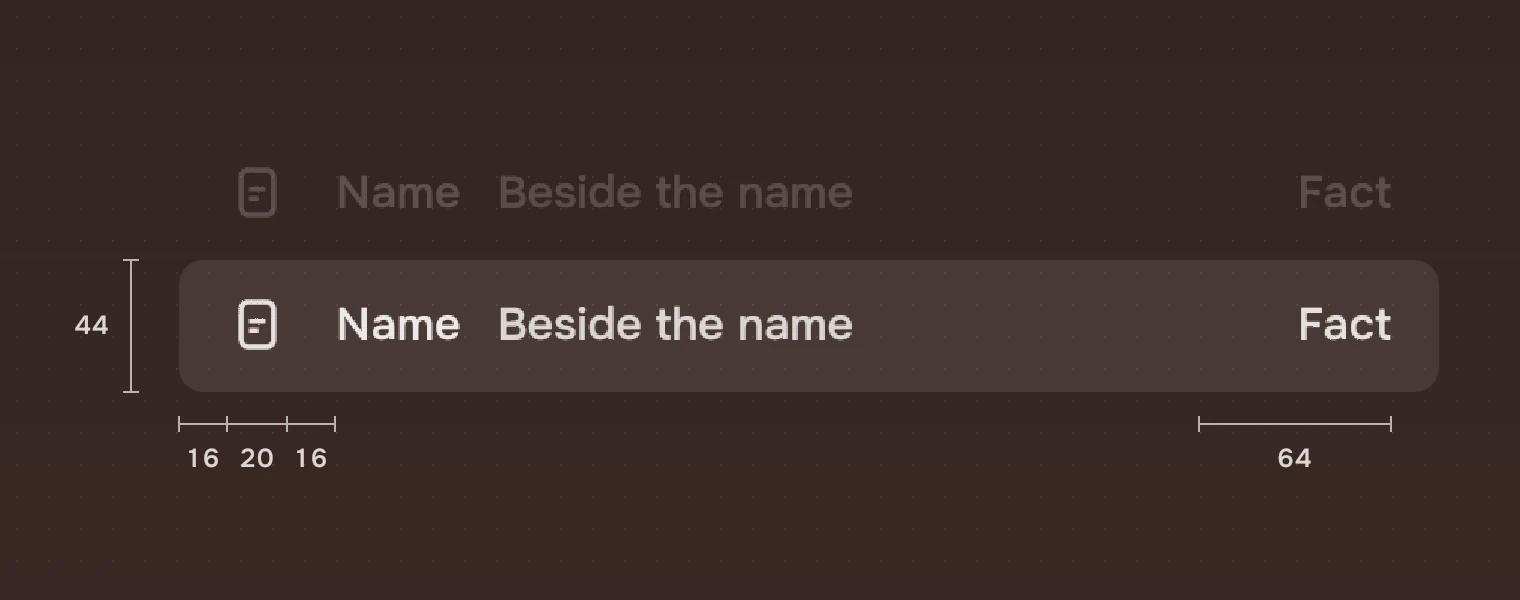
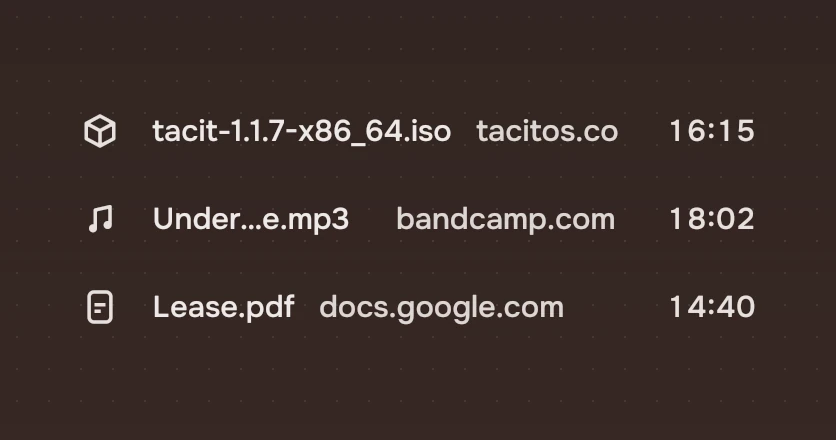
One thing in a list: a file, a song, a contact. It says what kind of thing it is, its name, where it came from, and its facts, in one line 44 pixels high.
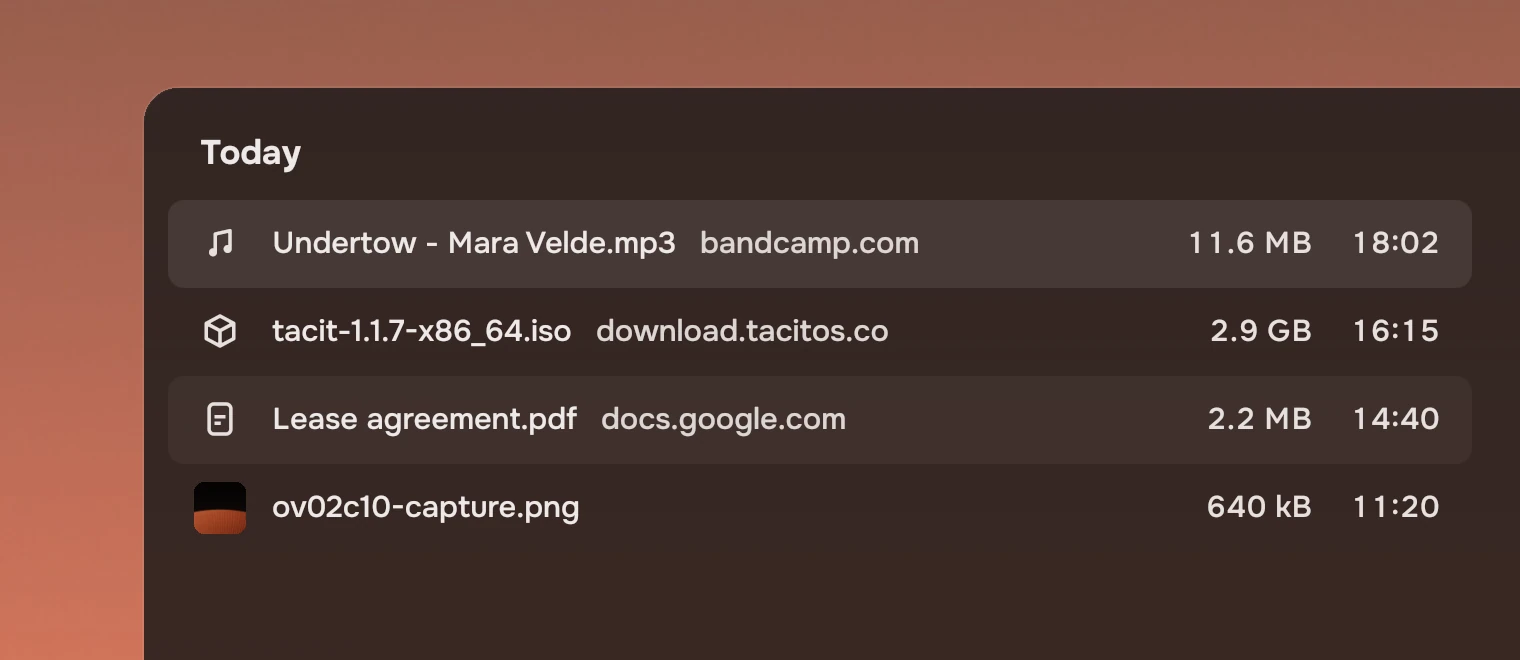
Use it for anything people scan by name and pick from. Put rows in a row list, which owns the keyboard and the selection. For choices that change a setting, use a menu.
Anatomy
Five pieces, each in its own ink, and one optional sixth, the number before the name. Nothing else goes on the row: no second line, no badge, no symbol for an action.
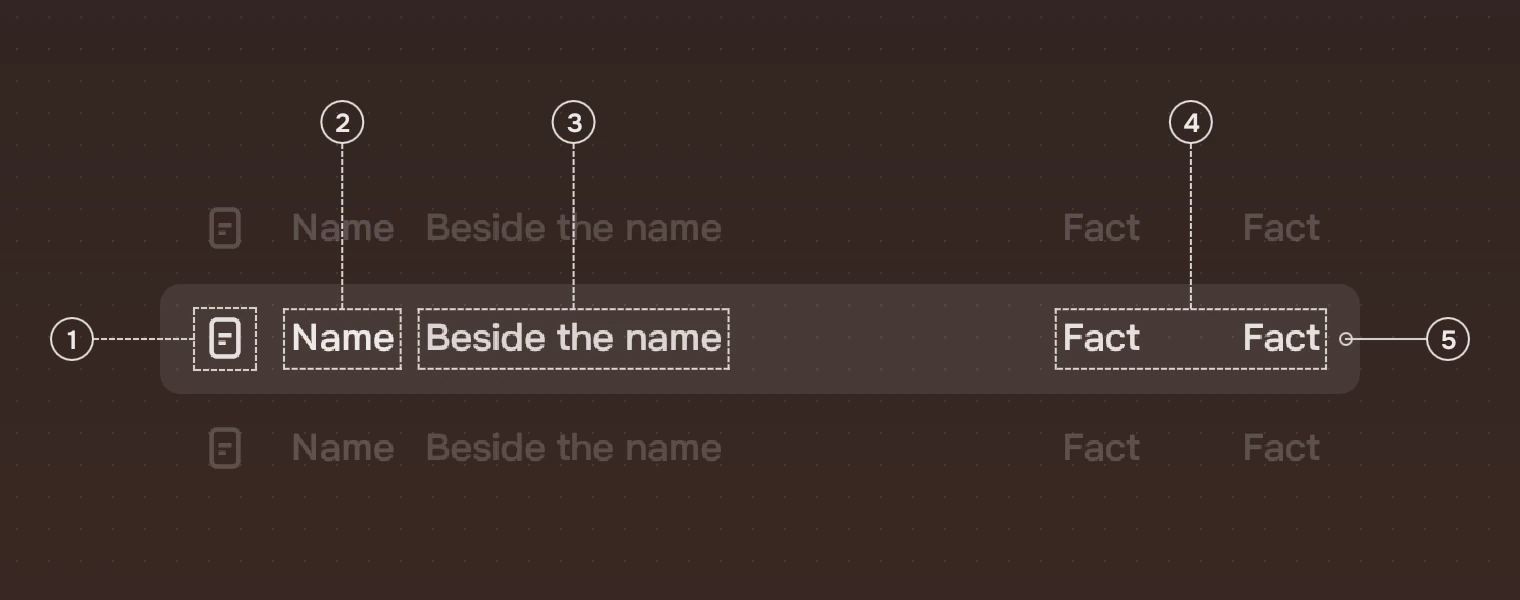
- KindA symbol for what the thing is, or a small picture when it is a picture; a picture that fails to load falls back to its symbol. 20 pixels, in the secondary ink.
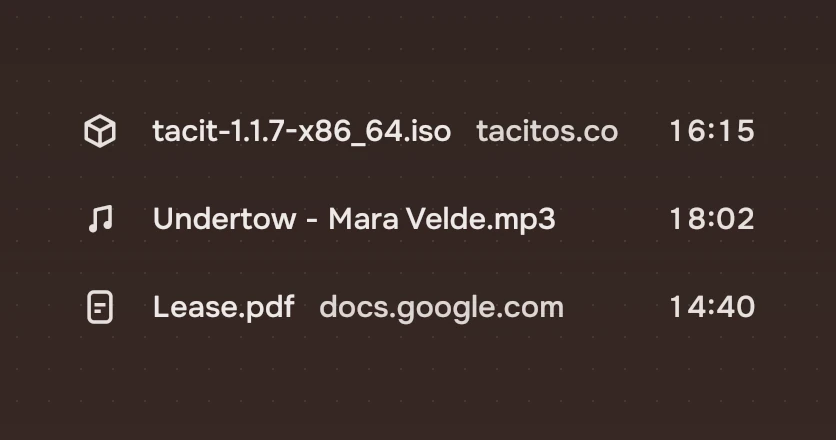
- NameThe name as it is. With no room, it shortens in the middle, so its end, often the type, stays.
- Beside the nameWhere it came from, or who made it, in the meta ink. It gives way first.
- FactsSize, time, length: right-aligned in fixed columns, with tabular figures so digits line up down the list.
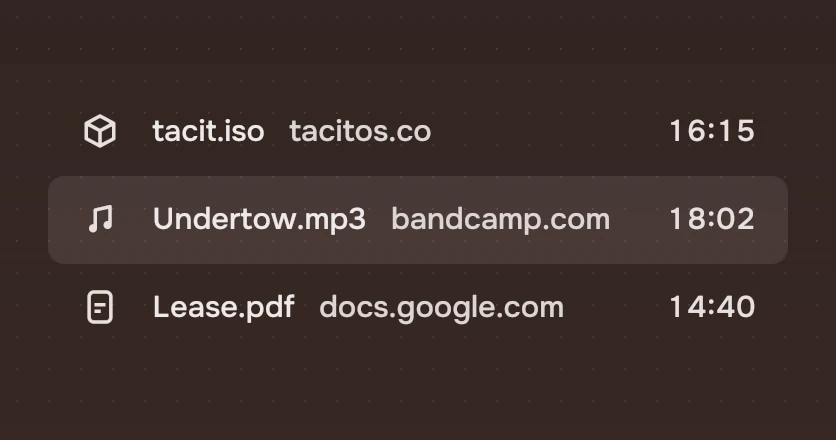
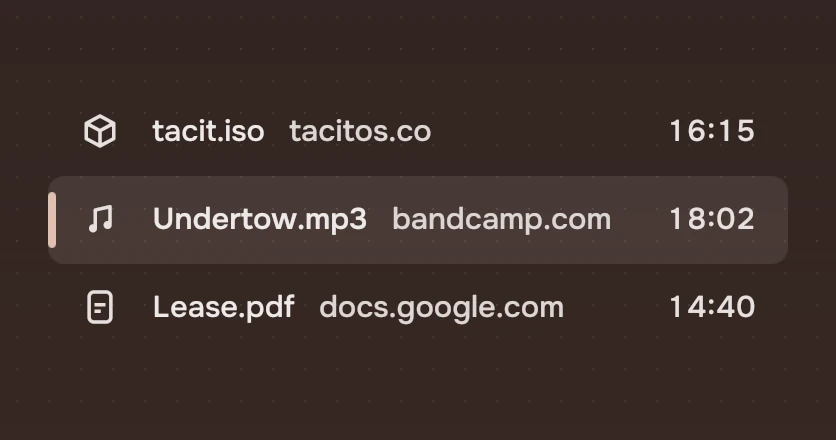
- WashThe only sign of selection: the main ink at 10 % over the ground.
A row can also have a number before the name, such as a track's (lead), in the meta ink. Set leadFigures to the most figures any row's number has: the numbers then end in one column, and the name starts in the same place whether or not a row has one.
States
Every state is a wash of the main ink, so a row never changes its shape or its words. The keyboard ring is the one exception, and it shows only after a key. States gives the washes and the ring for every part; the row's are here.
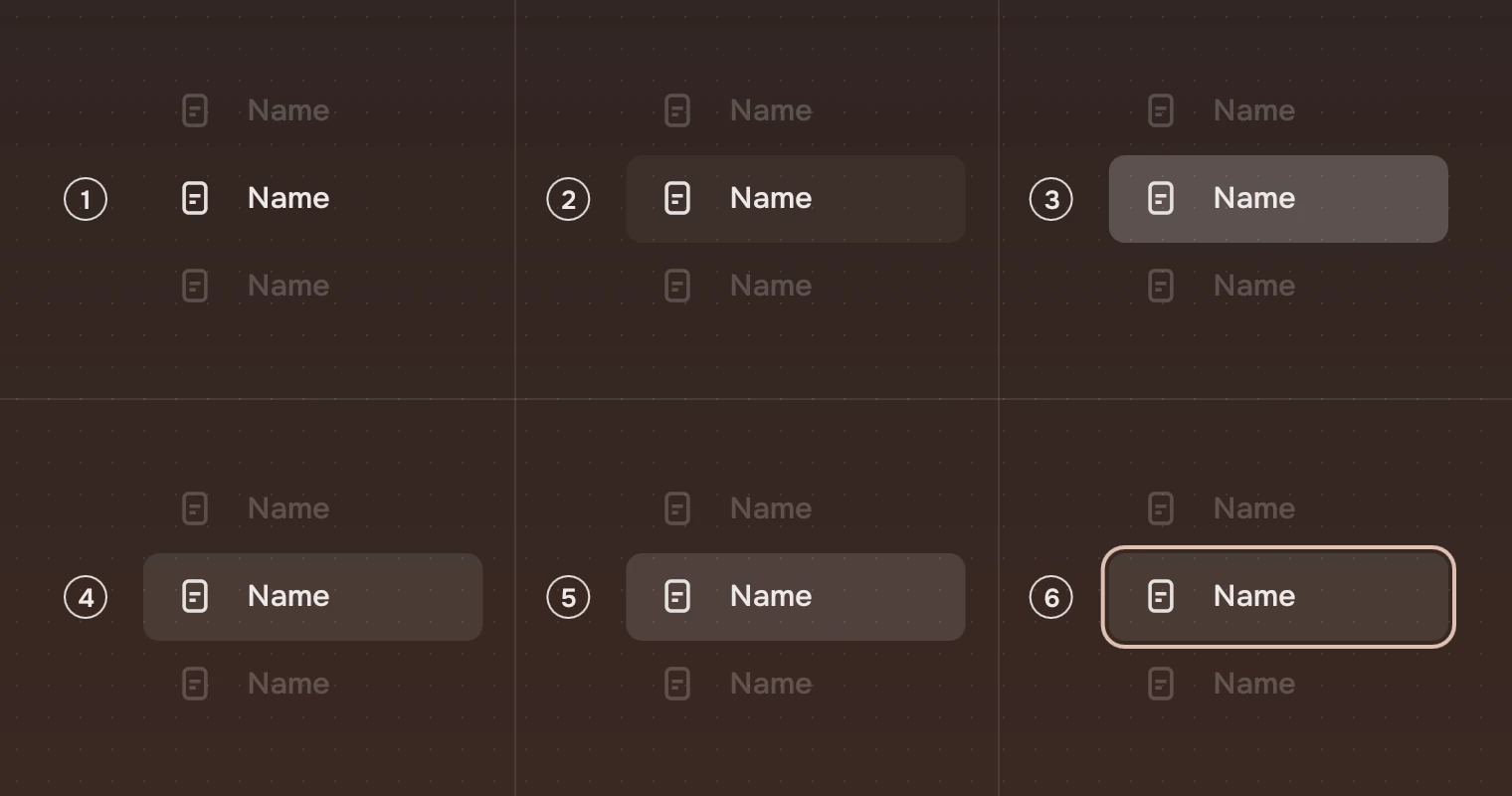
- RestNo wash.
- Pointer over itThe hover wash, 5 %.
- Pressed22 %, while it is held.
- Selected10 %.
- Selected, pointer over it13 %, a step over the selection.
- Keyboard focusThe focus ring, around the row.
A quiet row (quiet), such as a cut file or a partial download, draws its symbol, name, name beside it and facts in the quiet ink. It never uses opacity, and the wash is the same.
Editing the name
editing turns the name into a line to type in, where the name is. The text does not move. A box 32 high, with the row's corner, the window's ground as its fill and a 2 pixel accent ring, holds it, and it grows with the text as far as the facts. The name beside it is hidden meanwhile; the kind and the facts stay.
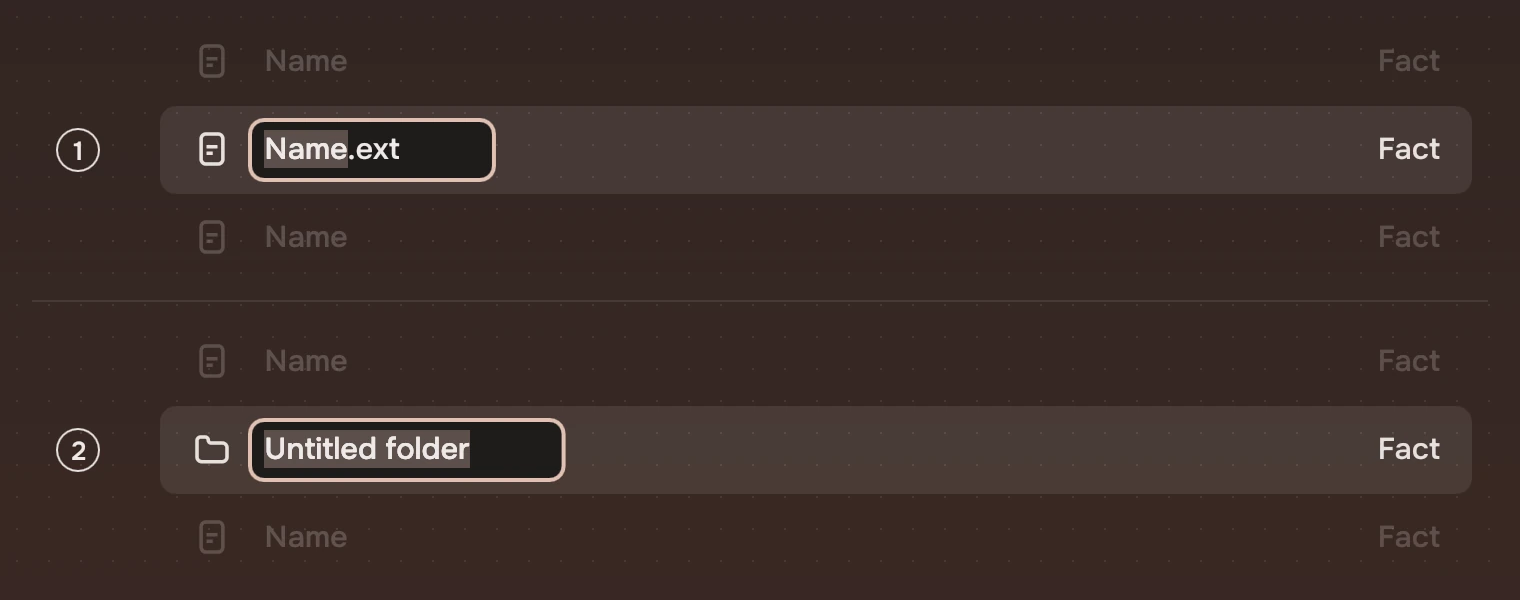
- RenameThe stem is chosen: the name up to its last dot, so "Budget 2027" of "Budget 2027.xlsx". A name with no dot is chosen whole, and so is any name when
editAllis set. - New itemThe app puts the row in the list, named "Untitled folder", with
editAllandfreshset. Enter keeps the name as it stands, even unchanged.
Sizes
| Part | Value |
|---|---|
| Height | 44 |
| Kind | A 20-pixel symbol, 16 from the left; a picture 26 square, corner 6, on the same centre |
| Name | Starts at 52; 15 pixels, regular (medium for the one in use), the main ink |
| Beside the name | 12 after the name; the meta ink |
| Facts | Columns of 108 and 64 (factWidths), right-aligned, 16 from the right; the secondary ink |
| Corner | 8 |
| Focus ring | 2 pixels, 2 outside the row; corner 12 |
Keys and pointer
In a row list, the list is one stop for Tab and the keyboard moves inside it.
| Do this | To |
|---|---|
| ↑ ↓ | Move to the row above or below and select it |
| Shift with ↑ ↓ | Select from where you started to here |
| Ctrl with ↑ ↓, then Ctrl Space | Move without selecting, then add or remove a row |
| Home End Page Up Page Down | Go to the first, the last, or a screen up or down |
| Ctrl A | Select every row |
| F2 | Rename: the row list says editRequested, and the app sets editing |
| Enter | Open; while the name is edited, keep the name |
| Space | Take a look without opening, for example in the app's docked panel |
| Menu | The row's menu |
| Type a name | Go to the first row whose name starts with what you typed |
| Click, Ctrl-click, Shift-click | Select one, add or remove one, select a run |
| Double-click | Open |
| Right-click | The row's menu |
| Esc while editing | Go back to the old name |
Accessibility
- Each row is a list item named by its name and the name beside it, for example "Undertow - Mara Velde.mp3, bandcamp.com", and says whether it is selected.
- The name, in the main ink, reaches an APCA contrast of 92 and the facts 85; the meta ink is solved to 75 on the selected row under the pointer, the hardest ground. A quiet row is below 75 on purpose: the quiet ink marks a file that is not in use.
- A row being edited has an editable text, named by
label, or "Name". - Selection is shown by the wash, and focus by the ring, never by colour of the words alone.
Writing
Show names as they are: the file's own name, the song's title. Keep facts short: "11.6 MB", "18:02", "Tuesday". Today shows the time, this week the day, earlier the date.
Do and don't
Code
import Tacit.Kit

RowList {
    id: list
    model: files
    delegate: ListRow {
        required property var modelData
        required property int index
        width: list.rowWidth
        focusable: false                     // the list is the one tab stop
        glyph: modelData.kind                // "music_note", "picture_as_pdf"…
        name: modelData.name
        aside: modelData.from
        facts: [modelData.size, modelData.when]
        selected: list.isSelected(index)
        ring: list.ringAt(index)
        onClicked: m => list.clickAt(index, m)
        onActivated: list.activated(index)
    }
}
| Property | What it does |
|---|---|
glyph or picture | The kind: a Tacit symbol's name, or a picture's address |
name, aside | The name, and the name beside it (the property is aside) |
lead, leadFigures | A number before the name, and the room held for that many figures |
quiet | A cut file or a partial download: the quiet ink |
accessory | Items (a button, a mark) drawn just before the facts; the name gives them room |
facts, factWidths | The facts, right-aligned; their column widths (108 and 64) |
selected, current | Selected (the wash); the one in use, its name in medium weight |
editing, editAll, fresh, label | Edit the name in the row; choose all of it; a row just added (Enter keeps the name unchanged); what a screen reader calls the line ("Name") |
ring, focusable | Set by a row list: where the keyboard is, and that the list keeps the focus |
clicked(modifiers), activated(), contextRequested(at) | Select, open, and ask for the row's menu |
renamed(text), editCancelled() | The edit was kept with a new name; the edit ended with the name as it was |
Experimental, in Tacit.Kit 0.1.
Text and figures: CC BY 4.0. Tacit.Kit: LGPL-3.0 code, OFL fonts. The Tacit name.