Search field
Search for the page you are on, named by what it covers. It is quiet until you use it: a symbol and two words, which grow into a field.
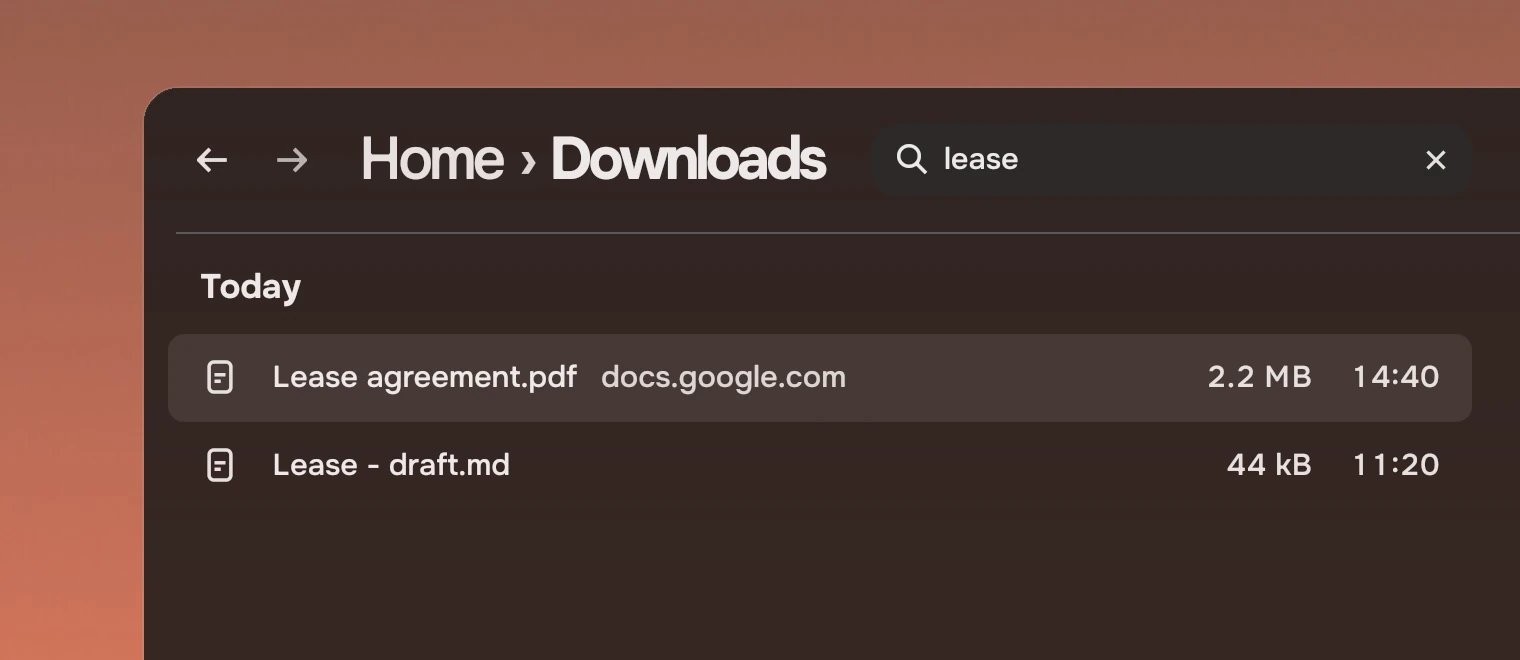
Use it in a page header, at the right of the page's path. It searches the page you are on and names what that covers: "Search Downloads" searches the folder and below, "Search Music" the whole library. It is not a command line, and what it finds is shown on the page, in the list the page already has.
Anatomy
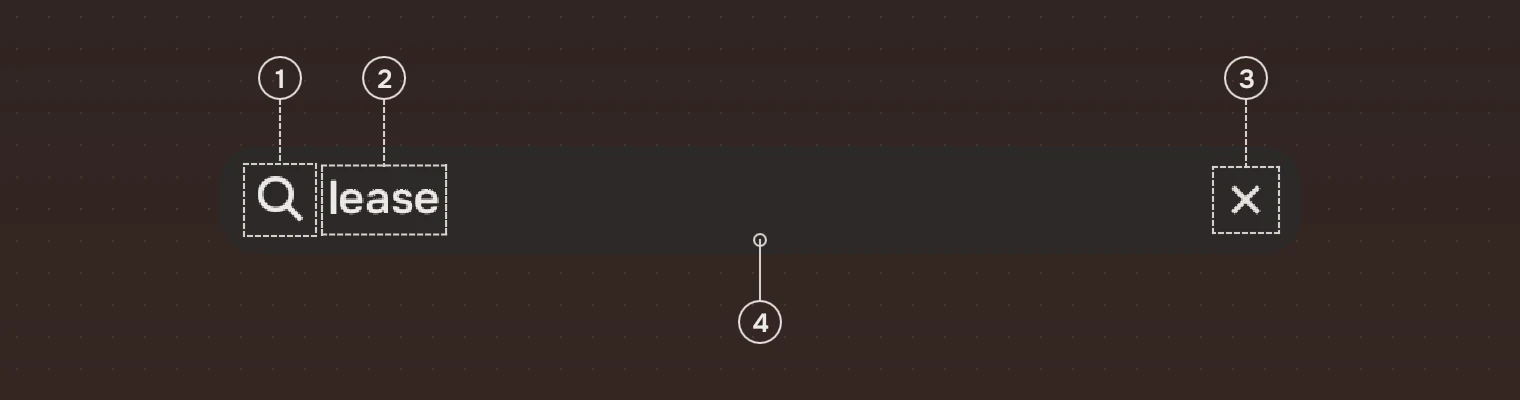
- SymbolThe search symbol, 10 pixels from the left. It stays where it is as the field opens.
- WordsAt rest, "Search" and the scope, in the secondary ink; once the field is in use, what you typed, in the main ink.
- ClearA round button at the right, once there is text. It clears the text and keeps the keyboard in the field.
- FieldThe field's own colour fades in behind the same symbol and words, and the field grows to its open width.
States
Nothing moves when the field opens: the symbol and words stay where they were, and only the fill and the width change.
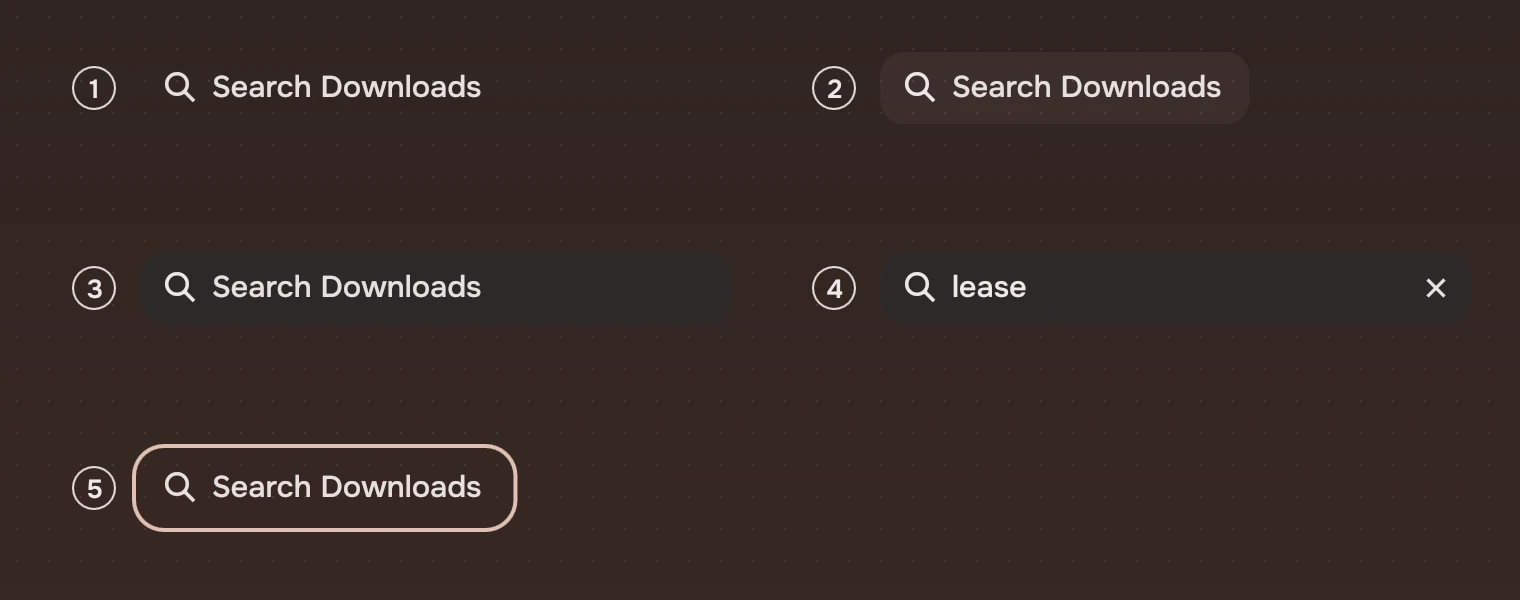
- QuietThe symbol and the words, with no fill. The field is as wide as the words and its padding.
- Pointer over itThe hover wash on the field's shape, and the symbol goes to the main ink. An open field has no hover wash: it already has its fill.
- OpenPressed, focused or holding text: the fill fades in and the field grows over 250 ms (
arriveSmall). - With textThe same, with the clear button.
- Keyboard focusThe ring around the field, corner 12 inside it. It shows only after a key.
Sizes
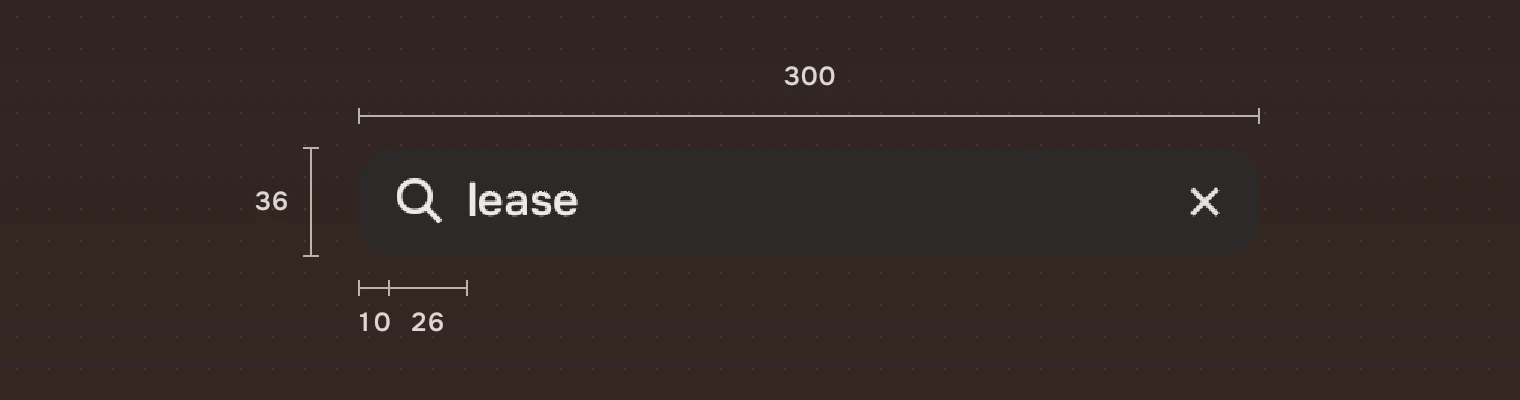
| Part | Value |
|---|---|
| Height | 36 |
| Open width | 300 by default (fieldWidth) |
| Quiet width | 36 before the words, the words, and 14 after |
| Symbol | Starts 10 from the left |
| Words | Start 36 from the left; 15 pixels |
| Clear button | 32 pixels square, 2 from the right; its symbol 18 pixels |
| Corner | 12 |
| Fill | The container colour, at the window's own see-through |
Keys and pointer
The field is one stop for Tab.
| Do this | To |
|---|---|
| Click, or Tab to it | Open it and type |
| Enter | Accept (accepted) |
| ↓ | Give the keyboard to the page's list (down) |
| Esc | Clear the text; on an empty field, give the keyboard back and close (dismissed) |
Accessibility
- The field's text is an editable text node, named "Search" and its scope ("Search Downloads"), that carries what was typed. The field around it is not a second node for a screen reader.
- The clear button is named "Clear the search".
- Esc and ↓ keep the keyboard moving: out of the field and into the list, or back to where it was.
- The ring shows after a key, and the open field has its fill as well, so focus is not shown by colour alone.
- With
Kit.reducedMotionon, the field opens without growing.
Writing
Name the scope in the field's words: "Search Downloads", "Search Music". Give the name of the place, not a general word, so a person sees what a search will cover before typing. No example query, no "Type to search".
Do and don't

scope becomes the end of its words and its name.
Code
import Tacit.Kit

PageHeader {
    crumbs: ["Home"]; here: "Downloads"
    SearchField {
        id: search
        anchors.verticalCenter: parent.verticalCenter
        scope: "Downloads"                    // the field reads "Search Downloads"
        fieldWidth: 300
        onTextChanged: files.filter = text
        onDown: list.forceActiveFocus()       // ↓ goes to the list
    }
}
| Property or signal | What it does |
|---|---|
scope | What the page covers: the field's words and its name |
text | What was typed |
fieldWidth | The open width (300) |
accepted(), dismissed(), down() | Enter; Esc on an empty field; ↓ |
selectAll() | Select the text, for a shortcut that focuses the field |
open | True while the field is in use (read only) |
Experimental, in Tacit.Kit 0.1. Changed 25 October 2026: first version.
Text and figures: CC BY 4.0. Tacit.Kit: LGPL-3.0 code, OFL fonts. The Tacit name.