Scroll bar
A thin bar that shows where you are in a long view. It appears while the view moves and goes when it stops.
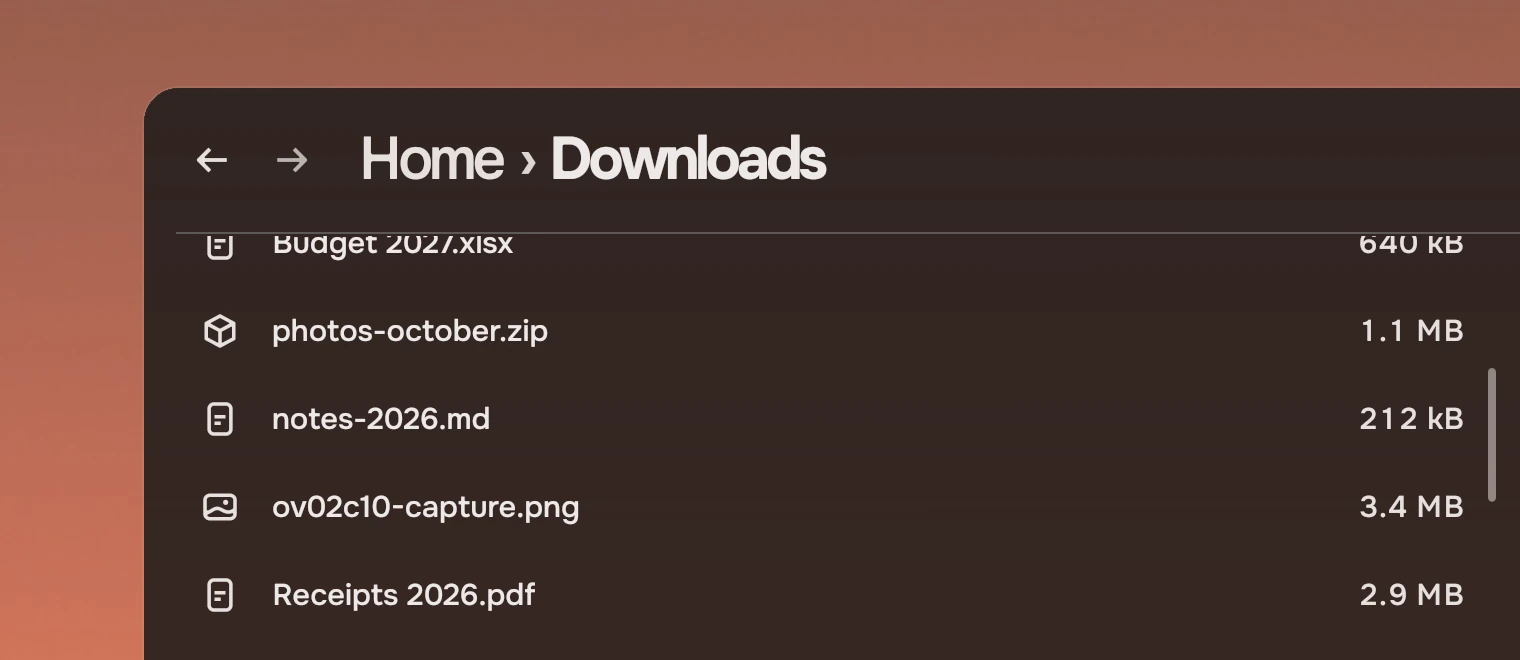
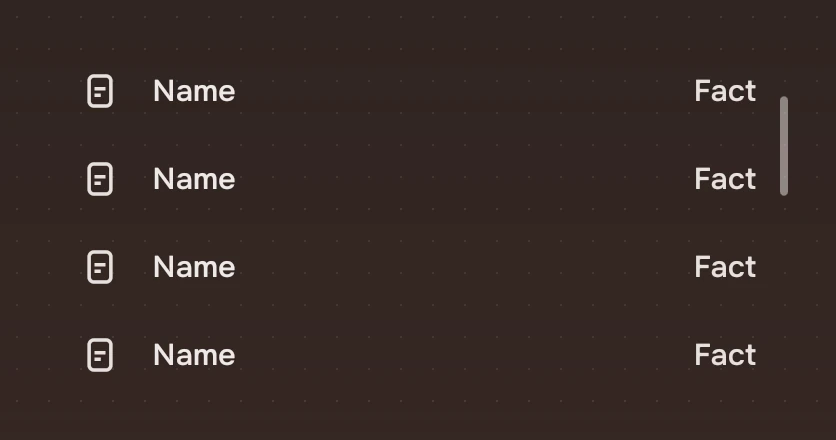
A scroll bar goes over a Flickable and shows the place in it. It does not move the view by itself: Glide moves it with the touchpad and the wheel, and the bar follows. It floats over the content and takes no room, so a view loses no width to it. A view whose content fits has none.
Anatomy
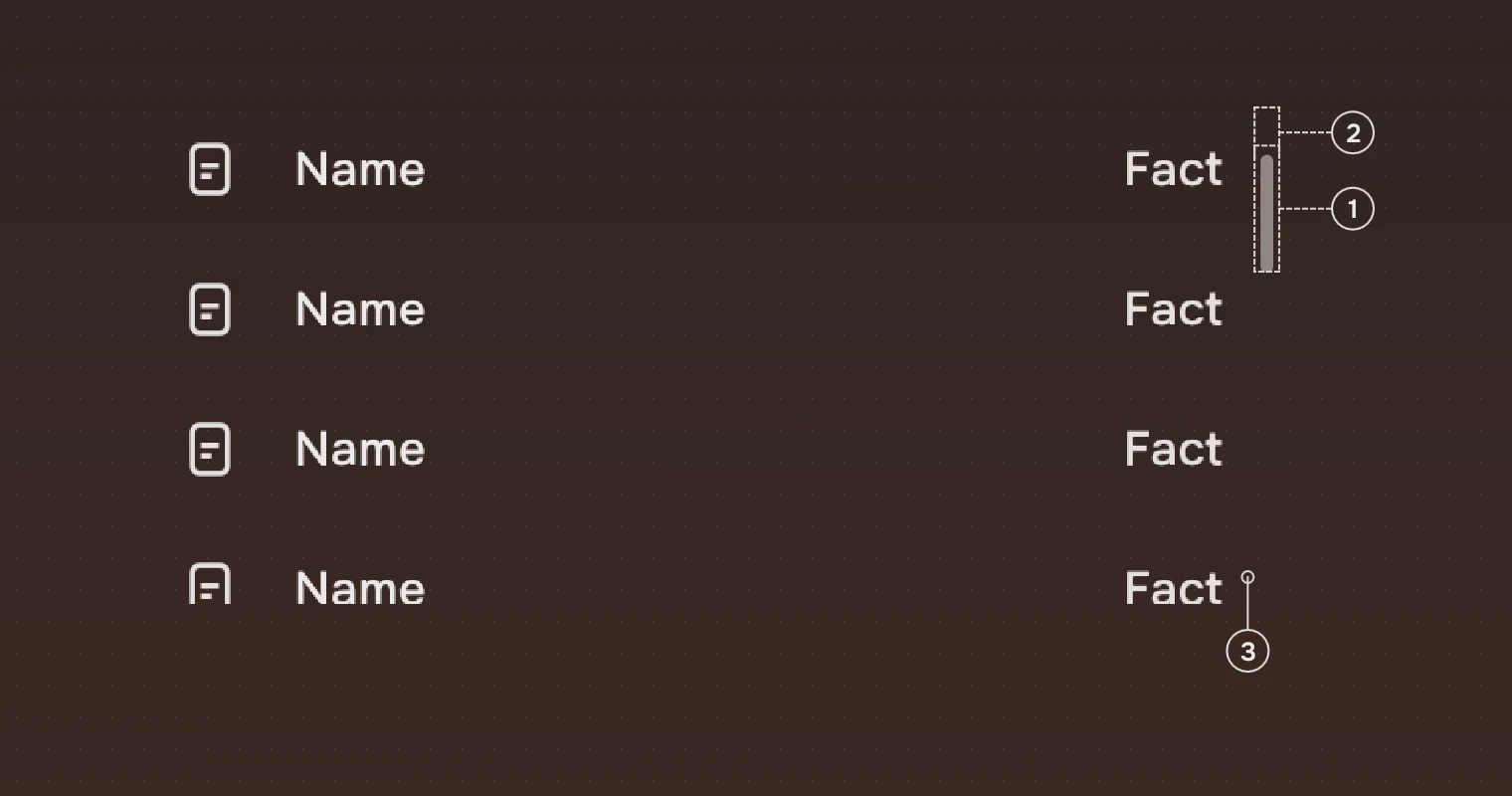
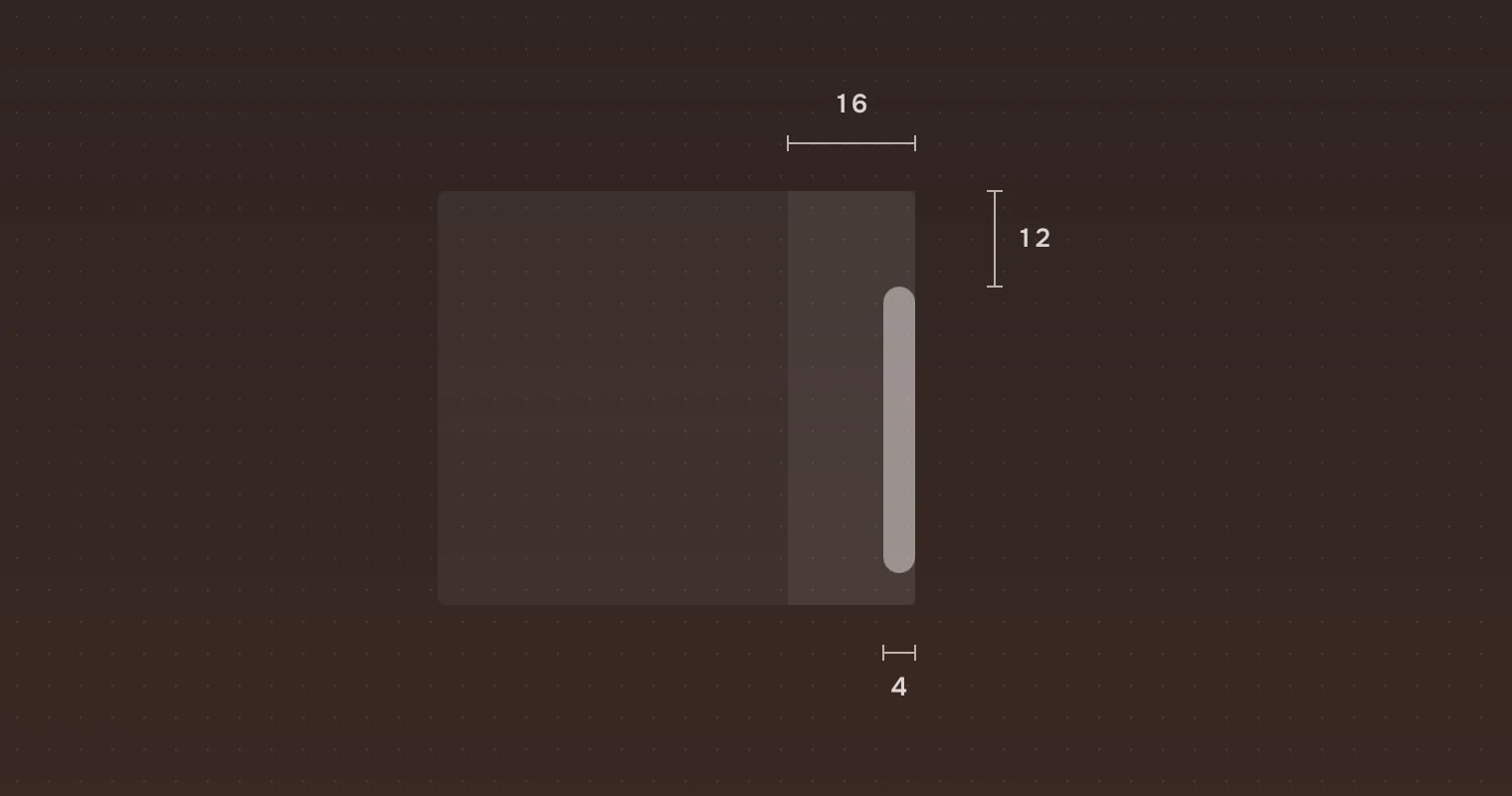
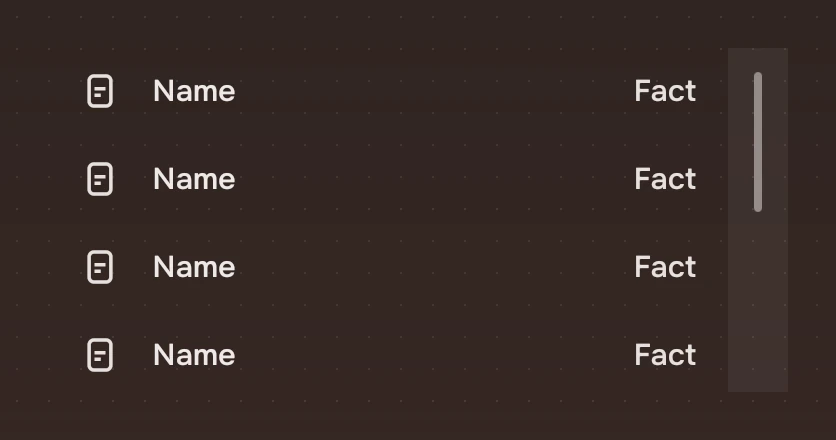
- Thumb4 pixels wide, a round end, the main ink at 50 %. Its length is the view's share of the content, at least 24.
- Margin12 pixels at the top and the bottom, so the bar stays off the window's rounded corner.
- StripThe 16 pixels along the right edge. The pointer in it shows the bar. It takes no click.
There is no track. The thumb is the whole bar.
States
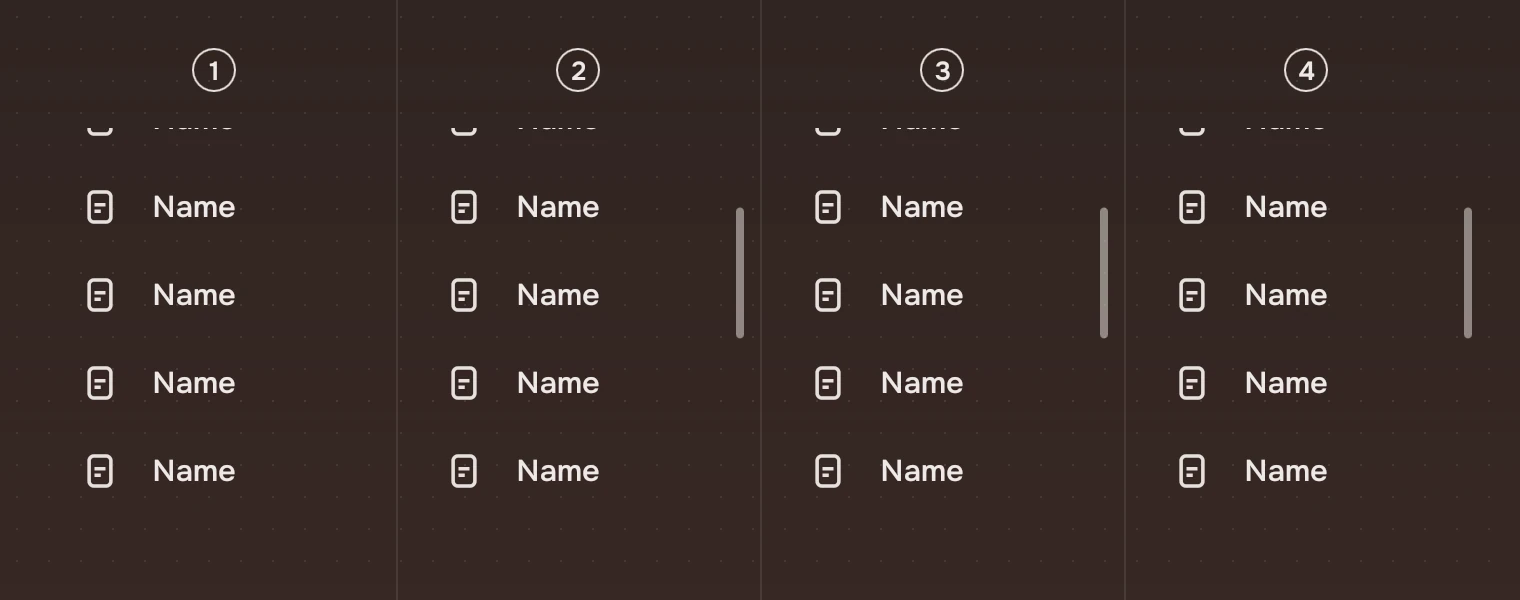
- HiddenThe view is still, the pointer is away. Nothing is drawn.
- MovingThe view's
contentYchanges, by a finger, a wheel, Glide or code. The bar stays 900 ms after it stops. - Pointer nearThe pointer is within 16 pixels of the right edge.
- DraggingThe thumb is held. The view follows it.
The bar fades with the fade motion, 200 ms. The look is the same in the last three states; what changes is how long it stays. With reduced motion on it appears and goes at once.
Sizes
| Part | Value |
|---|---|
| Thumb | 4 wide (width.scrollBar), fully round |
| Shortest thumb | 24 |
| Margin | 12 at top and bottom |
| Strip | 16 wide at the right edge |
| Time | Stays 900 ms (motion.barStays), then fades |
Keys and pointer
The bar is not a Tab stop. The list owns the keyboard, as it does for scrolling: the arrow and page keys move through the rows and the view follows.
| Do this | To |
|---|---|
| Move the wheel or fingers | Show the bar while the view moves |
| Move the pointer to the right edge | Show the bar |
| Drag the thumb | Scroll the view |
Accessibility
- The bar is a scroll bar named "Scroll", and it is hidden from a screen reader when the content fits.
- The bar is an addition, not the only way to know the place: the list is what a screen reader reads.
- The thumb is told by shape and place, not by colour.
Do and don't
Code
import Tacit.Kit

Item {
    RowList {
        id: list
        anchors.fill: parent
        model: files
        delegate: ListRow { width: list.rowWidth; name: modelData }
    }
    ScrollBar { view: list.view; anchors.fill: list }
}
Beside a Flickable of your own, give it a Glide and set anchors.fill: flick.
| Property | What it does |
|---|---|
view | The Flickable it follows (required) |
Experimental, in Tacit.Kit 0.1.
Text and figures: CC BY 4.0. Tacit.Kit: LGPL-3.0 code, OFL fonts. The Tacit name.