Icon button
A symbol you press: back, forward, search, more. It is 36 pixels square for the pointer and has no box until you point at it.
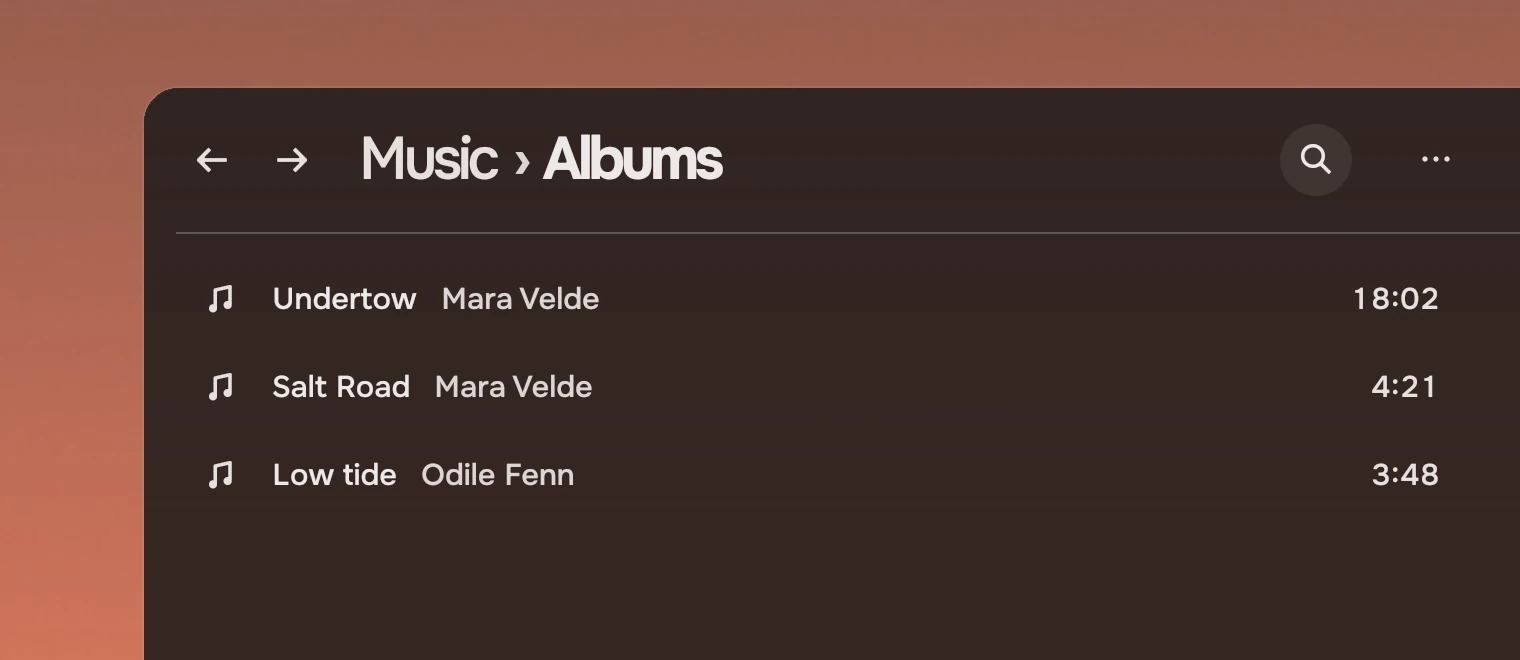
Use an icon button for an action whose symbol people already know, in a header, a rail or a transport. For an action that needs words, use a Slab or actions as words.
Anatomy
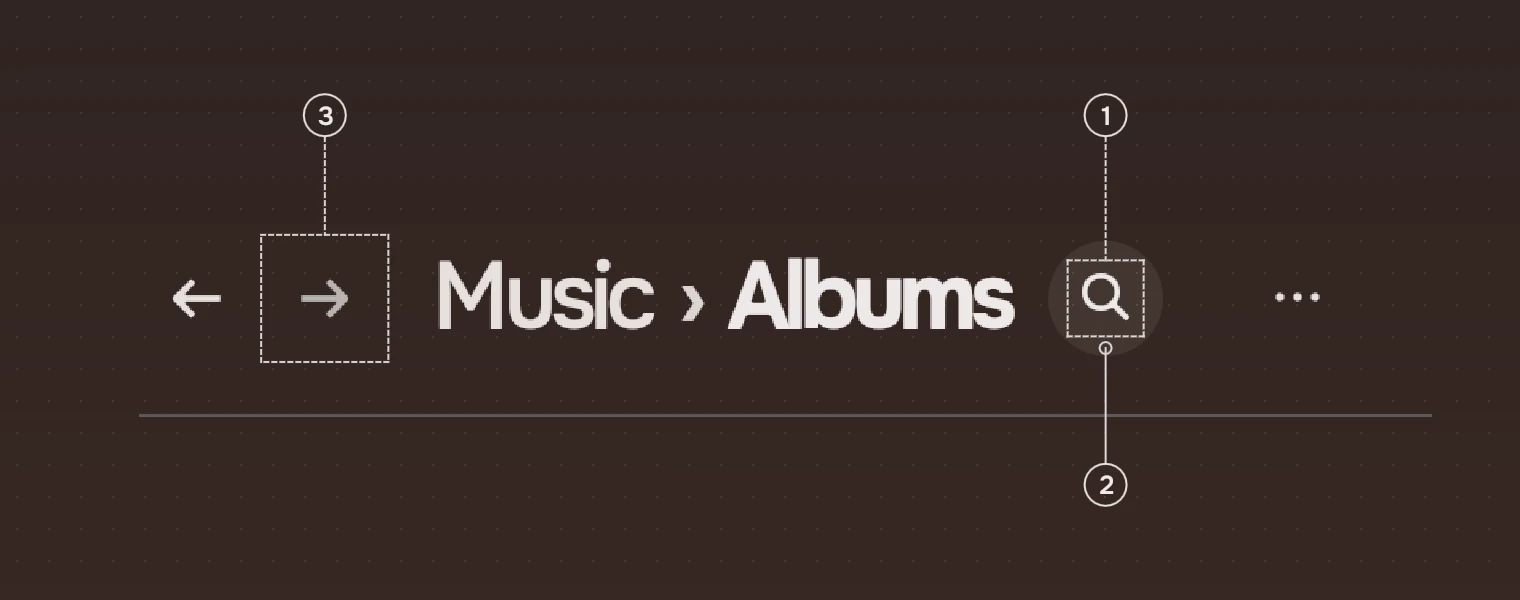
- SymbolA Tacit symbol, 20 pixels (22 for back and forward), in the secondary ink and the main ink under the pointer.
- WashA circle of the main ink, 8 % under the pointer and 22 % while pressed. It is not there at rest.
- DisabledThe symbol in the faint ink, out of the Tab order. It takes no wash and sends nothing.
The button also has a label, which a screen reader says. It is required: the symbol says nothing to a screen reader. A button whose symbol is not plain can also have a tip, a tooltip with its name.
States
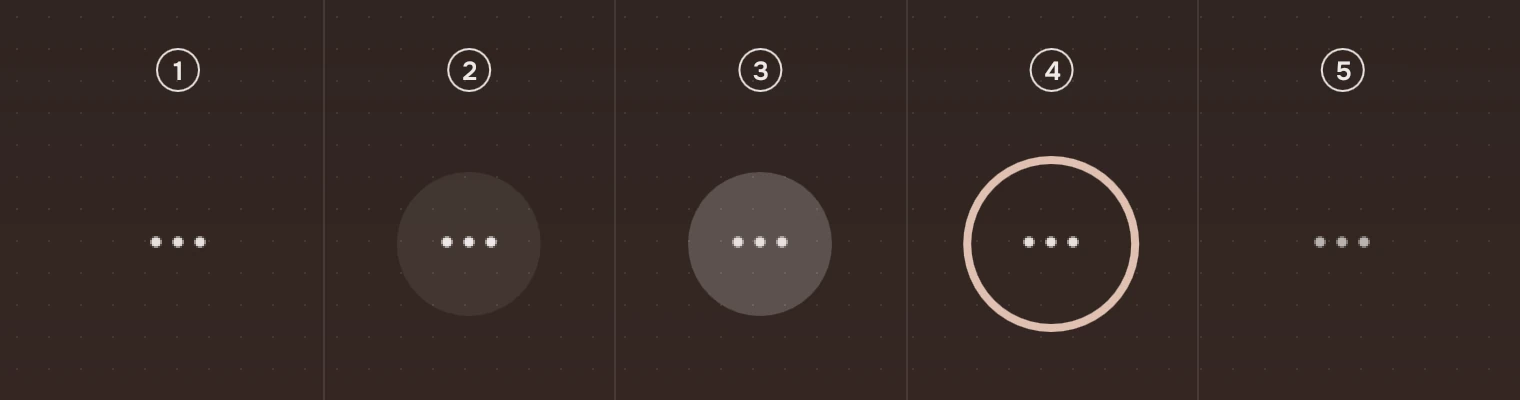
- RestThe symbol alone.
- Pointer over itA round wash of 8 %, in and out over 80 ms. 8 % because the 5 % of other parts does not show on a target this small.
- PressedThe pressed wash, 22 %.
- Keyboard focusThe focus ring, round, around the circle. See States.
- DisabledThe symbol in the faint ink, no wash.
A button that is a switch (checkable, with checked when it is on) keeps the current wash and draws its symbol in the accent while it is on. A screen reader hears it as a toggle.
Sizes
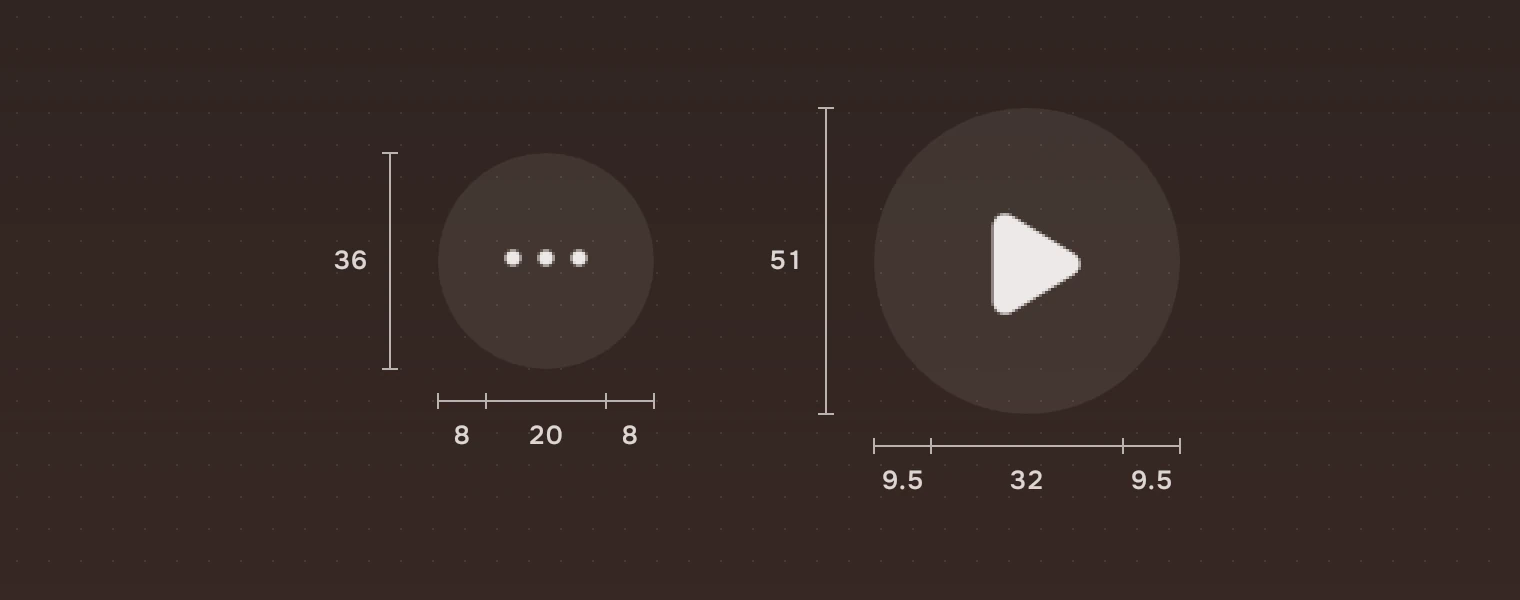
| Part | Value |
|---|---|
| Box | The symbol's size times 1.6, rounded, and never under #36 |
| Symbol | 20 pixels (icon.row) by default; 22 for back and forward (icon.nav); 17 in the rail (icon.rail) |
| Wash | A circle, the whole box |
| Focus ring | 2 pixels, 2 outside the circle |
A larger symbol keeps the same room around it: the transport's symbols grow the box, not the space.
Keys and pointer
| Do this | To |
|---|---|
| Tab | Move the focus to the button |
| Enter or Space | Press it |
| Click | Press it |
| Pointer over it | Show the wash; the pointer is a hand |
Accessibility
- Each button is a button named by its
label, for example "Back" or "Search". - The box is 36 pixels at least, so the pointer has room.
- A disabled button is drawn in the faint ink, leaves the Tab order, and a screen reader hears it as disabled.
- With a
tip, the name also shows while the button has the keyboard, not only under the pointer, after 600 ms.
Writing
The label names the action, not the picture: "Search", not "Magnifier"; "Fold the places", not "Panel". Keep it to one or two words.
Do and don't
Code
import Tacit.Kit

PageHeader {
    crumbs: ["Music"]; here: "Albums"
    IconButton {
        anchors.verticalCenter: parent.verticalCenter
        symbol: "search"
        label: "Search"
        onActivated: search.open()
    }
}
| Property | What it does |
|---|---|
symbol | A Tacit symbol's name |
label | What a screen reader says. Required |
size | The symbol's size; the box is 1.6 times it, at least 36. Default 20 |
tip | A name shown in a tooltip under the pointer and with the keyboard |
checked, checkable | A toggle that is on; a toggle sets checkable as well, so it is heard as one while it is off |
enabled | False: the faint ink, no wash, out of the Tab order |
activated() | Sent by a click, Enter or Space |
Experimental, in Tacit.Kit 0.1.
Text and figures: CC BY 4.0. Tacit.Kit: LGPL-3.0 code, OFL fonts. The Tacit name.