Notice
A line at the window's foot that says what just happened and offers at most one way back.
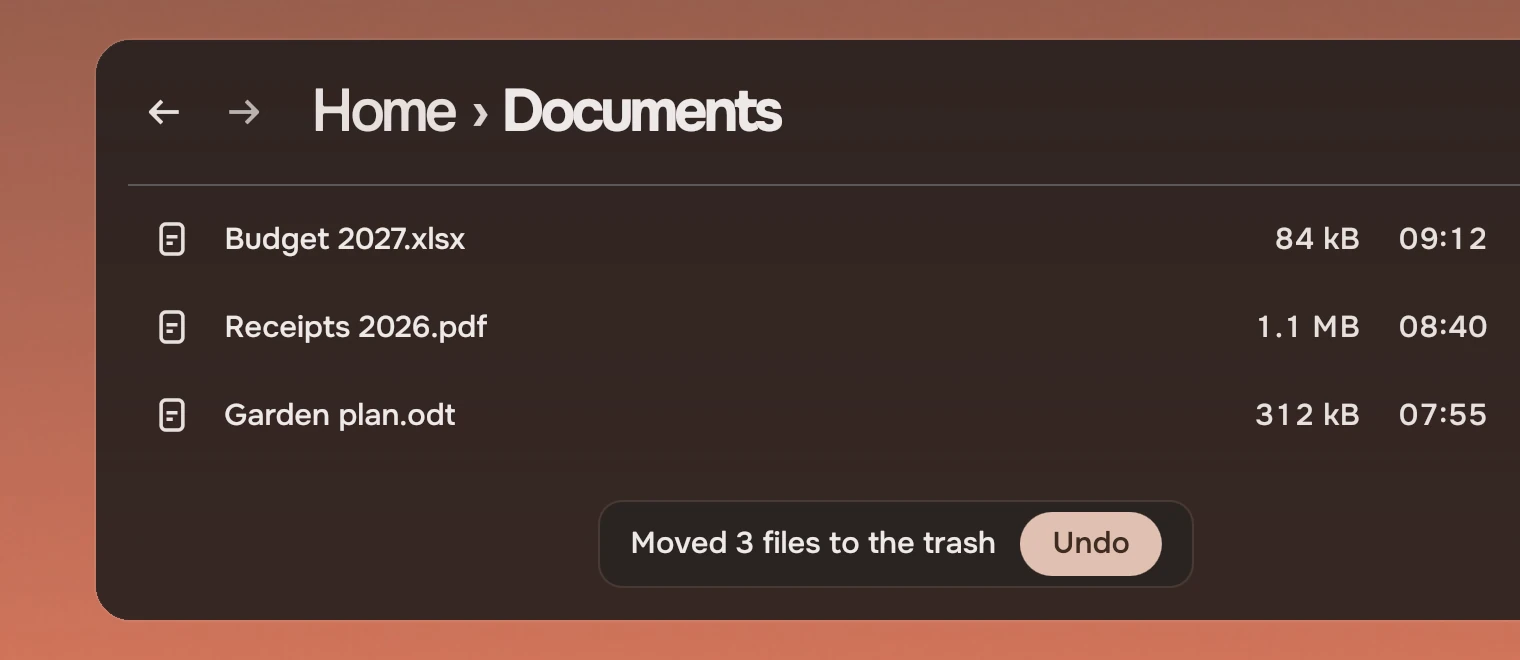
Use a notice to tell someone what an action did when it is done and can be undone: "Moved 3 files to Documents", "Link copied". It is Files' status line and its Undo pill as a part. It is the answer to "are you sure?" for anything that can be undone: do it, and offer Undo (Asking). For what cannot be undone, the action asks for itself with confirm, on a Slab or an action as words. For an error that stops the person, use page state. A notice has no title and no second line.
Anatomy
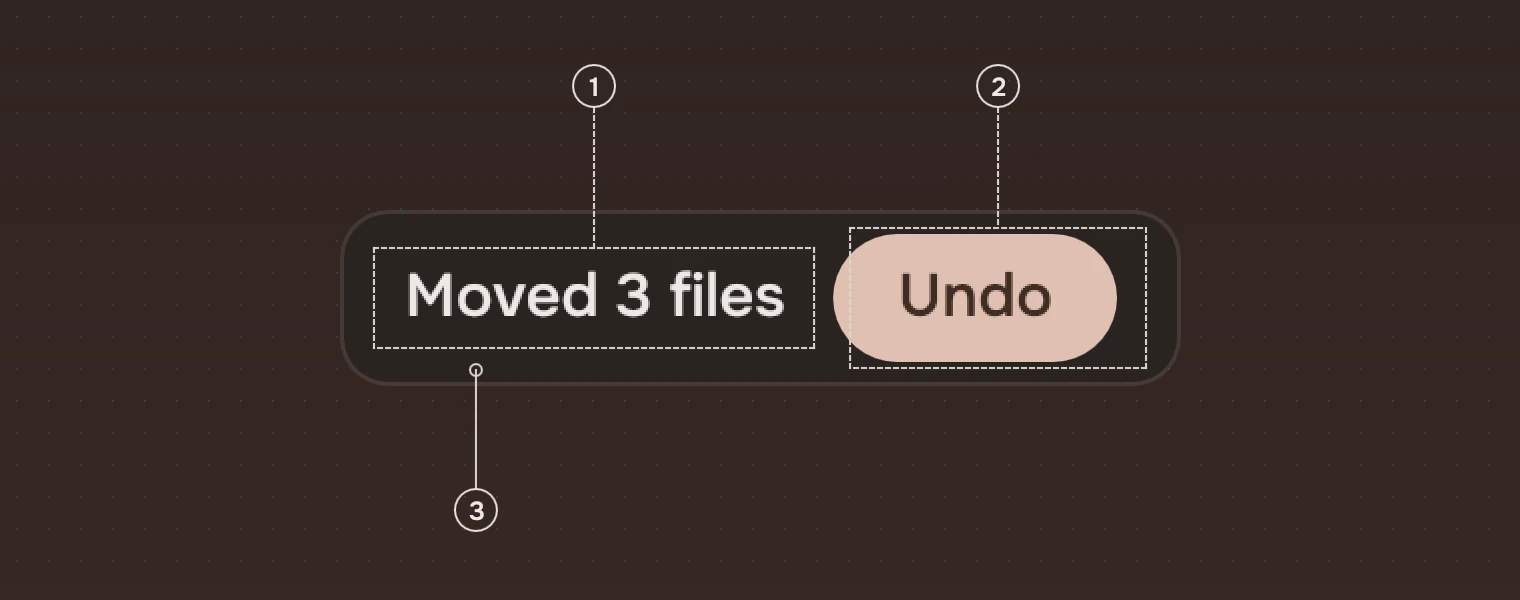
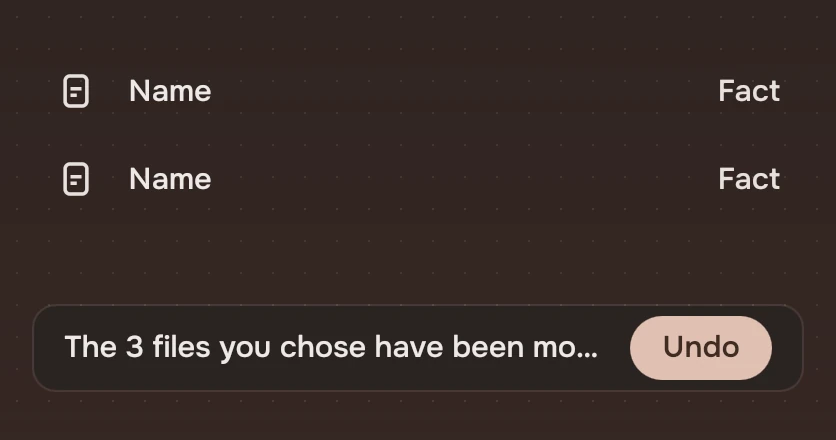
- LineWhat happened, in the main ink. If it is too long it is cut at the end.
- ActionThe one way back, a pill filled with the accent, its words Medium in the ink on the accent. Leave it out for a line that only reports.
- SurfaceThe overlay colour with the menus' faint edge, a 10 % line in the main ink. Over content the line needs a ground of its own.
States
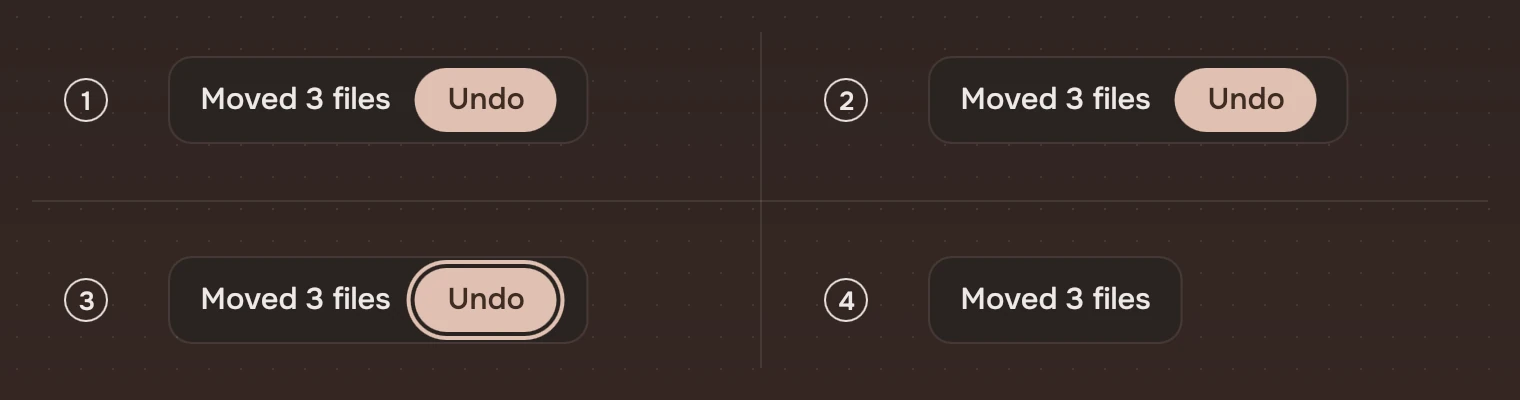
- ShownIt rose into place and stays for 6 seconds.
- HeldThe pointer is on it. It waits, and the 6 seconds start again when the pointer leaves.
- Keyboard focusThe ring around the pill. Focus in the notice holds it too.
- No actionOnly the line.
It arrives by rising 16 pixels from below as it fades in (arriveSmall, 250 ms) and leaves faster (leave, 200 ms). A second show() replaces the line and starts the time again.
Sizes
| Part | Value |
|---|---|
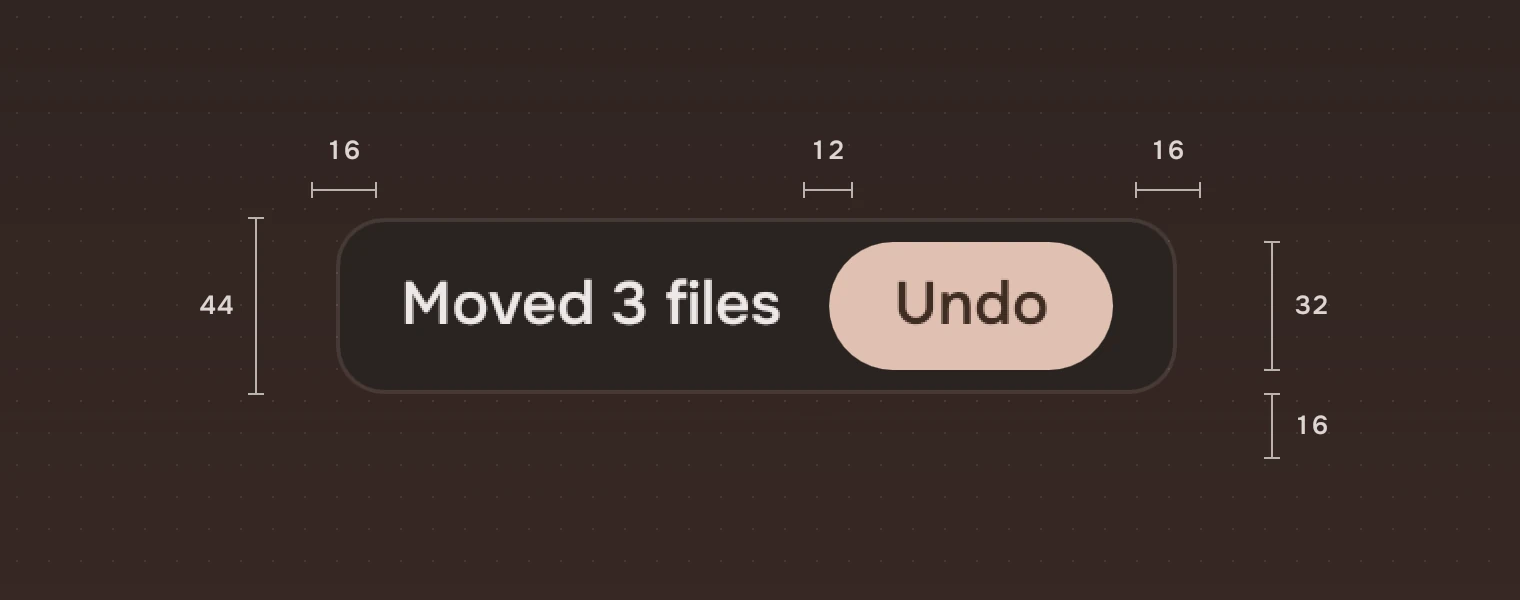
| Height | 44 (the row height) |
| Padding | 16 each side; 12 between the line and the action |
| Action | 32 high, a full pill, 16 inside each side of its words |
| Corner | 12 |
| Position | Centred, 16 above the window's foot; at most the window's width less 32 |
| Time | 6 seconds (motion.notice) |
Keys and pointer
| Do this | To |
|---|---|
| Tab | Reach the action, while the notice is up |
| Enter or Space on the action | Do it and close the notice |
| Esc | Close it from the action |
| Pointer on it | Keep it up |
| Click the action | Do it and close the notice |
Give the app's own shortcut for the action as well, such as Ctrl Z. The action is a Tab stop only while the notice is up.
Accessibility
- A notice is an alert message named by its line, so a screen reader reads it when it appears. How a live region is spoken is the platform's.
- The action is a button, named by its words, and the notice's description says "Action: Undo".
- It stays while the pointer or the keyboard is in it, so there is time to reach the action.
- With reduced motion on it appears and goes at once; it still stays 6 seconds.
Writing
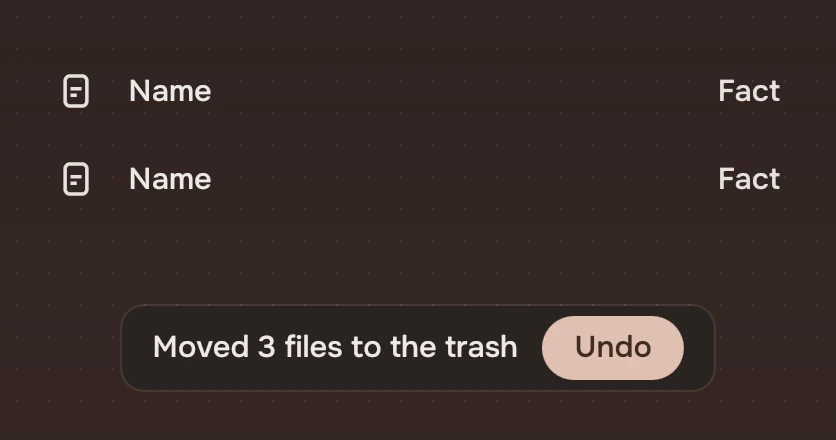
Say what happened, in the past tense, with the number and the place: "Moved 3 files to Documents". One short line, no full stop, no "Successfully". The action is one word for the way back: "Undo". Do not use a notice for something the person must read; it goes after 6 seconds.
Do and don't
Code
import Tacit.Kit

Item {
    Notice {
        id: notice
        onActivated: files.undoMove()
    }

    function moved(n, place) {
        notice.show("Moved " + n + " files to " + place, "Undo")
    }
}
Put the notice in the window's root item. It places itself at the foot.
| Property or signal | What it does |
|---|---|
show(text, actionWords) | Shows the line. A second call replaces it and starts the time again; "" for the words shows no action |
hide() | Closes it |
text, actionWords | What is shown now |
shown | Whether it is up (read only) |
held | The pointer or the keyboard is on it (read only) |
activated() | The action was activated. The notice closes |
closed() | Always follows: by time, by the action, by Esc or by hide() |
Experimental, in Tacit.Kit 0.1. A screen reader's live-region behaviour is the platform's.
Text and figures: CC BY 4.0. Tacit.Kit: LGPL-3.0 code, OFL fonts. The Tacit name.