Actions as words
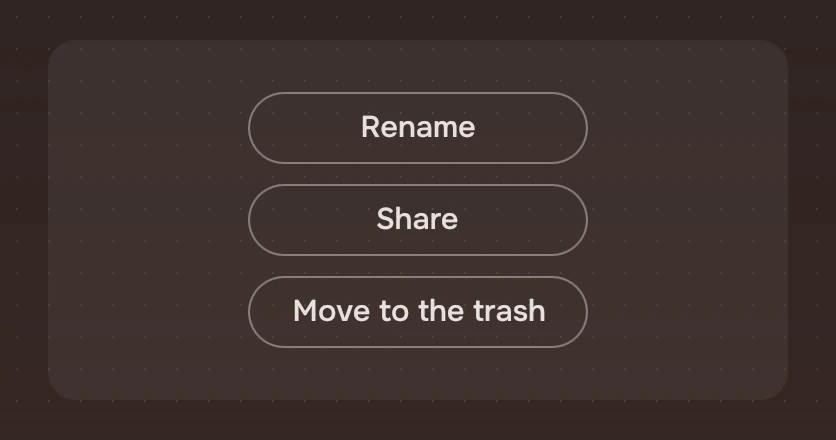
The lesser things you can do with what is selected, written as plain words in a list, one to a line. Each is a WordAction.
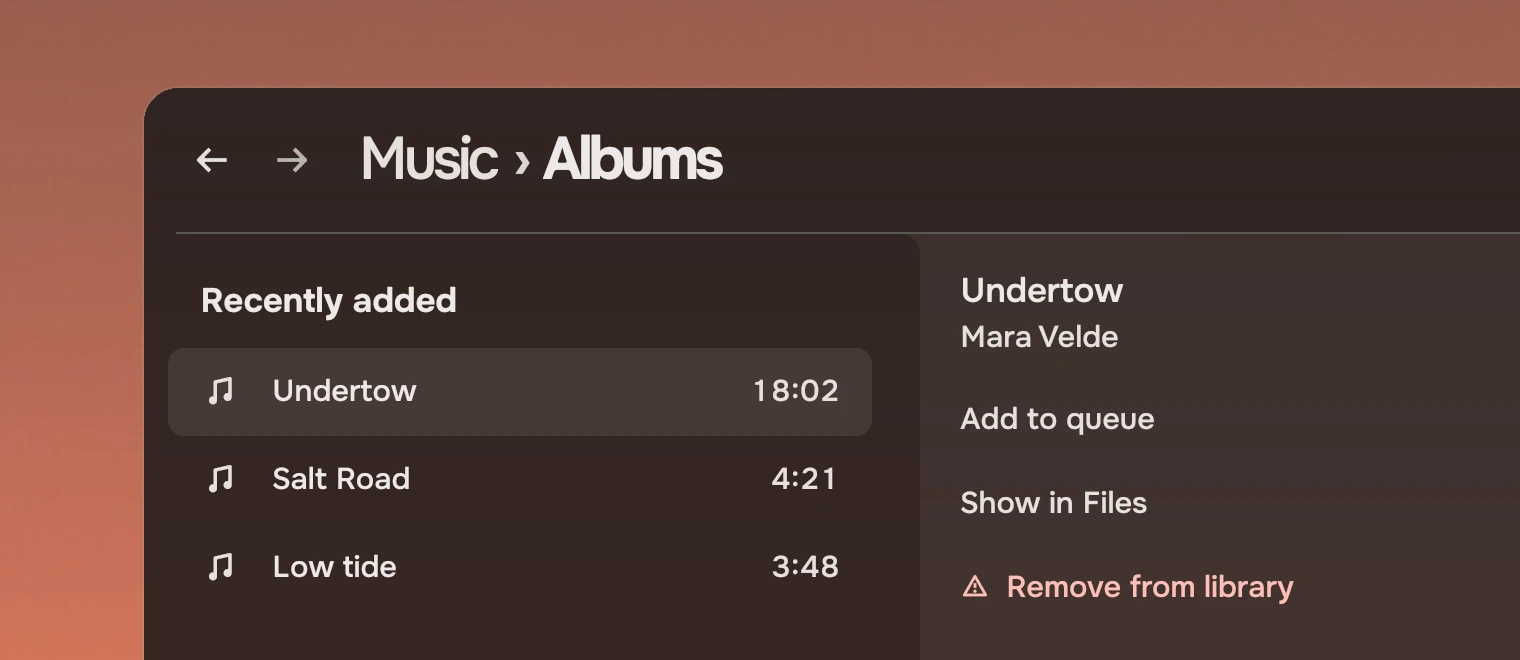
Use actions as words for the lesser actions on one thing: in a docked panel under its one Slab, or in a menu. Each line says what it does and nothing else.
Anatomy
A line is a word and, for a risk, a symbol. At rest there is no box.
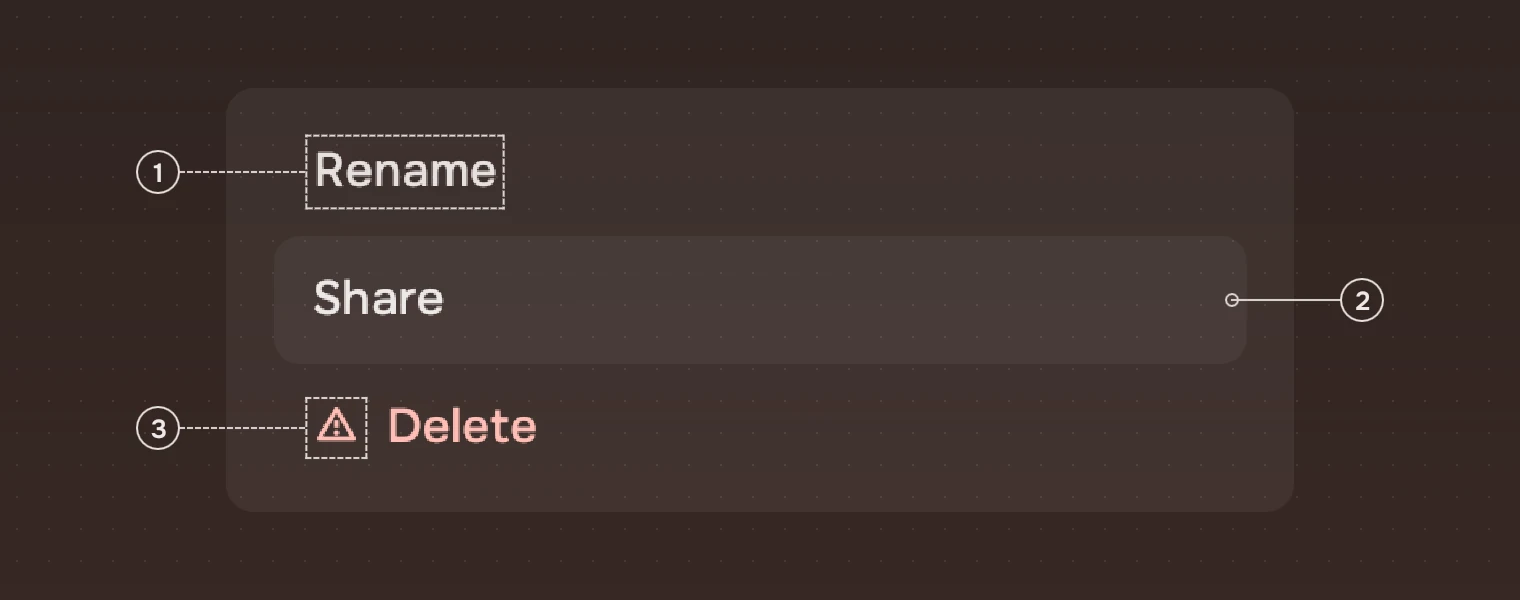
- WordThe action, in the secondary ink. Under the pointer it turns to the main ink.
- WashThe main ink over the panel, in a box 12 pixels wider than the word's line on each side. It shows under the pointer and while pressed. States gives its values.
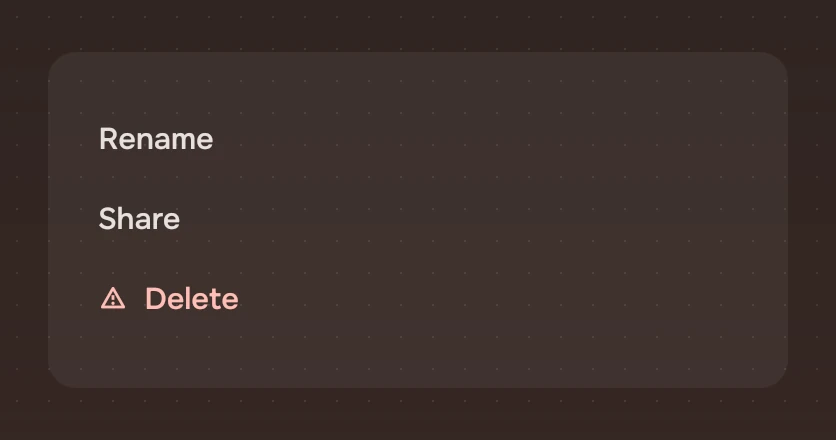
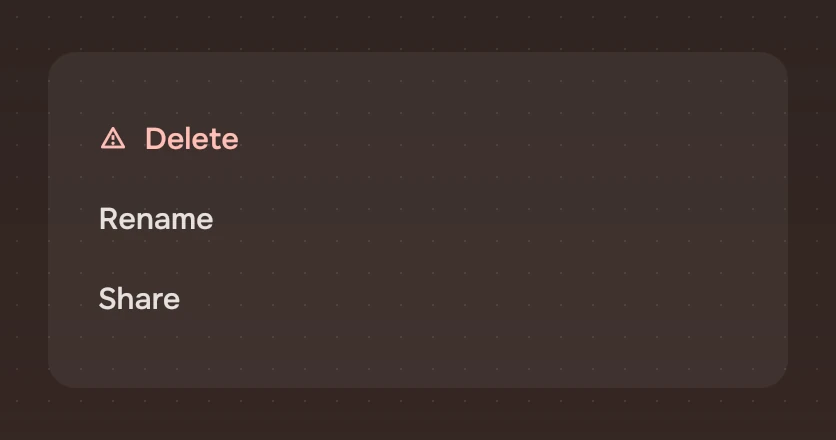
- Warning symbolOnly on a risk, 15 pixels, before the word, in the risk ink. A risk is never told by colour alone, and it goes last.
States
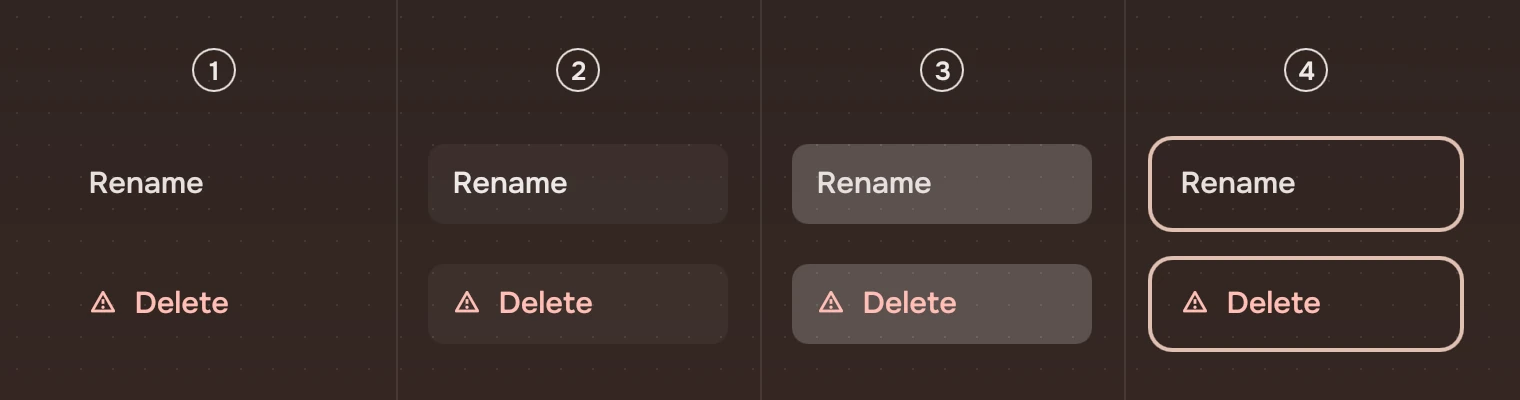
- RestNo wash, the secondary ink.
- Pointer over itThe hover wash; the word in the main ink.
- PressedThe pressed wash.
- Keyboard focusThe focus ring, around the wash.
The washes and the ring are those of every part; States owns their values. A risk keeps the risk ink in every state.
Confirming in place
Set confirm on a word action that cannot be undone, and it asks for itself. The first press does not act: the words become the question, in the risk tone with the warning symbol and a faint risk fill. The second press says picked().
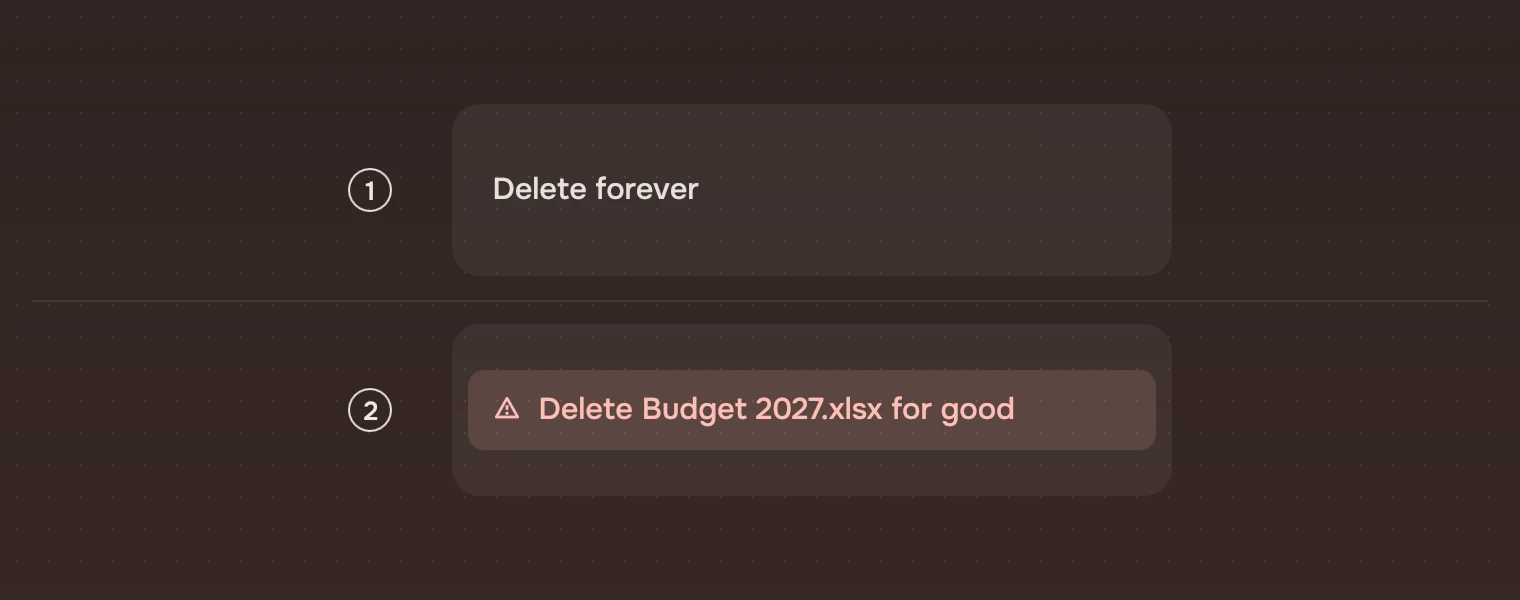
It goes back, and says confirmCancelled(), when Esc is pressed, when the keyboard leaves it, when a pointer that pressed it leaves, or after 4 seconds (motion.confirmWait). The question has to fit the line, so name the thing briefly. See Asking.
Sizes
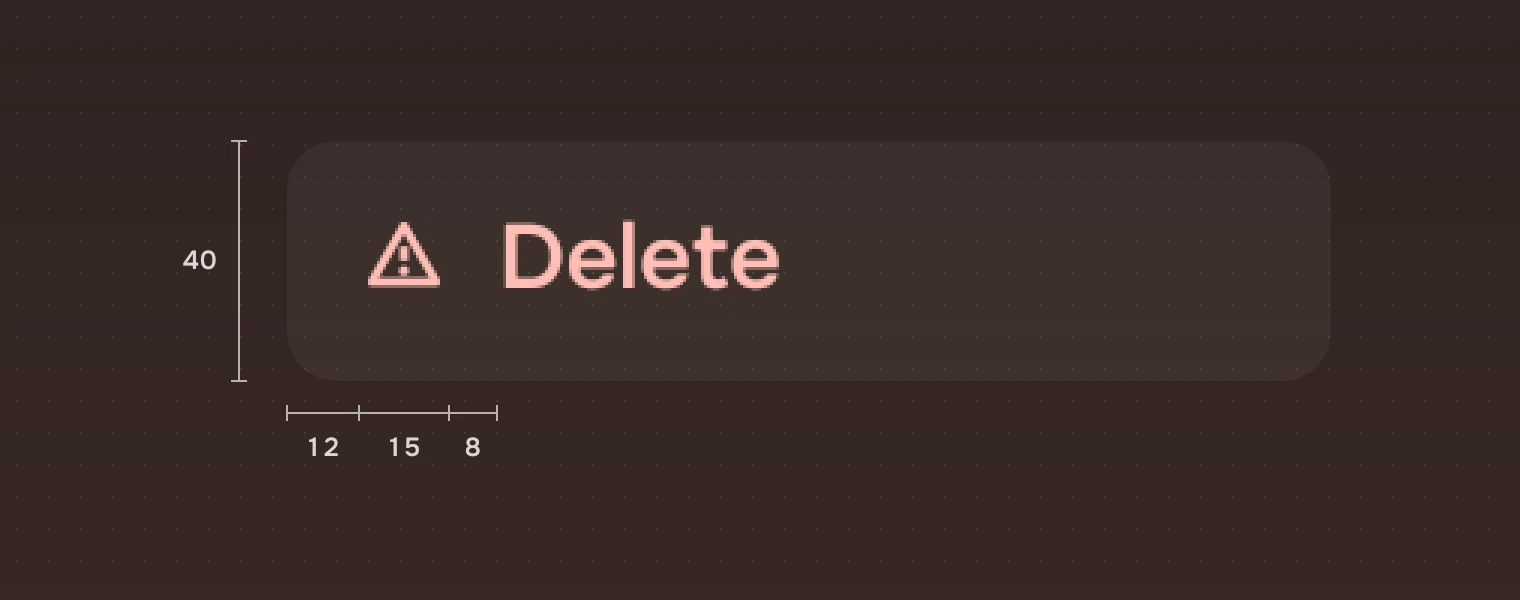
| Part | Value |
|---|---|
| Height | 40 (height.action) |
| Width | 280 unless you set it |
| Word | 15 pixels (row) |
| Wash | The line's width and 12 more on each side; corner #8 (radius.row) |
| Warning symbol | 15 pixels, 8 before the word |
| Focus ring | 2 pixels, 2 outside the wash |
Set the width to the panel's content width. The wash then reaches 12 pixels into the panel's padding on both sides, so the panel's padding must be at least 12.
Keys and pointer
| Do this | To |
|---|---|
| Tab | Move to the next action; each is a stop |
| Enter or Space | Do it; with confirm, ask first, then do it |
| Esc | While asking, go back to the words |
| Click | Do it |
| Pointer over it | Show the wash; the pointer is a hand |
Accessibility
- Each action is a button named by its words; while it asks, by the question.
- The risk is shown by its symbol and its place at the end, not by colour alone.
- The words are in the secondary ink, which the kit solves for the palette; under the pointer they reach the main ink, and a risk is in the risk ink, solved to Lc 75.
Writing
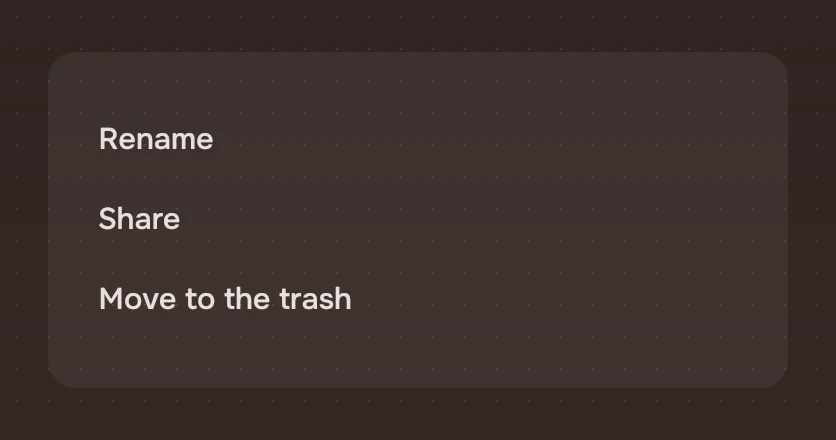
Start with the verb: "Rename", "Add to queue", "Show in Files". Name the thing when it could be unclear: "Remove from library", not "Remove". Keep to three or four actions. For more, use a menu.
Do and don't
Code
import Tacit.Kit

Column {
    width: 260
    WordAction { width: parent.width; text: "Add to queue"; onActivated: queue.add(track) }
    WordAction { width: parent.width; text: "Show in Files"; onActivated: files.reveal(track) }
    WordAction { width: parent.width; text: "Remove from library"; risk: true; onActivated: library.remove(track) }
}
| Property | What it does |
|---|---|
text | The words |
risk | The warning symbol and the risk ink. Put it last |
confirm | The question for what cannot be undone: the first press shows it, the second does it |
activated() | Sent by a click, Enter or Space; with confirm, by the second press |
confirmCancelled() | The question was left unanswered: Esc, the keyboard or pointer left, or 4 seconds |
wordsWidth | How wide the words are, for a lone action in a bar. Read-only |
Experimental, in Tacit.Kit 0.1.
Text and figures: CC BY 4.0. Tacit.Kit: LGPL-3.0 code, OFL fonts. The Tacit name.