View bar
How you see what is on a page: what is here, a filter, the order, the view. It sits under the page header, and every app uses the same bar with its own fields.
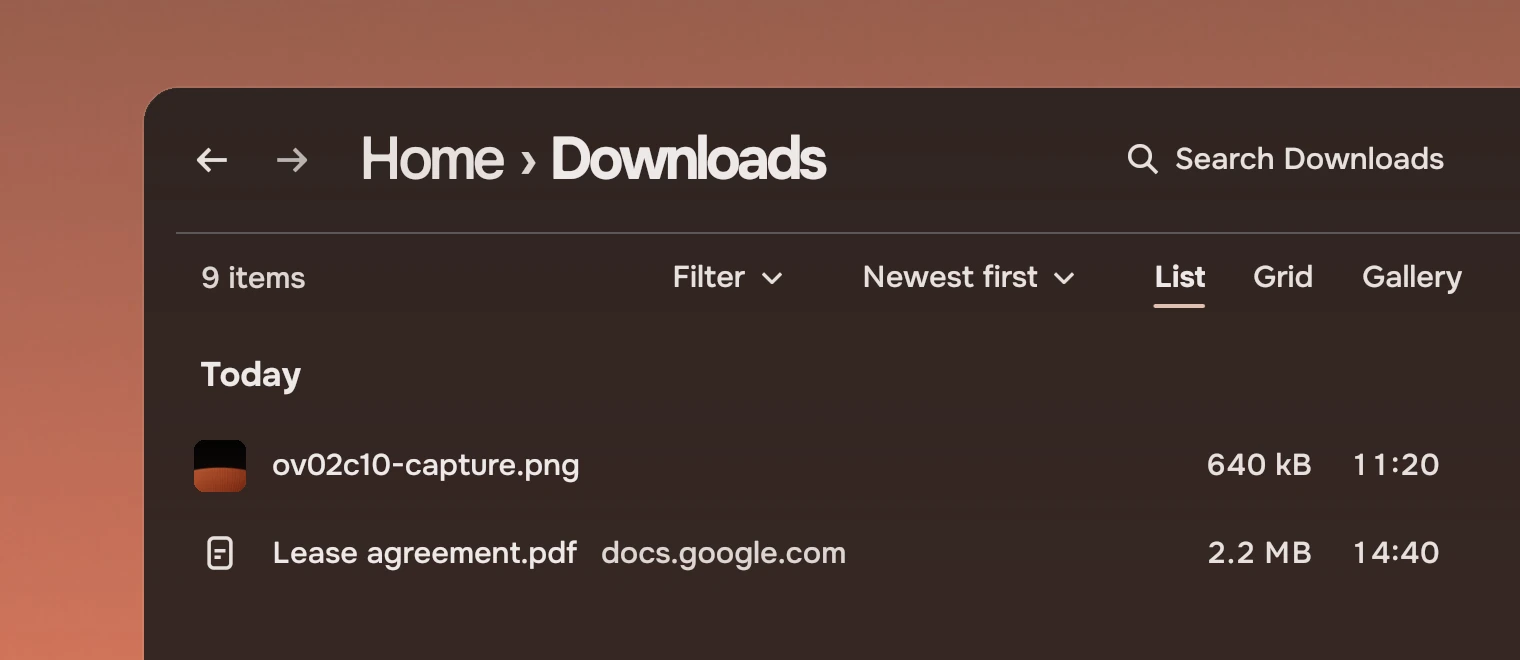
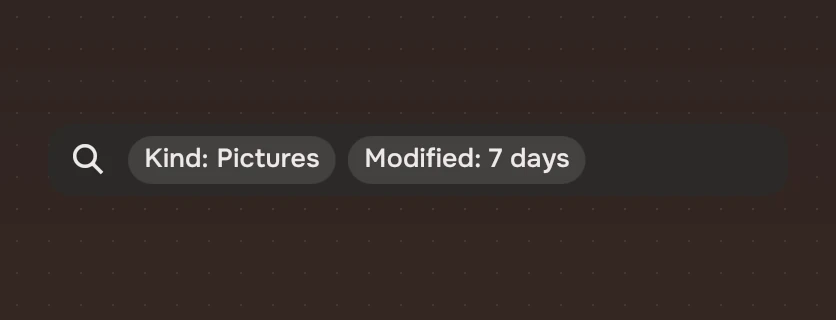
Use it under the page header of any page whose content can be filtered, sorted or shown in more than one way. The header holds the path and the search; the view bar holds everything about how the page is shown. Files' fields are Kind, Modified and Size, Music's Genre and Year. A filter of tokens inside the search field was tried and rejected: search finds, the view bar narrows and arranges.
Anatomy
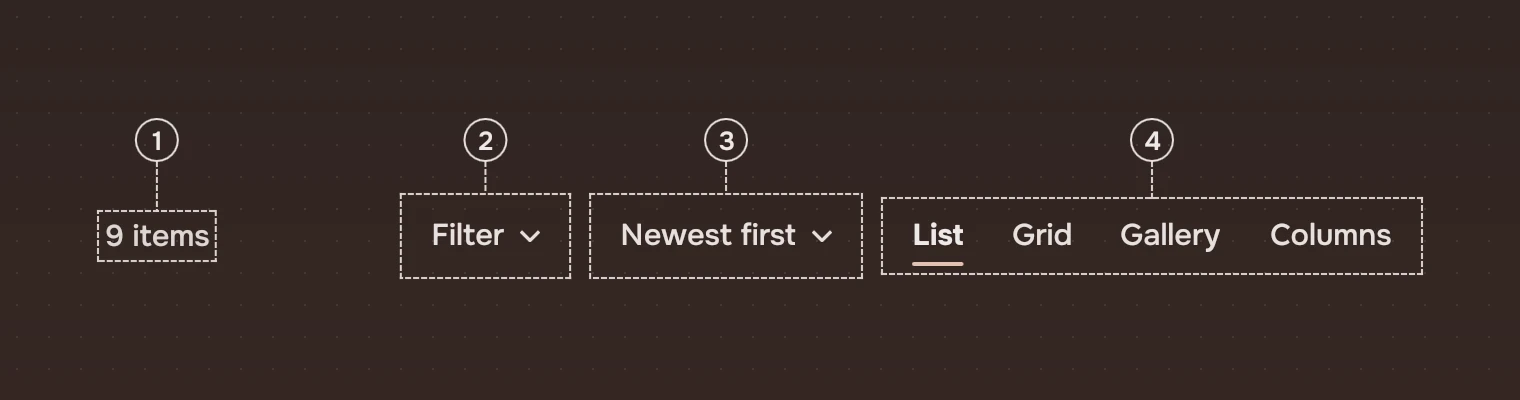
- What is hereThe count, in the meta ink: "9 items". Said once, here.
- FilterShows the page's fields. It is a button, not a menu: the fields are the menus.
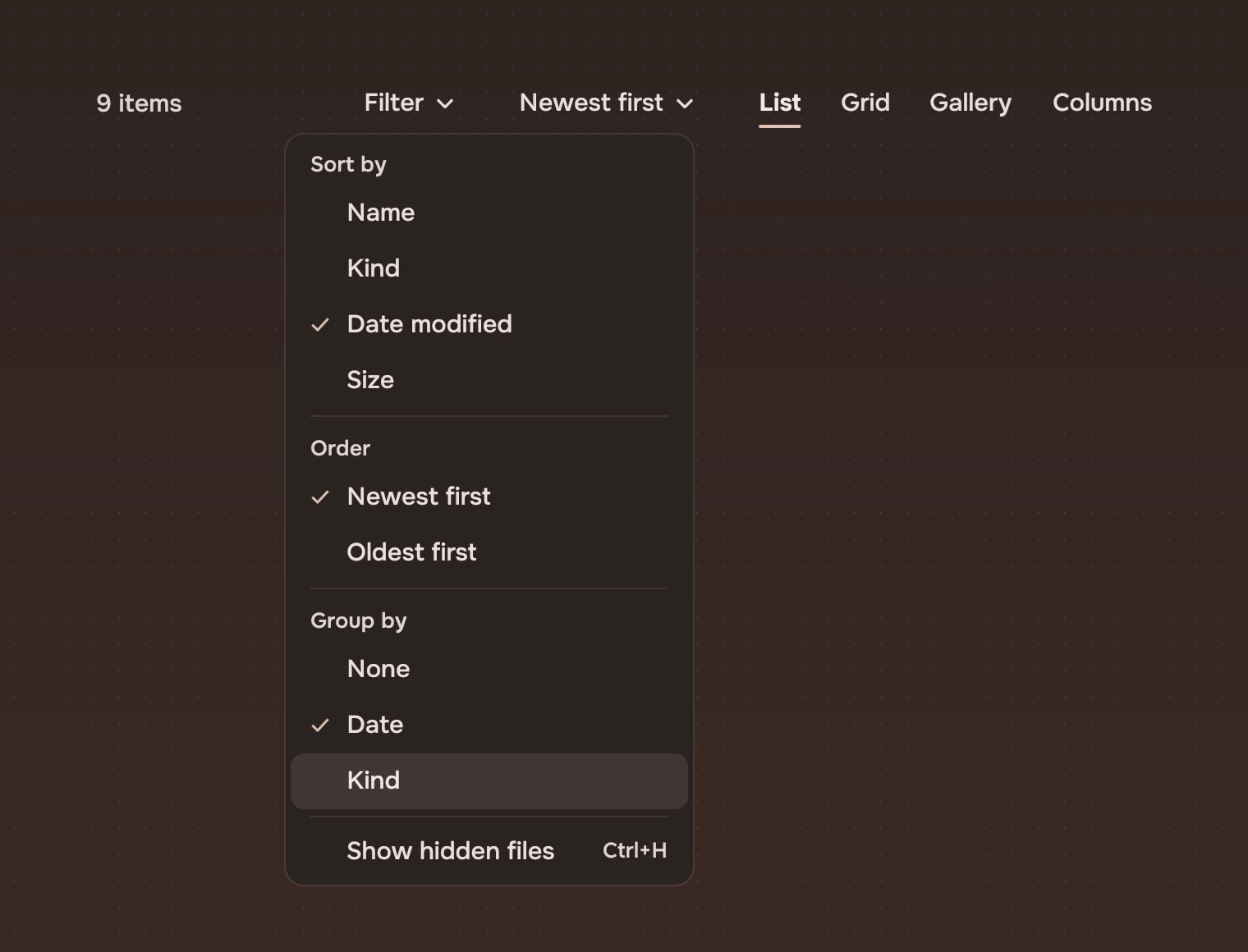
- OrderThe current order in words, "Newest first", opening a menu.
- ViewsThe page's views as words, one chosen: List, Grid, Gallery, Columns. They are tabs, so keep them to four.
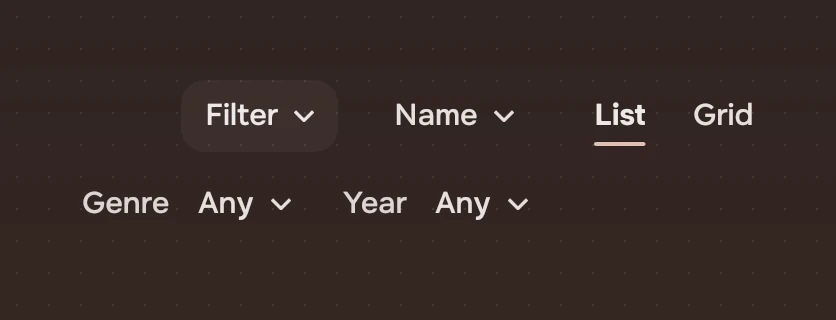
While filtering, the left holds the page's fields (a FilterField each) in place of the count.
States
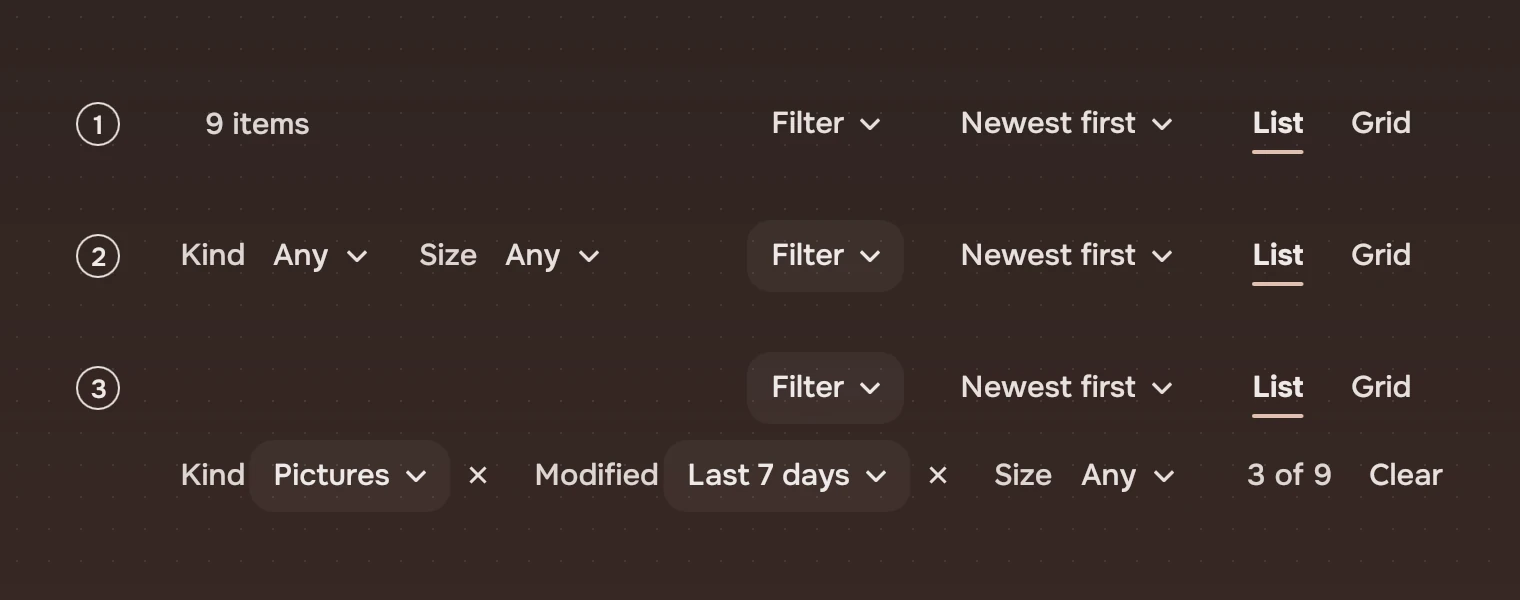
- At restThe count on the left, Filter, order and views on the right.
- Filter onThe Filter button stays washed, and the fields stand on the left in place of the count. Each shows its name in the meta ink and its value as a menu: "Kind Any".
- A filter is onA field that is on shows its value and a cross that takes it off, and the bar adds how many are shown ("3 of 9") and Clear. When the fields and the controls do not fit on one line, the fields take a line of their own.
The bar wraps when its fields and its controls, with 64 pixels to spare, are wider than the bar. A wrapped bar is two lines high. While a filter is on, how many are shown ("3 of 9") and Clear come after the fields, on the same line if they fit there and on the fields' own line when they do not.
Menus
A field's value is a menu. The app gives its lines; ticking several kinds keeps the menu open, and each line's detail is how many things it would show.
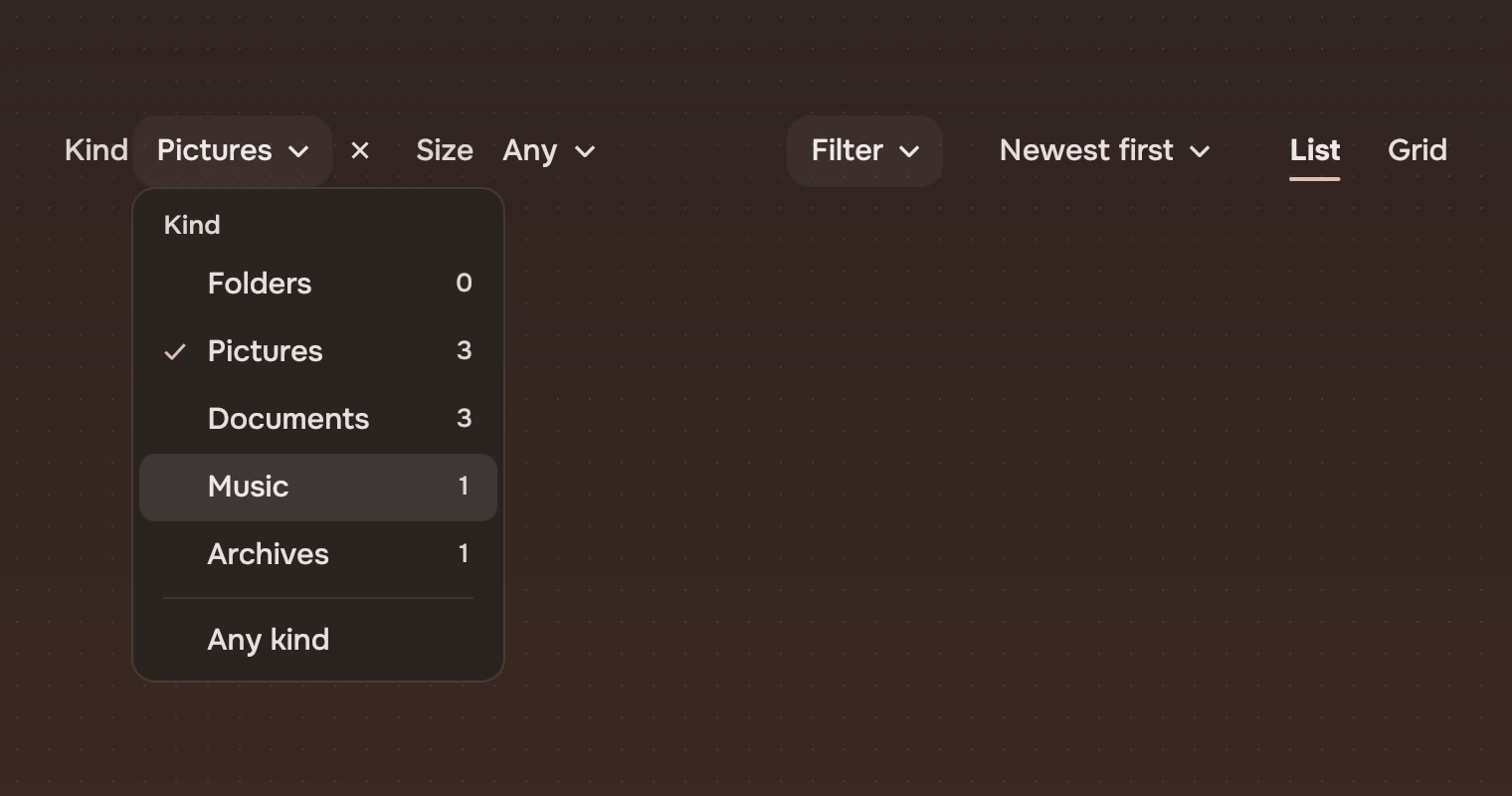
The order's menu holds the page's choices about arrangement: Sort by, Order (worded for the field: "Newest first" for a date, "Smallest first" for a size), Group by, and the page's own choices, for example hidden files.
Sizes
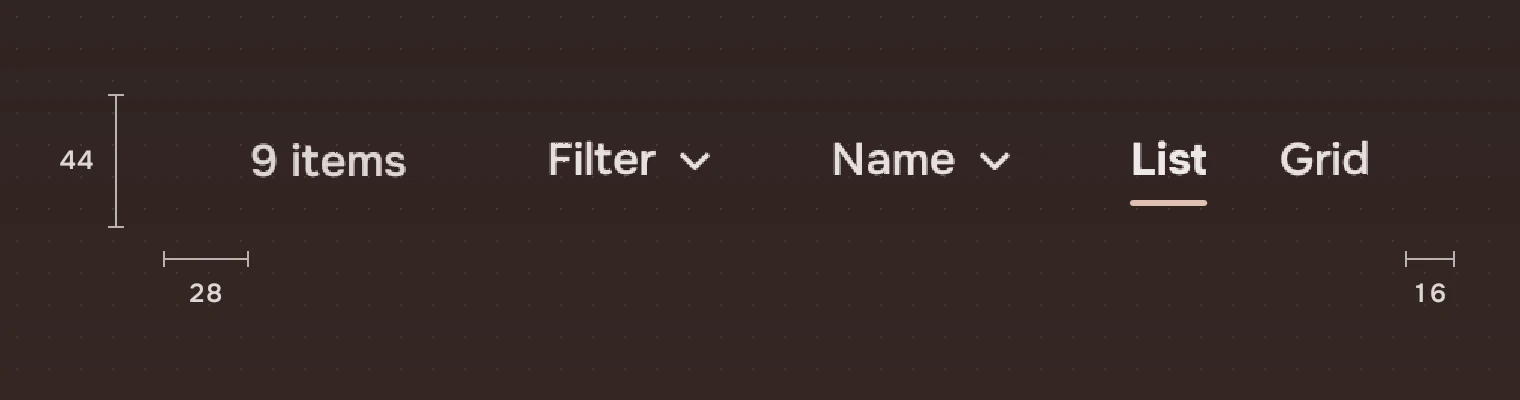
| Part | Value |
|---|---|
| Height of a line | 44; a wrapped bar is #88 |
| Count | 28 pixels from the left; the meta ink |
| Fields | Start 16 from the left, 14 apart; on a wrapped bar they start on the second line, 16 from the left |
| Controls | End 16 from the right, 16 apart; each 36 high, as the search field is |
| Shown and Clear | After the fields, 24 pixels, 18 apart |
| Cross of a field | A 28-pixel button with a 16-pixel symbol |
| Wrap | When fields plus controls plus 64 are wider than the bar |
Keys and pointer
The bar is made of ordinary parts, each one stop for Tab: Filter, each field's menu and cross, Clear, the order, and the views, which are one stop and move with ← → (Home and End go to the first and last).
| Do this | To |
|---|---|
| Enter or Space on Filter | Show or hide the fields |
| Enter or Space on a field or the order | Open its menu |
| ↑ ↓ Home End in a menu | Move between its lines |
| Enter or Space in a menu | Choose the line; a line that keeps the menu open ticks it and stays |
| Type a letter in a menu | Go to the next line that starts with it |
| ← → on the views | Choose the view before or after |
| Click | The same as Enter |
Accessibility
- The bar is a tool bar named by
label("View" unless the app says). Filter is a button named "Filter" that reports itself as checked while the fields are shown. - A field is a group named by its label, so a screen reader says "Kind" and then the value on its button. The cross is named "Remove the Kind filter", with the field's own name.
- The order and each field's value are menu buttons, named by their words.
- What is shown, "3 of 9", is text in the bar and is read with it.
- A field that is on is shown by its value and its cross, not by colour.
Writing
Say what is there, in the app's nouns: "9 items", "177 songs", "Documents, Taxes 2026, 3 items" in a hierarchy. Name a field by the thing it filters: Kind, Modified, Size, Genre, Year. Its value is a word a person would say: "Last 7 days", "Any". The order is named as it reads: "Newest first".
Do and don't
Code
import Tacit.Kit

ViewBar {
    id: bar
    width: parent.width
    count: filter.on ? "" : files.count + " items"
    filtering: filter.showFields || filter.on
    active: filter.on
    shown: filter.shown + " of " + files.count
    order: "Newest first"
    orderItems: [
        { heading: true, label: "Sort by" }, { label: "Name" },
        { label: "Date modified", checked: true }, { rule: true },
        { label: "Show hidden files", detail: "Ctrl+H" }]
    views: ["List", "Grid", "Gallery", "Columns"]
    view: 0
    onFilterToggled: filter.showFields = !filter.showFields
    onOrderPicked: i => files.sortBy(i)
    onViewPicked: i => view = i
    onCleared: filter.clear()
    FilterField {
        label: "Kind"
        value: filter.kind === "" ? "Any" : filter.kind
        on: filter.kind !== ""
        items: [
            { heading: true, label: "Kind" },
            { label: "Pictures", checked: true, detail: 3, keepOpen: true },
            { rule: true }, { label: "Any kind" }]
        onPicked: i => filter.toggleKind(i)
        onCleared: filter.kind = ""
    }
}
| Property or signal | What it does |
|---|---|
ViewBar.count | What is here, shown at rest |
filtering, active, shown | The fields are shown; a filter is on; "3 of 9" for a wrapped bar |
order, orderItems | The order's words and its menu |
views, view | The views as words, and the chosen one |
label | What a screen reader calls the bar ("View") |
filterToggled(), orderPicked(i), viewPicked(i), cleared() | Filter, the order's menu, the views, and Clear |
| Content of the bar | The page's FilterFields |
FilterField.label, value, on | The field's name, its value, and whether it is on (a cross, and its button stays washed) |
FilterField.items, picked(i), cleared() | The field's menu, a chosen line, and the cross |
A menu item is { label, checked, risk, detail, rule, heading, keepOpen }.
Experimental, in Tacit.Kit 0.1. Changed 25 October 2026: first version.
Text and figures: CC BY 4.0. Tacit.Kit: LGPL-3.0 code, OFL fonts. The Tacit name.