Section heading
The words that say what a run of rows is about: a day, a folder, an artist. It sits on the rows below it.
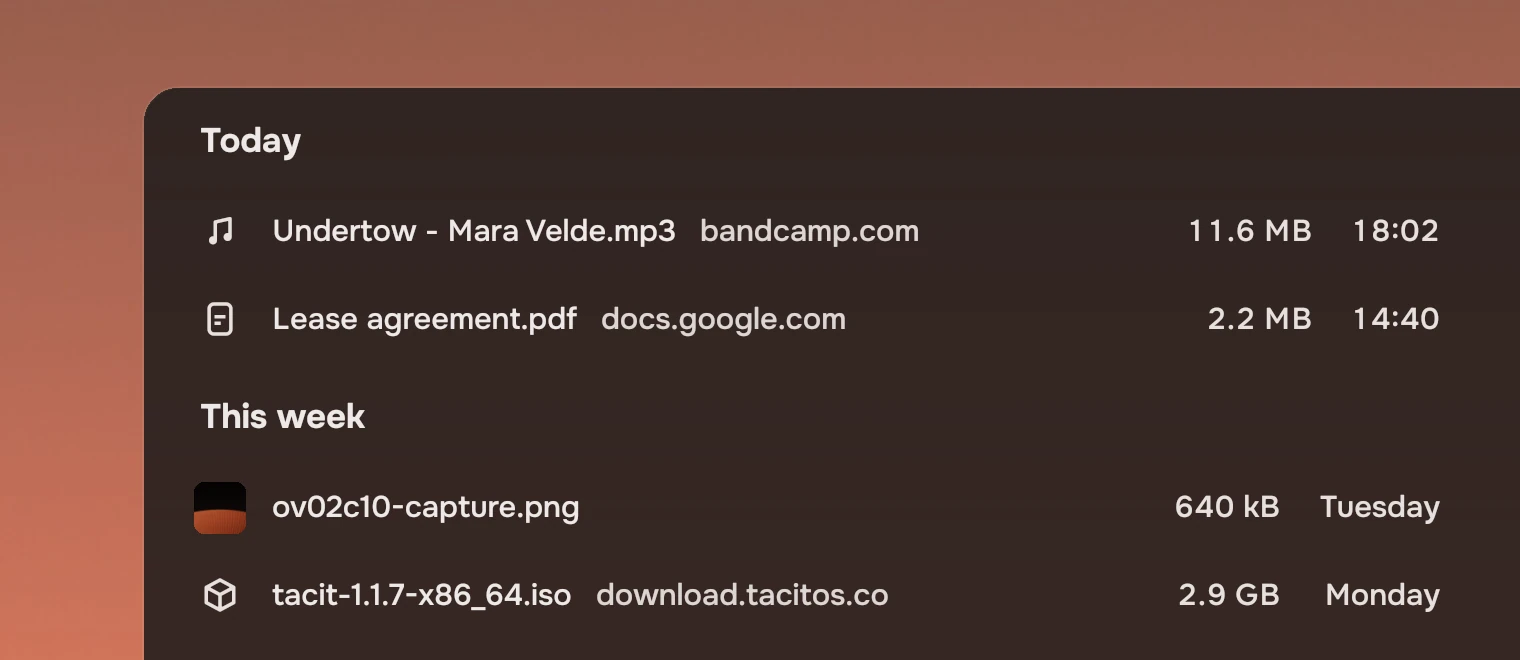
Use it when a list falls into groups the reader would name: the day a file arrived, the folder a result is in, the artist of a run of songs. A heading is not a title for the page, which is the page header's, and a list of one group needs none.
Anatomy
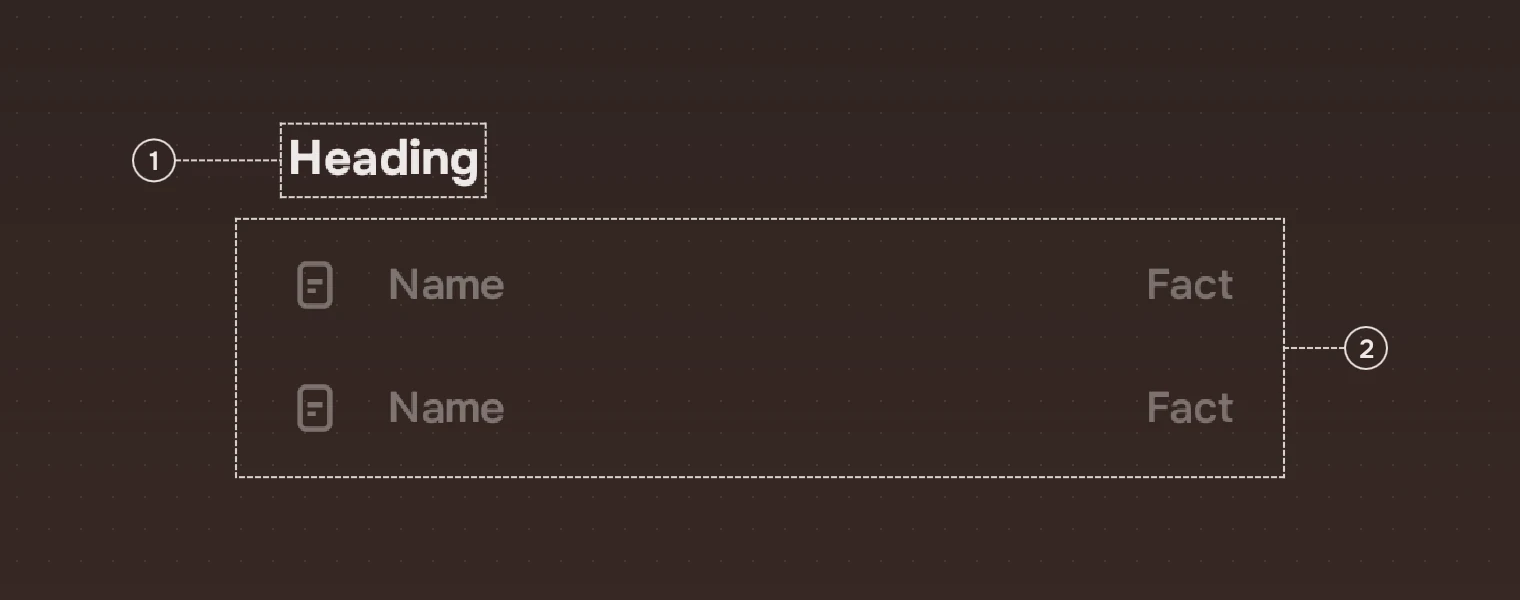
- WordsOne line of text at body size, strong, in the main ink. No count, no icon, no line under it.
- RowsThe heading sits on the rows below it: the words end 12 pixels above the foot of the heading, which is where the first row starts.
Sizes

| Part | Value |
|---|---|
| Height | 50 |
| Text | 17 pixels (body), strong weight (600), the main ink |
| From the left | 16 pixels, in line with a row's symbol |
| Below the words | 12 pixels |
A heading has no states. It cannot be selected, pressed or focused, and it is not a stop for Tab. A row list skips headings when the arrow keys move, and a picture grid draws its own over each day.
Accessibility
- A heading has the role of a heading and is named by its words, so a screen reader can list the groups of a page and jump between them.
- Its ink is the main ink, which reaches an APCA contrast of 92 on both palettes.
Writing
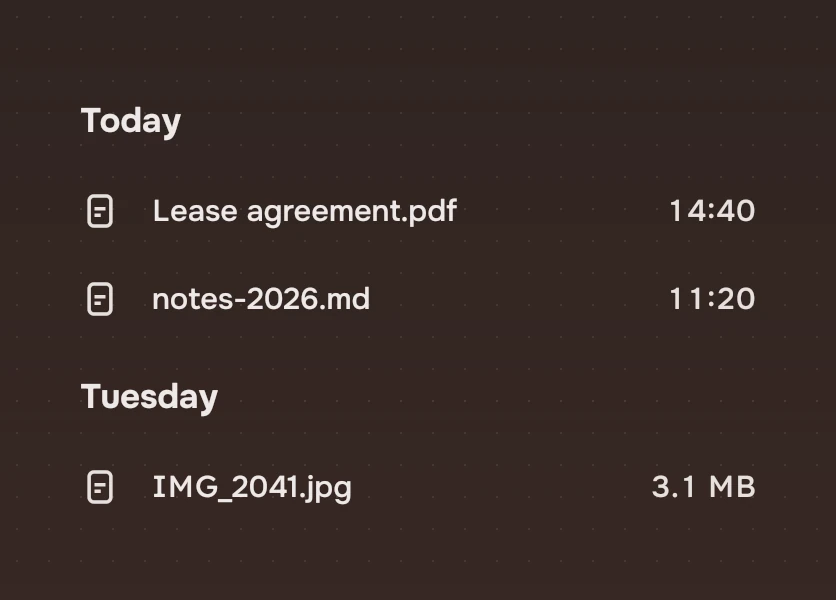
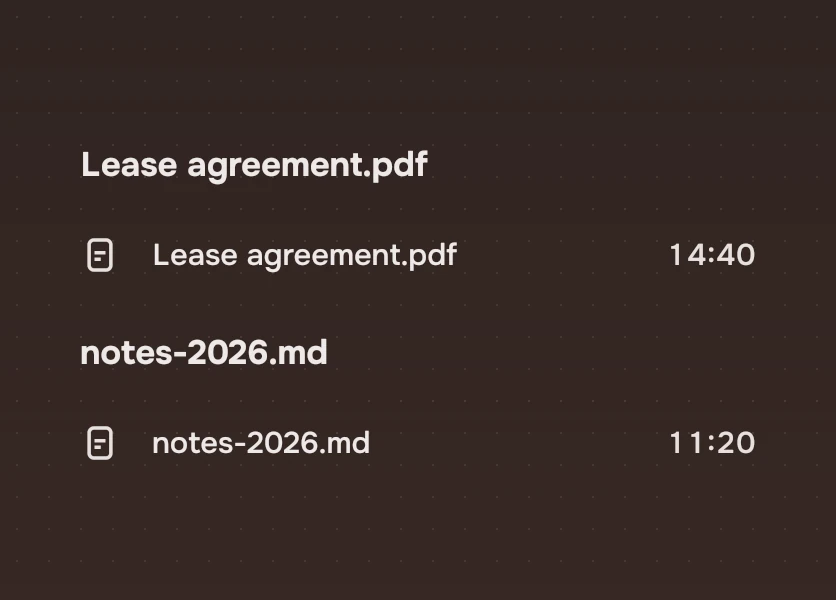
Name the group as the reader would: "Today", "This week", "Tuesday 22 October", the artist's name. Use the same form down the whole list: days stay days. Do not repeat what the rows say, and do not add a count; counts belong in the view bar.
Do and don't
Code
import Tacit.Kit

Column {
    SectionHeading { text: "Today" }
    ListRow {
        width: parent.width; glyph: "description"
        name: "notes-2026.md"; facts: ["44 kB", "11:20"]
    }
    SectionHeading { text: "Tuesday" }
    ListRow {
        width: parent.width; glyph: "description"
        name: "Lease agreement.pdf"; facts: ["2.2 MB", "14:40"]
    }
}
| Property | What it does |
|---|---|
text | The words |
A row list can draw its headings itself: set section.property and section.delegate, as a ListView takes them. A picture grid uses a heading for each group of its pictures.
Experimental, in Tacit.Kit 0.1. Changed 25 October 2026: first version.
Text and figures: CC BY 4.0. Tacit.Kit: LGPL-3.0 code, OFL fonts. The Tacit name.