Picture grid
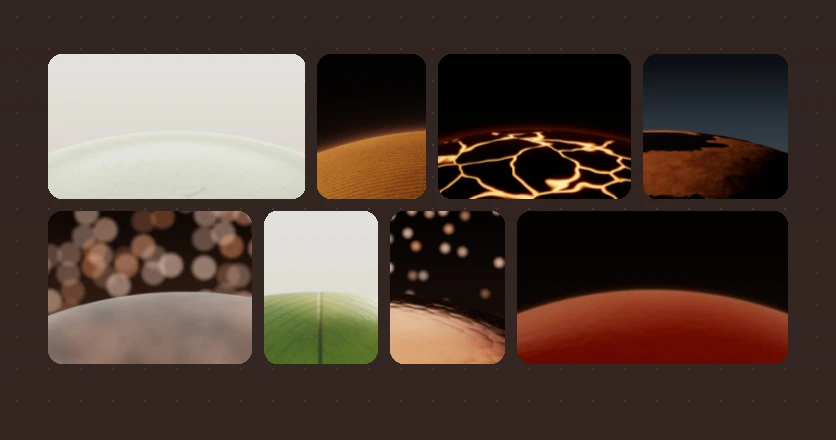
Pictures grouped by day, each at its own shape, laid out in rows that fill the width. It is for looking at pictures, not for reading names.
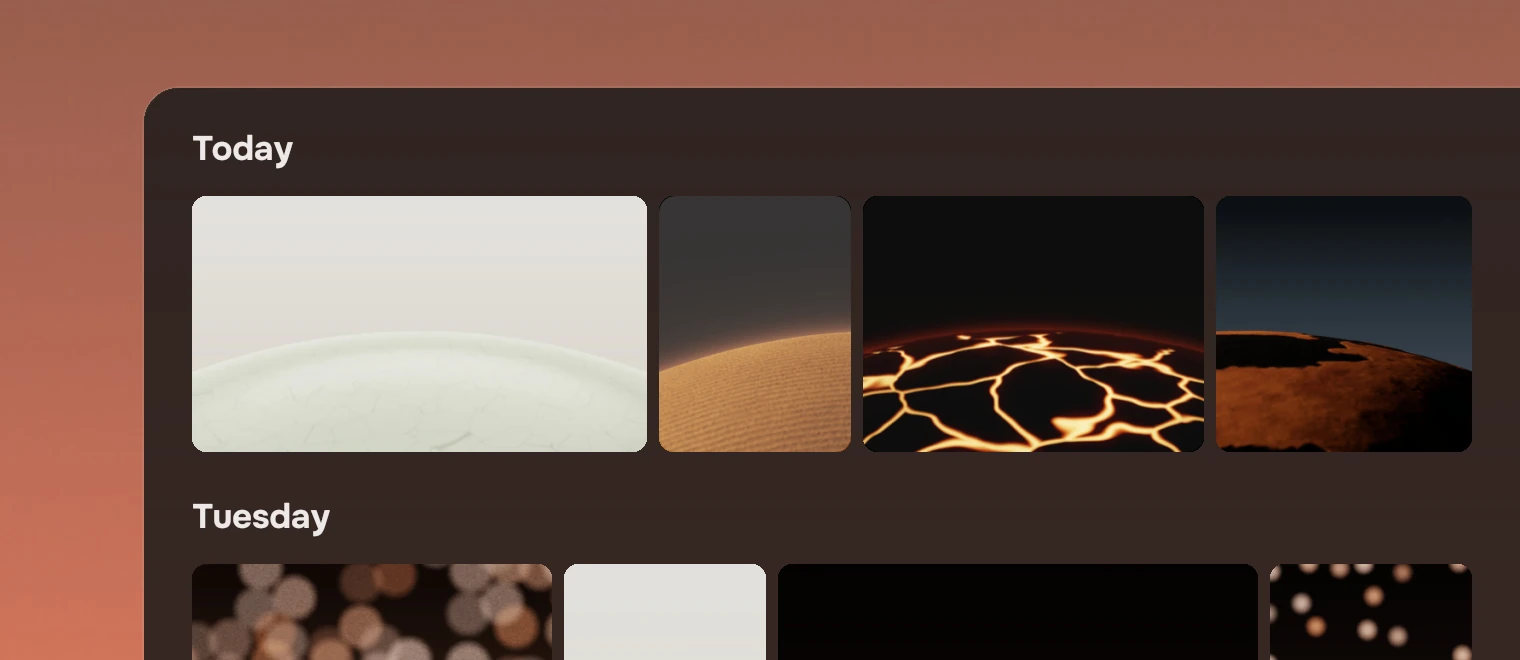
Use it where the picture is the thing: a camera roll, a folder of screenshots. Where people look for a thing by its name, use a row list, in which a picture is a small kind mark. Where each picture has a title and a line under it, as an album does, use CoverGrid, which sets one square shape in columns.
Anatomy
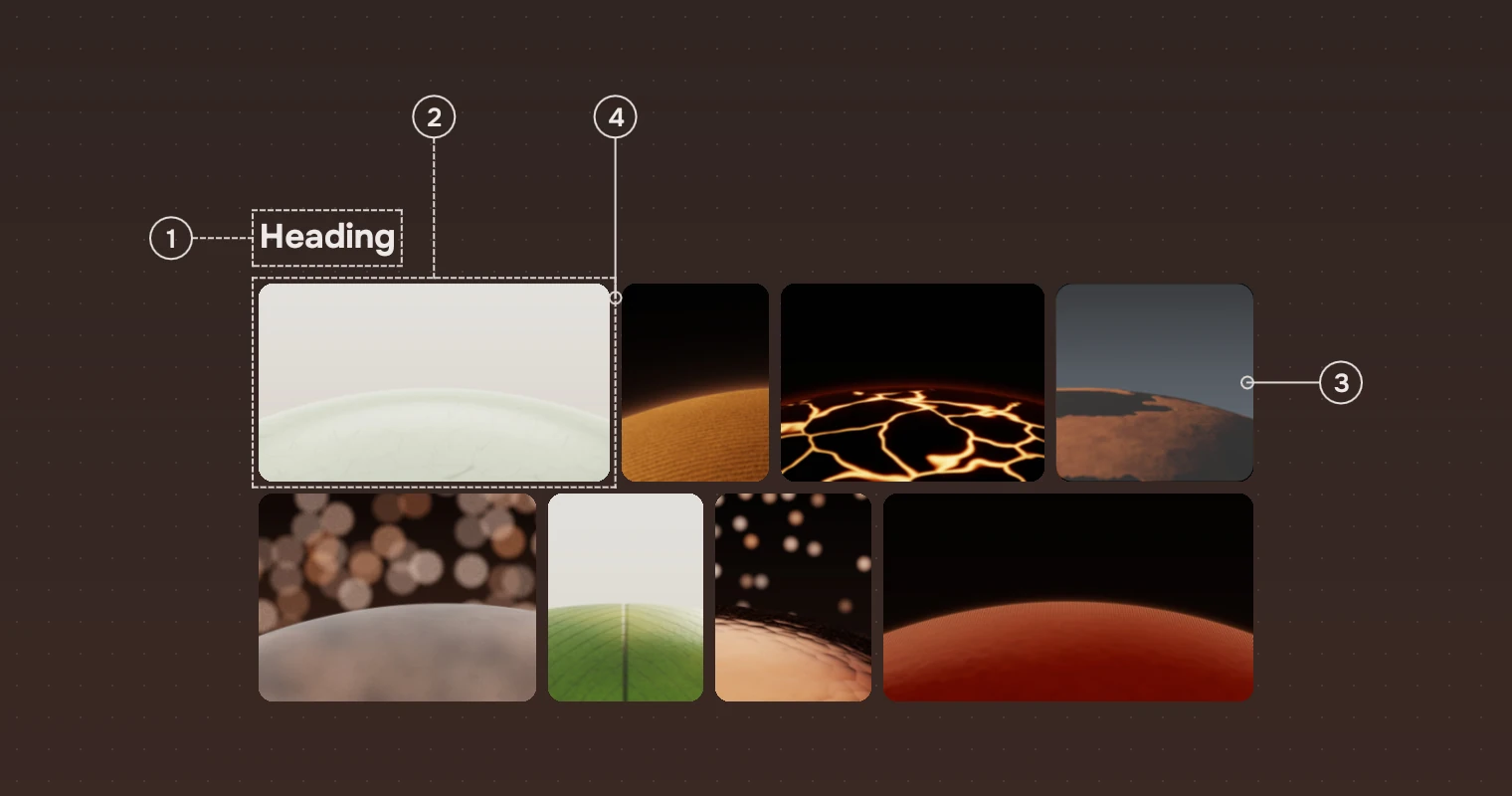
- HeadingA section heading for each group, from the picture's
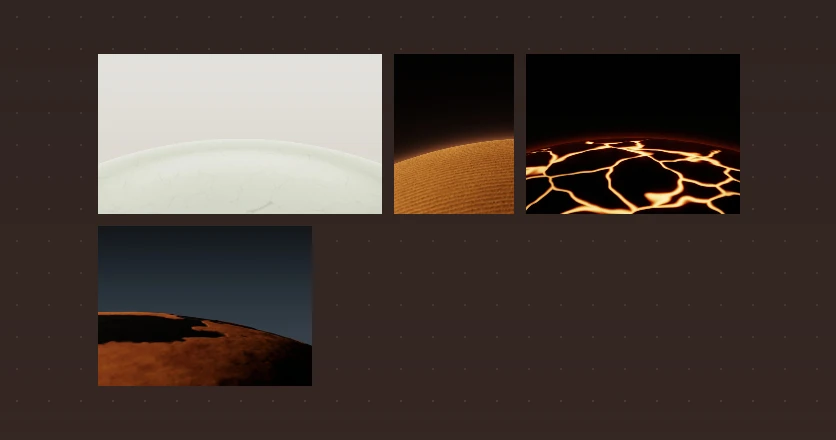
group. - PictureThe picture at its own shape, cropped only at its corners. It is shown whole, never squared.
- SelectionA wash of the main ink at 22 % over the picture, which shows on a photograph. The picture keeps its size. The keyboard's place is a separate ring, so the two read apart (see States).
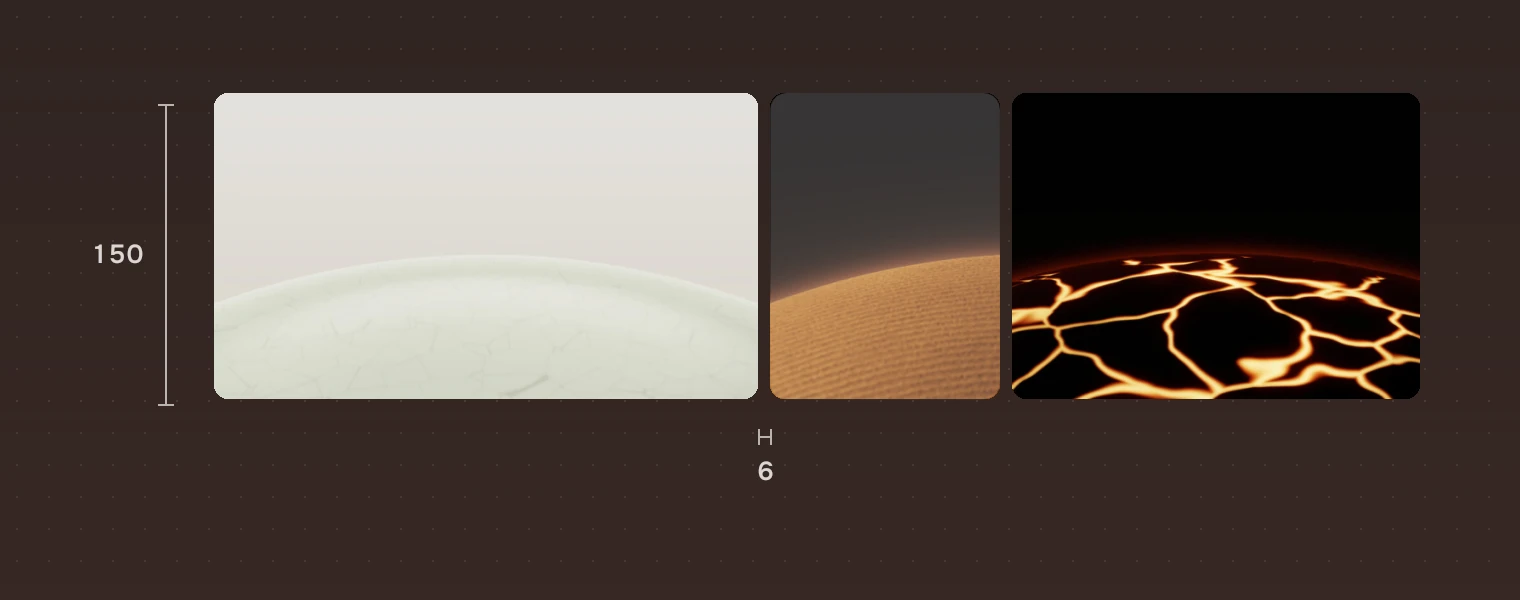
- Gap6 pixels between pictures, across and down. Rows are filled edge to edge, so no row has a ragged end.
A row is filled with pictures until it is no taller than rowHeight, then all its pictures are scaled to share one height. A picture never stands alone on a row: a last picture alone joins the row above. A short last row keeps the usual height rather than growing.
States
Every state is a wash of the main ink on the picture. The picture never changes its shape.
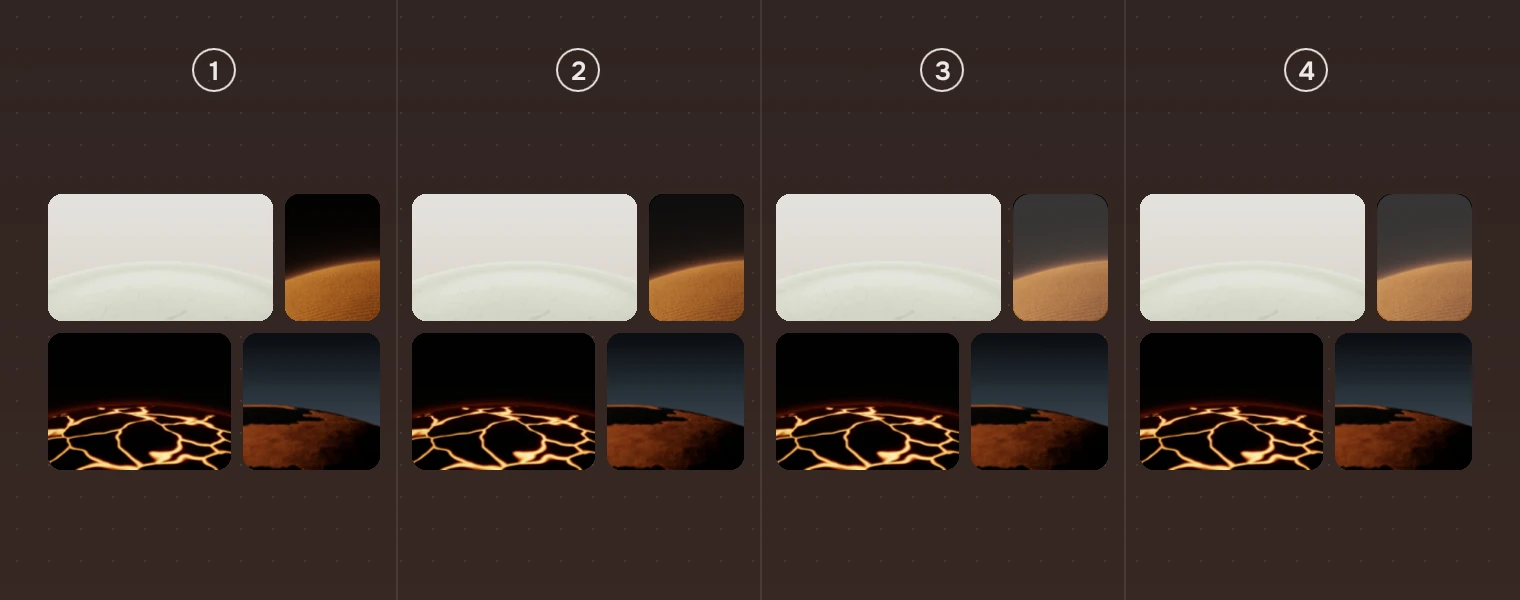
- RestThe picture as it is.
- Pointer over itThe hover wash, 5 %.
- SelectedThe wash at 22 %.
- Selected, pointer over itThe same 22 %: there is no step over the selection, as there is in a list.
While the button is down the wash is 22 % too. With the keyboard, the picture the keys act on, the cursor, has the focus ring, 4 pixels outside it. States gives the washes and the ring for every part.
Sizes
| Part | Value |
|---|---|
| Row height | 200 by default (rowHeight), the most a row is; rows come out a little lower to fill the width |
| Gap | 6 pixels (gap) |
| Heading | 50 pixels high, over each group |
| Picture corner | 8 pixels |
| Focus ring | 2 pixels wide, 4 pixels outside the picture (the ring and its gap), corner 12 |
| Room for the ring | 6 pixels around the grid, kept inside its clip (ringRoom) |
| Default size | 900 by 600 |
Keys and pointer
The grid is one stop for Tab, as a row list is.
| Do this | To |
|---|---|
| ← → | Select the picture before or after |
| ↑ ↓ | Select the picture in the row above or below whose middle is nearest |
| Shift with the arrows | Select from where you started to here |
| Home End | Go to the first or the last picture |
| Ctrl A | Select every picture |
| Enter | Open |
| Menu | The picture's menu |
| Click, Ctrl-click, Shift-click | Select one, add or remove one, select a run |
| Double-click | Open |
| Right-click | The picture's menu; the picture is selected first if it was not |
Unlike a list, the grid has no keys for adding without selecting, and no type-to-jump.
Accessibility
- The grid has the role of a list. Each picture is a list item named by its
name, and says whether it is selected. - Give every picture a
name: it is all a screen reader has to say. Set the grid'slabelto what it holds ("Pictures" by default). - Selection is shown by the wash and the keyboard's place by the ring, never by a change of colour alone.
Writing
The grid shows no words except the group headings, so the headings do the work: "Today", "Tuesday 22 October". The name is for screen readers, and is the file's own name.
Do and don't
Code
import Tacit.Kit

PictureGrid {
    id: grid
    width: 900; height: 600
    rowHeight: 200
    pictures: roll.map(p => ({
        source: p.url, ratio: p.width / p.height, group: p.day, name: p.name }))
    onActivated: i => open(roll[i])
    onContextRequested: (i, at) => menu.openAt(grid, at.x, at.y)
}
| Property or signal | What it does |
|---|---|
pictures | The pictures in the order shown: source, ratio (width over height; 1.5 if left out), group, name |
rowHeight, gap | The usual row height (200) and the gap (6) |
label | What a screen reader calls the grid |
cursor, selection, selectionCount | The picture the keys act on, the selected pictures (an object by index), and how many |
selected(), setSelection(indexes) | The selected indexes as an array; set them |
isSelected(i), clickAt(i, modifiers) | Whether a picture is selected; select as a click would |
activated(index), contextRequested(index, at) | Open, and ask for the picture's menu |
Experimental, in Tacit.Kit 0.1.
Text and figures: CC BY 4.0. Tacit.Kit: LGPL-3.0 code, OFL fonts. The Tacit name.