Files
Tacit's file manager, made from the kit. This page shows what it is built from, with renders of the real app on both palettes.
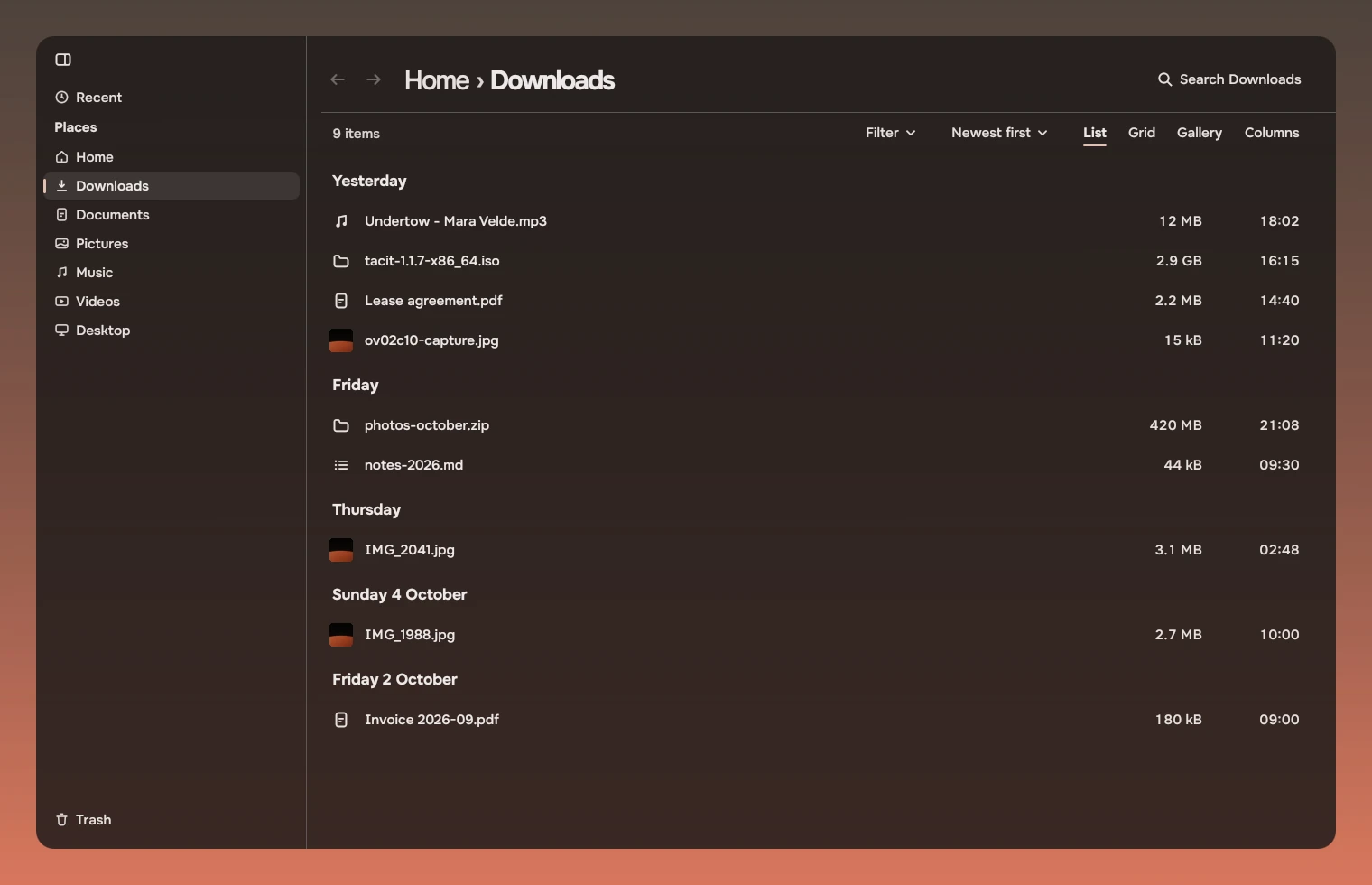
Files is the first app rebuilt on Tacit.Kit. It keeps its own logic (history, selection, drag and drop, renaming) and draws with the kit's parts and tokens. The images on this page are renders of that app, made headless with tools/files-run.sh.
The parts
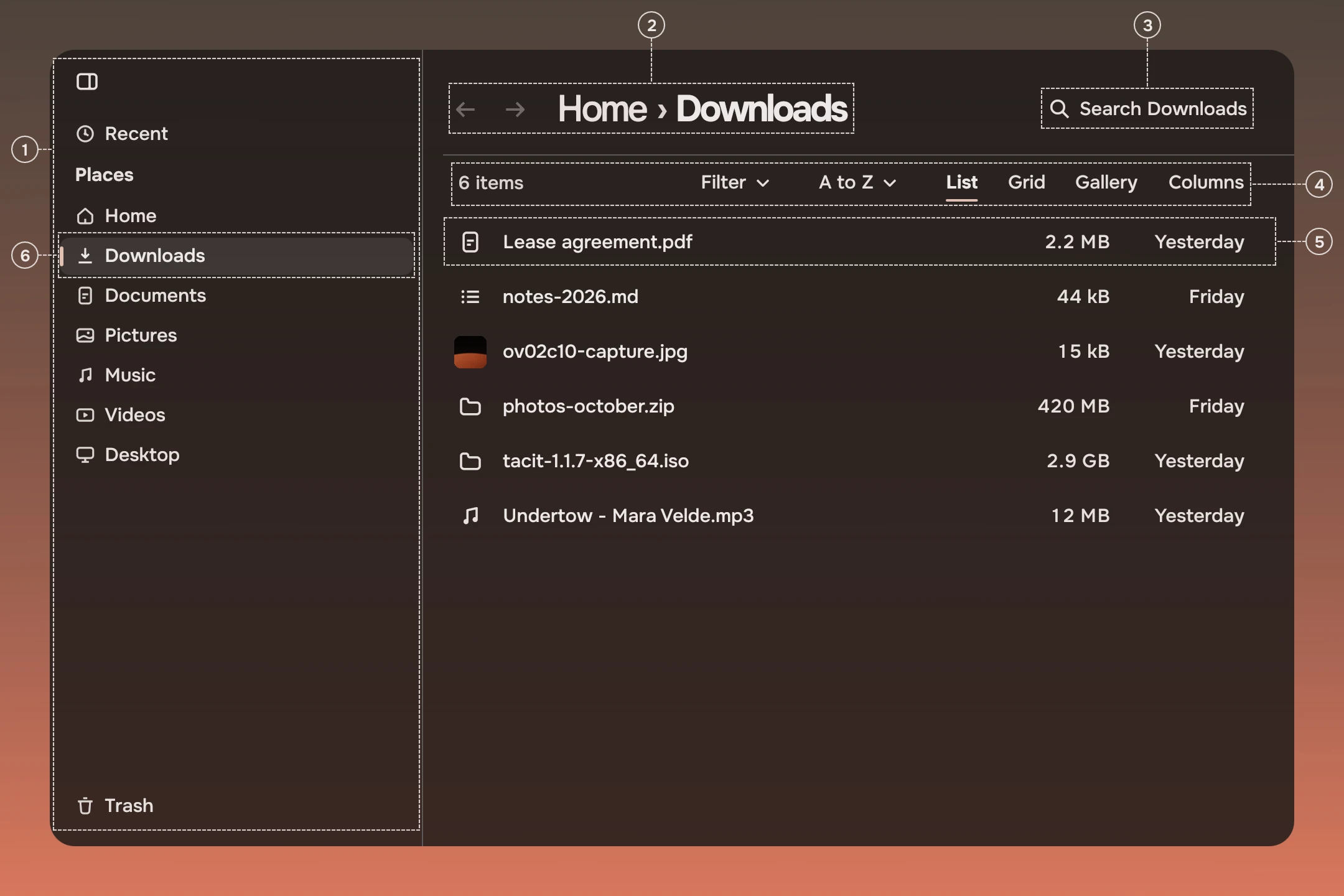
- RailThe rail with its heading, Places, and a Trash row at its foot. Its rows fold to symbols, and the folded rows show a tooltip.
- Page headerThe page header: back and forward, the path as the title, and a hairline under it.
- Search fieldThe search field, in the header.
- View barThe view bar under the header: the count, Filter, the order menu and the views.
- List rowA list row for each file: its kind, name, size and day, in fixed columns.
- Rail rowA rail row for each place, the current one with a wash and the accent bar.
Other parts the app uses, out of this window's sight: the docked panel for a selected file, slabs and word actions in it, a page state for an empty or unreadable folder, tabs and fields in a panel, a rename done in the row itself (asking), and Glide in the preview (scrolling).
The list
A folder opens as a list. Names are the folder's own; sizes and days sit in the columns every list row has. The rows' selection, keys and pointer are those of the list row and the row list.
Pictures
A folder of pictures opens as justified rows by day, each picture at its own shape.
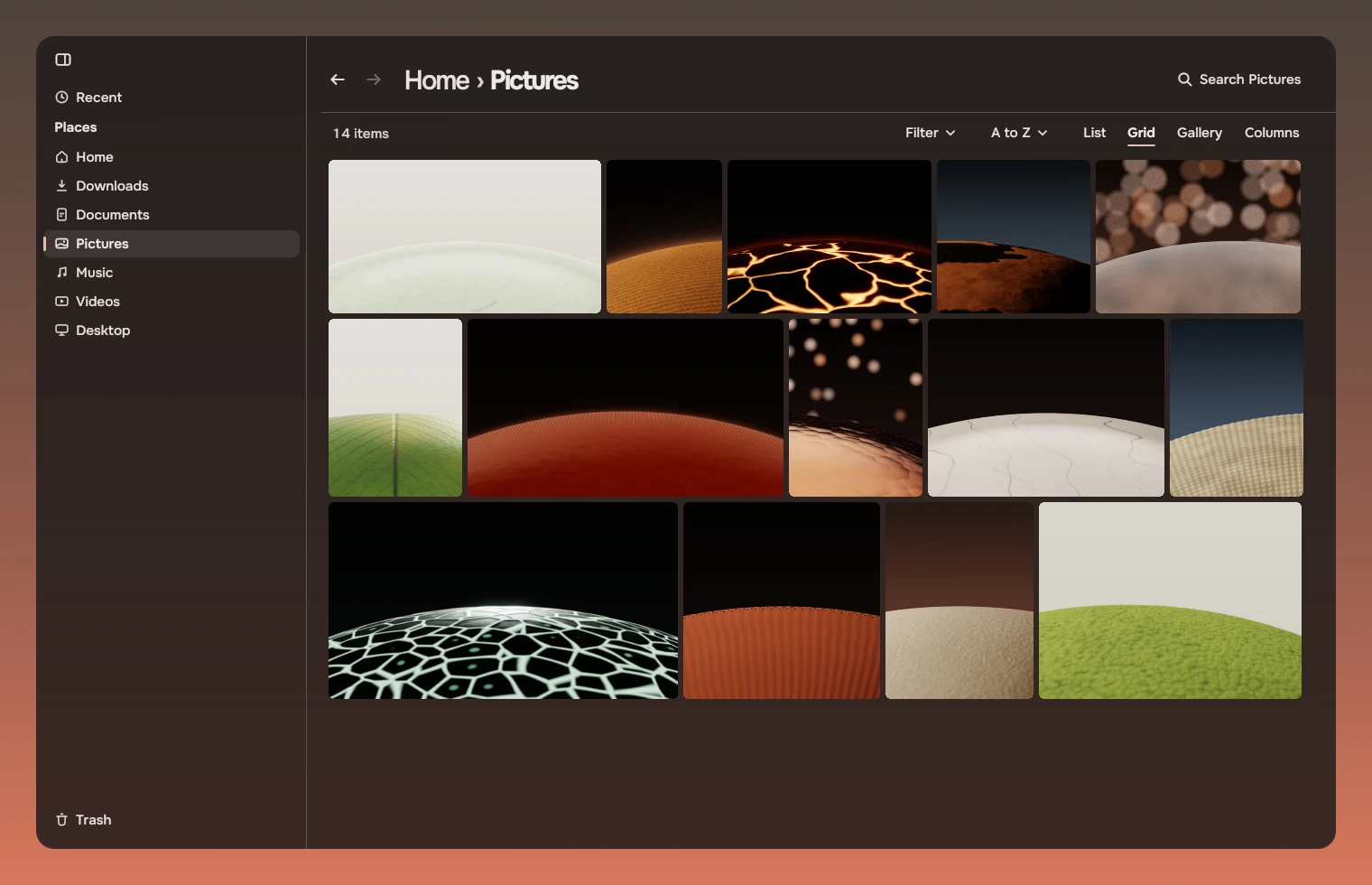
The cells are drawn by the app, not by the kit; see what the kit did not cover.
The view controls
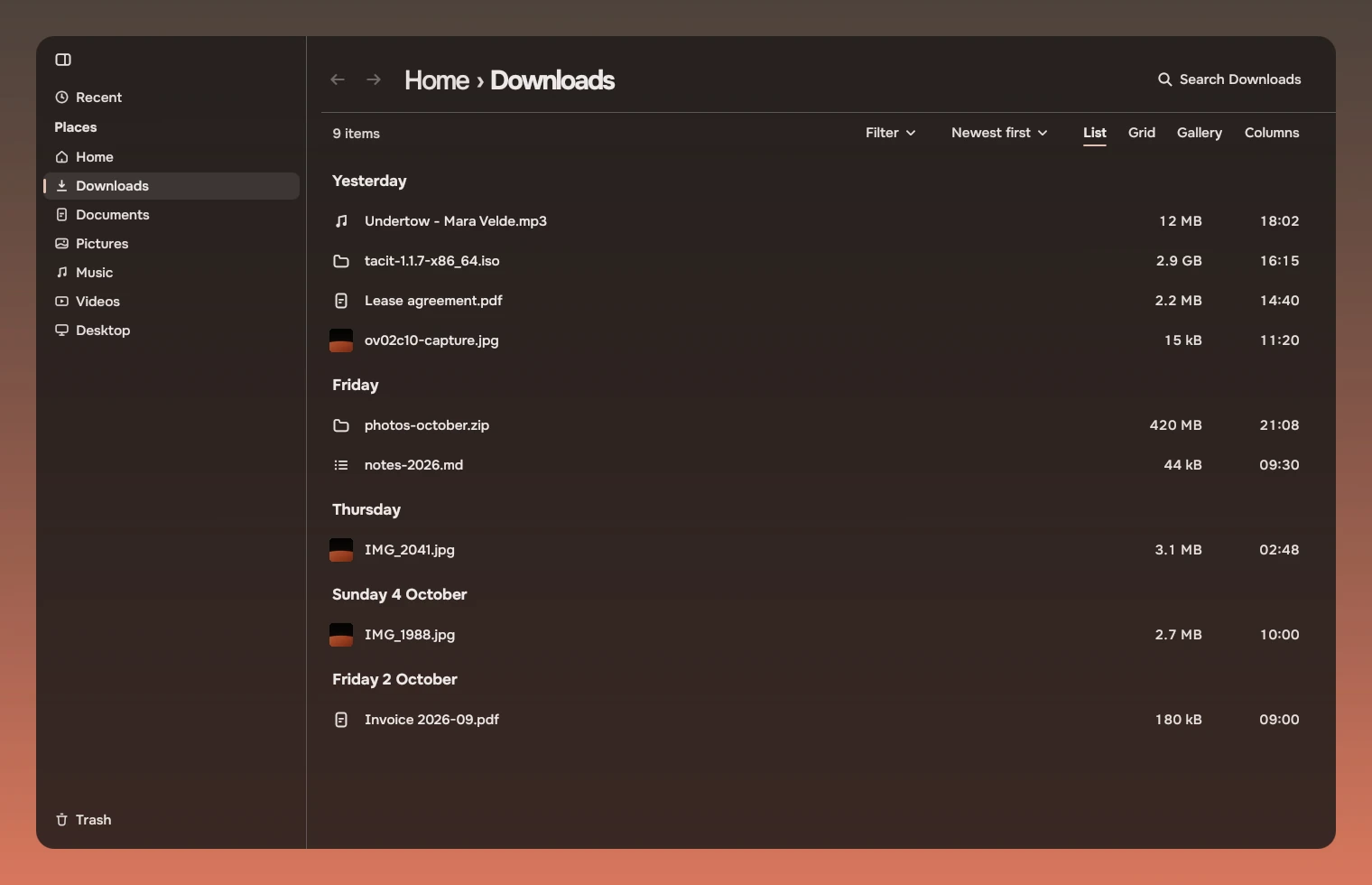
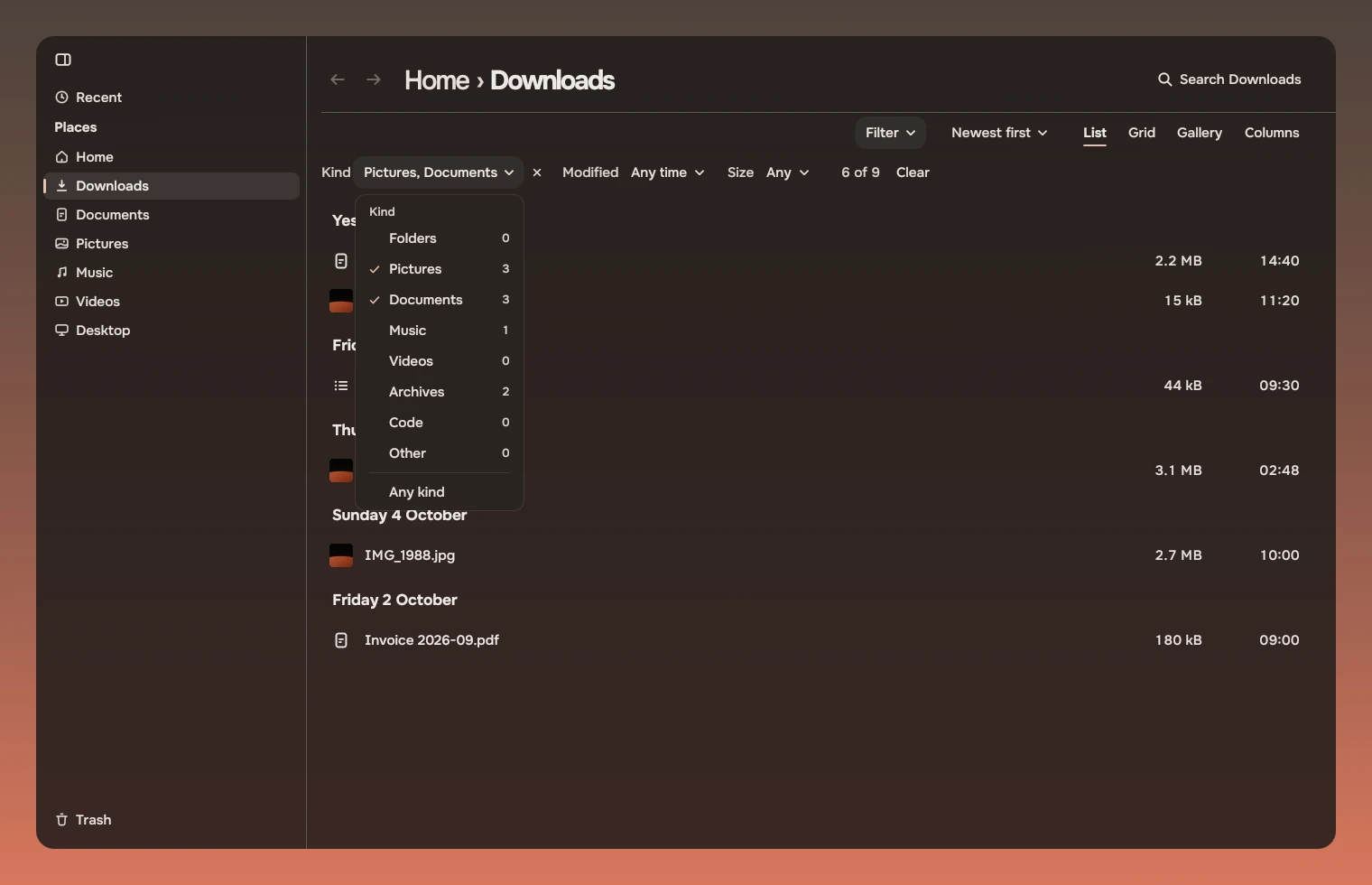
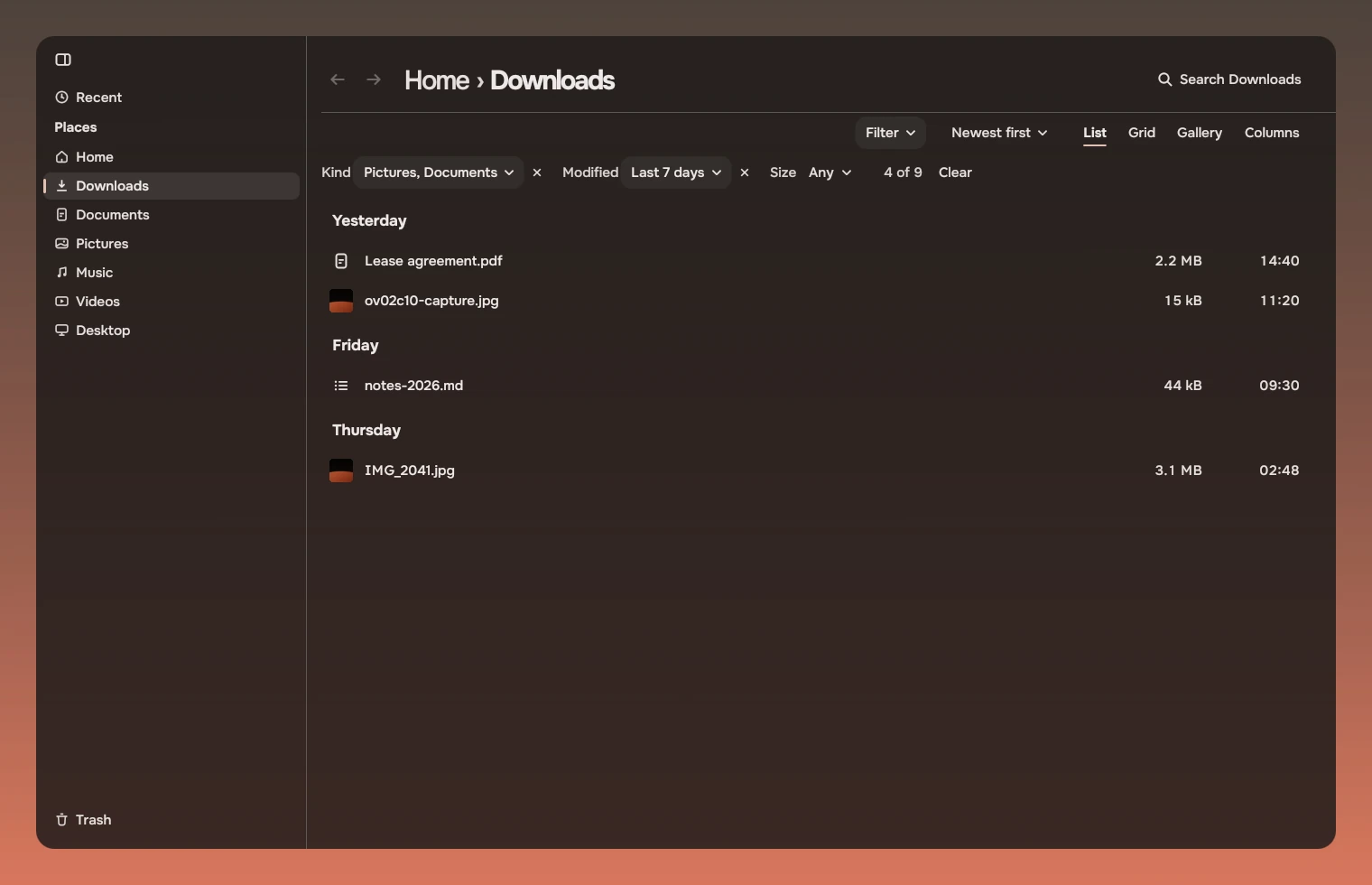
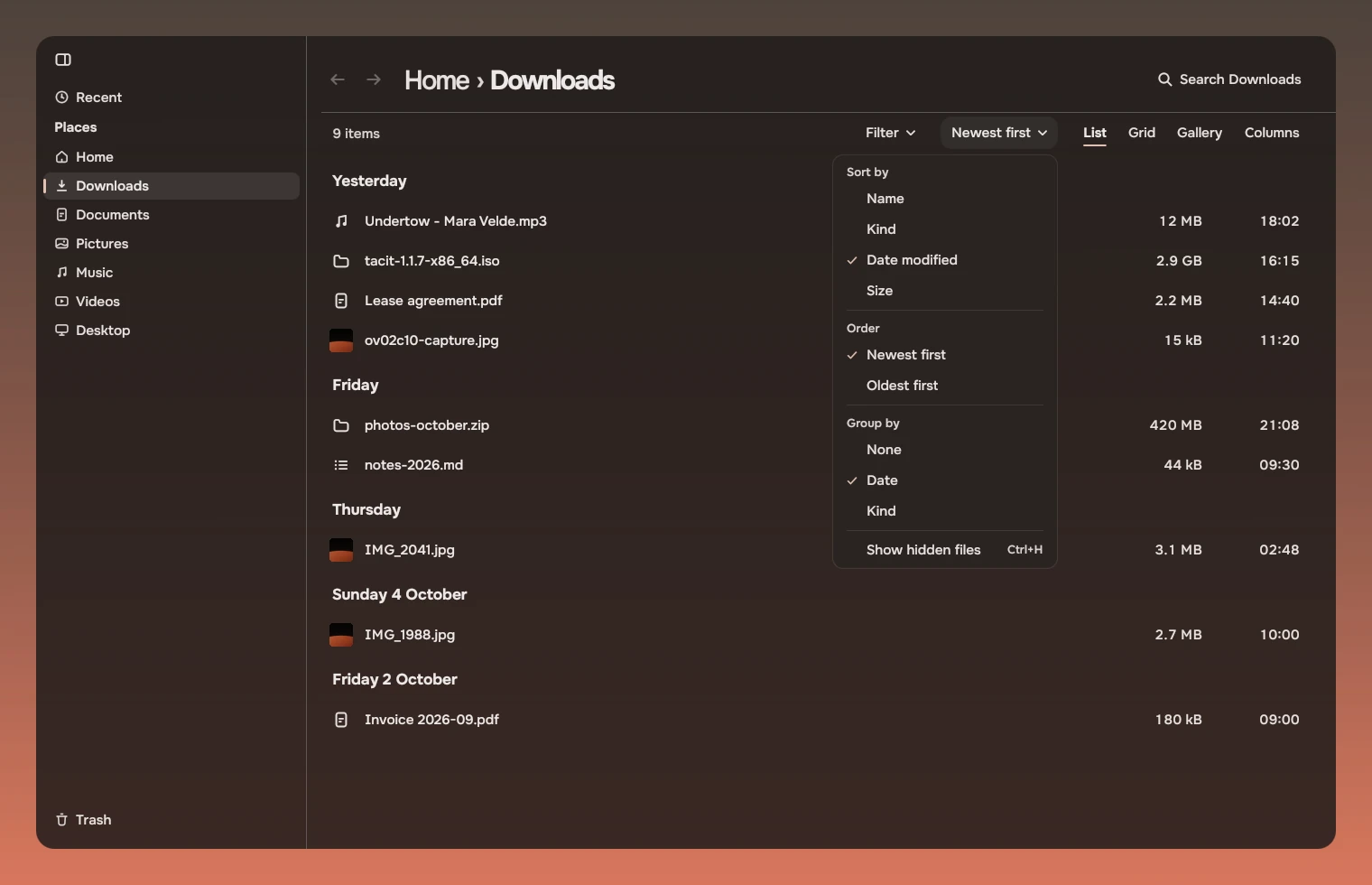
Files has the kit's view bar under the header. On the left is the count of items, or, when a filter is on, its fields. On the right are Filter, the order menu, and the four views as words, with the current one underlined.
- Filter has three fields. Kind lists the kinds in the folder with a count beside each and lets you tick several. Modified and Size each take one choice. With a filter on, the bar shows how many of the items are shown, such as 4 of 9, and Clear.
- The order menu is named for the current order, such as Newest first. It holds Sort by, Order, Group by, and Show hidden files with its key, Ctrl+H.
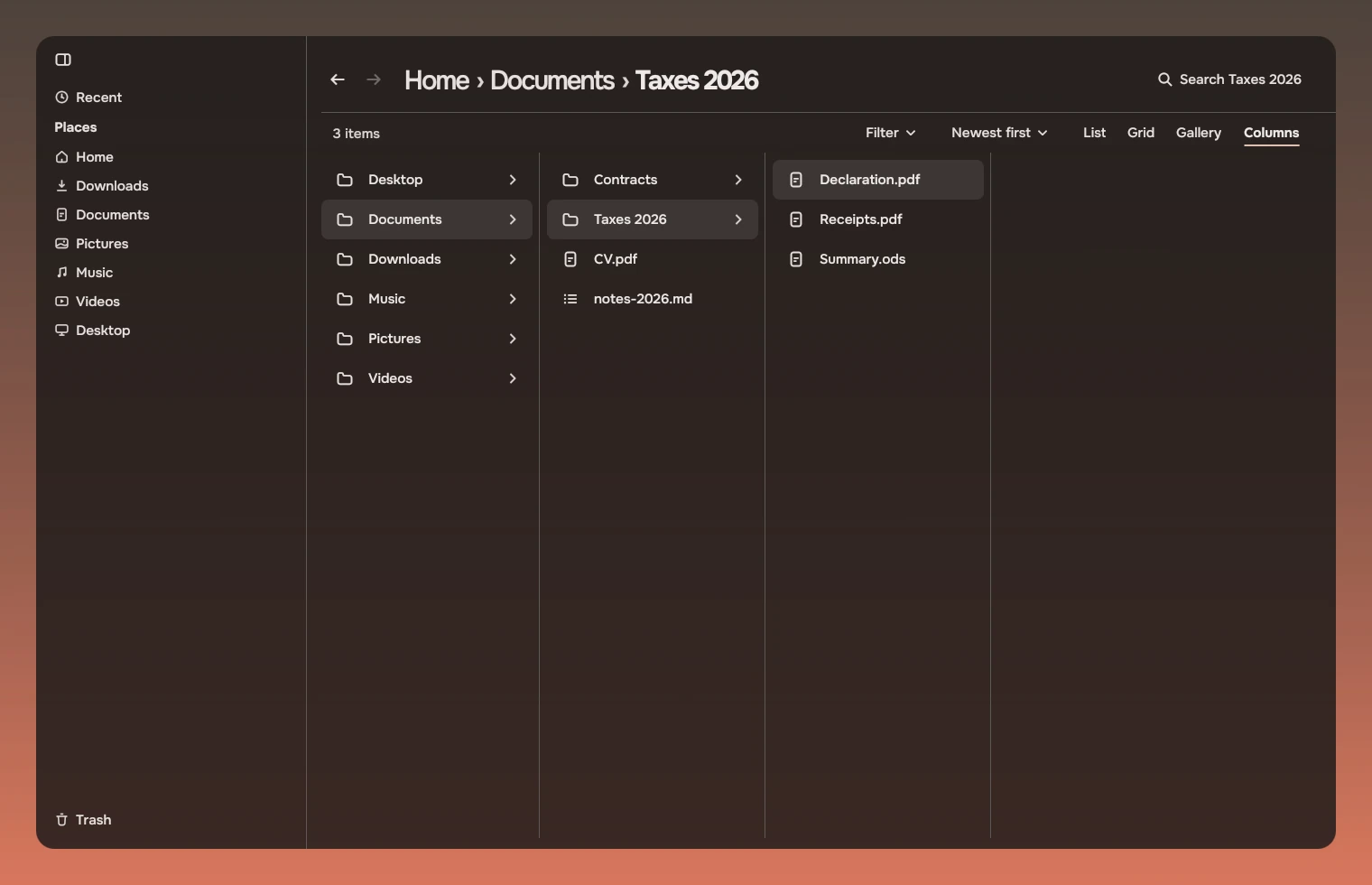
- The views are List, Grid, Gallery and Columns. Columns is the folder hierarchy: each selected folder opens its contents in a column to the right.
What the kit did not cover
- Files draws its picture cells and gallery itself (
FilesCell); it does not use the picture grid part yet.
Code
Files imports the kit qualified, since it also has its own names, and sets the tokens once.
import Tacit.Kit as K

K.PageHeader {
    crumbs: ["Home"]
    here: "Downloads"
    canGoBack: win.canGoBack
    onBack: win.back()
    K.SearchField { scope: "Downloads" }
}
Experimental, in Tacit.Kit 0.1.
Text and figures: CC BY 4.0. Tacit.Kit: LGPL-3.0 code, OFL fonts. The Tacit name.